

Module 9: Smart Home and IoT
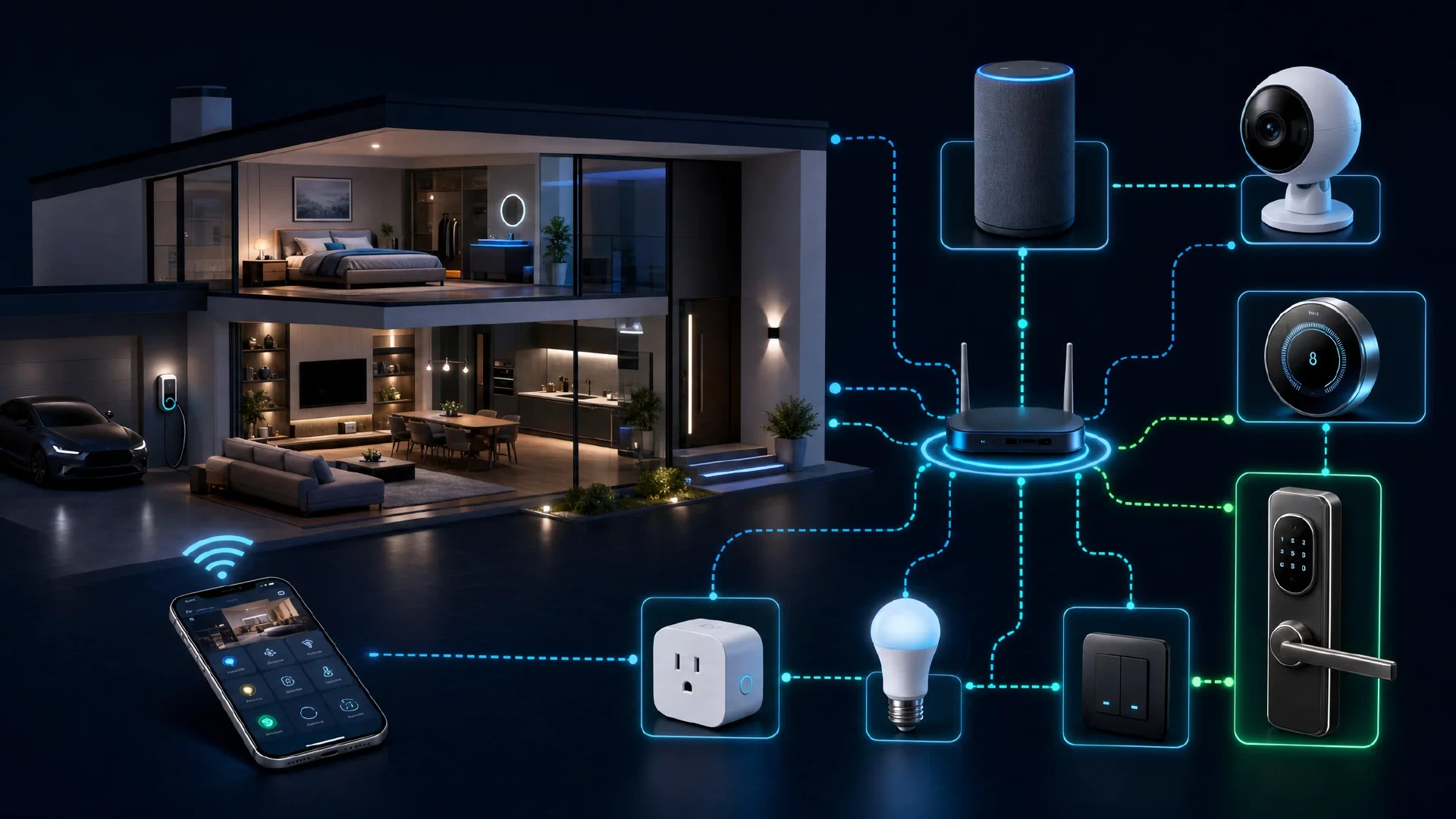
Table of Contents
← Return to the Personal Security Course
A smart device is a sensor with a network connection attached. A speaker holds a microphone, a camera holds a lens and often a microphone, a thermostat learns occupancy, and a lock reports who comes and goes. Each one is a small computer with its own update history and its own data practices.
This module covers the purchase decision, network segmentation for devices you did not build, voice assistant specifics, and wearables.
Budget about 30 minutes. The segmentation decision has more effect than any individual device setting.
What You Will Learn
- Evaluate a smart device against its data practices rather than its feature list
- Segment IoT devices onto a separate network from your computers
- Explain what voice assistants retain and what changes when you disable recording
- Assess wearables as a continuous biometric collection platform
- Decide which home functions should never connect to the internet
- Produce a smart home record listing devices, network segment, and firmware status
| Term | Meaning |
|---|---|
| IoT | Internet of Things, meaning network-connected devices beyond computers and phones |
| Segmentation | Placing devices on separate network segments so they cannot reach each other |
| Default credential | The factory username and password, which is published for most devices |
| Voice assistant | A device or service which listens for a wake phrase and processes audio remotely |
| Telemetry | Usage data a device reports back to its vendor |
The Trade, Stated Plainly
Smart home devices are convenient, and the price is data. The question is not whether a device collects, it is whether the collection is worth what the device does for you.
| Category | Typical Collection | Honest Assessment |
|---|---|---|
| Smart speaker | Audio snippets, wake events, queries, and household presence patterns | High collection, moderate convenience |
| Indoor camera | Continuous video, motion events, and audio | High collection, and high breach impact |
| Smart lock | Entry and exit events, user identity per event | High sensitivity if the vendor account is compromised |
| Thermostat | Occupancy inference and schedule | Reveals when the property is empty |
| Smart lighting | Usage schedules, and sometimes presence inference | Lower sensitivity, and often the best value |
| Fitness wearable | Continuous heart rate, sleep, location, and movement | Extensive biometric data with weak resale controls |
Two device types deserve the strongest scrutiny: cameras and microphones. A camera breach is a direct view into your home, and the historical record of smart camera incidents is long.
Ask the inverse question when considering a purchase: what is the worst outcome if this vendor is breached, and would I accept the outcome for what the device does?
What Earns a Place on Your Network
Run this before buying, not after.
- Does it require an internet connection to function? Some devices work entirely locally, which removes the vendor from your threat model
- Does the vendor publish a privacy policy with specifics, or only generalities
- Does it support local control through a standard protocol rather than a vendor cloud
- Is there a firmware update history, and how recent is the last one
- Does it require a cloud account, and does your identity need to be real
Prefer devices with a local control path. A camera or bulb which works over your own network without a vendor cloud removes an entire category of risk, including the vendor’s breach becoming your breach.
Segmentation: The Highest-Value Step
Put IoT devices on their own network segment. This is the single change which limits what a compromised device reaches.
| Setup | Effect |
|---|---|
| Guest network for IoT | Available on most routers, and separates devices from your computers |
| Dedicated VLAN | Stronger isolation where the router supports it |
| Per-device blocking | Firewall rules denying outbound access for devices which do not need it |
Three rules for the IoT segment:
- No IoT device reaches your computers or network storage. Guest isolation usually handles this
- Deny internet access where the device does not need it, which applies to many bulbs and sensors
- Rename every device to something generic, so a device list does not describe your hardware to anyone who sees it
Our Network Security Checklist covers the segment design in more depth, and Module 6 covers the router configuration.
Voice Assistants
A voice assistant is a microphone with a network connection and a retention policy.
| Setting | What It Changes |
|---|---|
| Delete voice recordings | Removes stored audio, and review whether it also removes transcripts |
| Disable voice purchases | Prevents spoken authorization of transactions |
| Turn off personalization | Reduces profile building from your queries |
| Mute the microphone physically | The only reliable guarantee nothing is captured |
| Review linked accounts and skills | Third-party skills inherit access you granted once |
The physical mute matters most. Software mute depends on the implementation being correct, and physical mute removes the microphone from the circuit.
Consider whether the assistant needs to exist in bedrooms or rooms where you discuss sensitive matters. A microphone in a bedroom is a different risk from one in a kitchen.
Wearables
A wearable collects continuously, which distinguishes it from a phone in a pocket.
| Data | What It Reveals |
|---|---|
| Heart rate | Sleep quality, stress response, and arousal |
| Movement and steps | Routine, activity level, and often when you are home |
| Sleep patterns | Bedtime and wake times, and disturbances |
| Location | Journeys and stops, frequently at fine granularity |
| Audio | Some devices record continuously for later processing |
The privacy problem is not only the vendor. Health and lifestyle data is attractive to insurers, employers, and data brokers, and resale restrictions vary by jurisdiction.
Our dedicated analysis of the trade-offs: Privacy-First Smartwatch Options for Data-Savvy Users .
What Should Never Connect
Some functions do not belong on the internet at all.
- Life-safety systems. Smoke detectors, carbon monoxide alarms, and medical devices should not depend on a cloud service or a network connection
- Access control for anything critical. A lock which fails open or fails unusable during an outage is worse than a mechanical alternative
- Water and heating controls in a property you do not visit often, where a failure is expensive and remote
- Anything in an outbuilding with unreliable connectivity, where offline behaviour matters
The test is the failure mode. Ask what happens when the internet is down, when the vendor shuts down, or when the account is locked. If the answer is unacceptable, the device belongs on a local-only path or nowhere.
Many vendors have discontinued cloud services for products still in use. A device which depends entirely on the service becomes a paperweight, or worse, a lock you cannot open.

The Smart Home Record
SMART HOME RECORD
Devices:
  - ______________________  segment: ______  internet: yes / no / blocked
  - ______________________  segment: ______  internet: yes / no / blocked
  - ______________________  segment: ______  internet: yes / no / blocked
  - ______________________  segment: ______  internet: yes / no / blocked

Network:
  IoT segment:            guest network / VLAN / none
  Devices blocked from internet: ______________________
  Device names anonymized: yes / no

Firmware:
  Auto-update enabled:    ______________________
  Last manual check:      ______________________

Voice assistants:
  Physical mute:          yes / no
  Voice recordings deleted: yes / no
  Personalization off:    yes / no
  Skills/accounts reviewed: yes / no

Local-only (no cloud dependency):
  - ______________________
Next Steps
- Continue to Module 10 and protect your accounts and cards: Personal Finance Security
- Move IoT devices to the guest network today. This is the highest-value action in the module
- Delete stored voice recordings and disable voice purchasing
- Rename each device so the list does not describe your hardware
- Review the smart home checklist for the organizational version: Physical Security Checklist
- Read the smartwatch comparison before buying a wearable: Privacy-First Smartwatch Options

