

Module 11: The Human Aspect
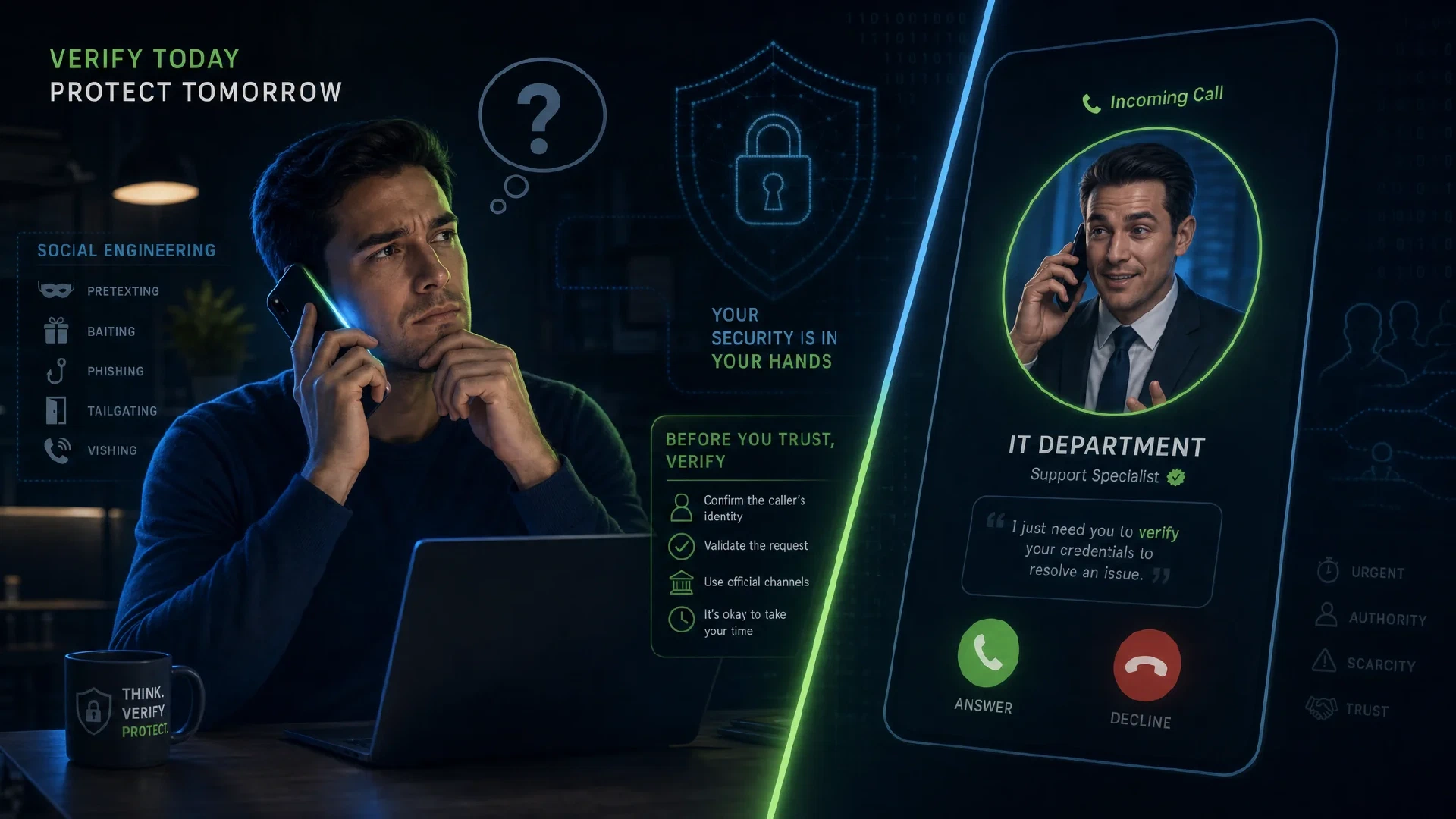
Table of Contents
← Return to the Personal Security Course
Every technical control in this course assumes somebody makes a good decision at the moment it matters. Social engineering targets the decision directly, which is why it survives every improvement to the layers beneath it.
Software did not stop these attacks because the software worked as designed. Someone authorized the action.
Budget about 30 minutes. One habit, calling back on a number you already had, prevents more loss than any tool in this course.
What You Will Learn
- Explain why urgency, authority, and familiarity are the three levers in a pretext
- Apply verification which works under pressure rather than only in calm conditions
- Recognize phishing across email, messaging, calls, and search results
- Assess voice cloning and video manipulation as a change to what a familiar voice proves
- Reduce what public records and data brokers expose about you
- Produce a verified contact list and an agreement with people who might be impersonated
| Term | Meaning |
|---|---|
| Pretext | A fabricated situation which justifies the request being made |
| Vishing | Voice phishing, where the attacker calls you rather than messaging |
| Callback verification | Confirming a request by calling back on a number you already had |
| Data broker | A company which aggregates and sells personal information |
| Prompt bombing | Flooding approval requests until one is accepted |
Why Pretexts Work
Attacks succeed by manipulating decisions, and the levers are consistent.
| Lever | How It Appears | Countermeasure |
|---|---|---|
| Urgency | An account closing, a payment due, a limited window | Treat speed pressure as the signal itself |
| Authority | A bank, an employer, a government agency, or IT support | Verify independently before acting |
| Familiarity | A known name, a real colleague, a matching voice | Confirm out of band rather than in the same channel |
| Fear of consequence | Legal action, account loss, disciplinary outcome | Slow down deliberately |
| Helpfulness | A reasonable-sounding request for small assistance | Notice you are being recruited, not attacked |
The most counterintuitive point: these attacks often do not feel like attacks. A request which arrives from a known name, with plausible context, and a reasonable ask produces no alarm, which is precisely the design.
Notice the emotion rather than the content. Urgency, obligation, and embarrassment are the outputs a pretext engineer aims for, and recognizing the feeling is faster than analyzing the message.
Verification Which Survives Pressure
Verification you devise in the moment is unreliable. Decide in advance.
The Callback Rule
Hang up and call back on a number you already had, from a card, a statement, or a saved contact. Never use a number supplied by the caller, even if it appears to match.
This single habit defeats vishing, bank impersonation, and many business email compromise attempts.
Agreed Verification With People You Know
Arrange a signal with family members and close contacts before it is needed. Options include a phrase, a question with an answer only you both know, or an agreed second channel.
This is worth doing with anyone who might plausibly be impersonated to you, particularly parents, adult children, and anyone with access to shared finances.
Out-of-Band Confirmation for Money
Any payment instruction which arrives by message requires confirmation through a separate channel. This applies to requests from colleagues, contractors, and family.
| Situation | What to Do |
|---|---|
| New bank details from a supplier | Call the supplier on a previously known number |
| Urgent payment from an executive | Confirm through a known internal channel, not a reply |
| Family emergency request | Call the family member directly on a stored number |
| Crypto or gift card request | Treat as fraud until proven otherwise. Both are irreversible and favored by attackers |
Warning: a request to pay by gift card, cryptocurrency, or wire transfer under time pressure is the signature of a scam. Legitimate organizations do not operate this way. Stop and verify.
Recognizing Phishing
Phishing has moved past badly spelled email, so the old tells are less useful than the structural ones.
| Structural Signal | Why It Matters |
|---|---|
| Domain differs from the real one | paypa1.com and paypal-secure.net are attacker-owned. Read the domain right to left, before the first slash |
| Unexpected attachment or link | Even from a known contact, since accounts get compromised |
| Request for credentials or a code | No legitimate organization asks for a one-time code |
| Channel escalation | Someone moves the conversation to messaging to avoid email controls |
| Payment detail change | A classic business email compromise step |
| Lookalike page after a redirect | The padlock does not indicate authenticity, as Module 2 established |
Two habits which reduce exposure:
- Enter addresses manually or use a bookmark for anything involving credentials
- Treat unsolicited pop-ups as hostile, including ones warning about viruses or offering support. A legitimate warning arrives from your operating system, not a web page
Pop-ups which claim to be system alerts are a reliable sign of a scam. Close the window or the browser entirely rather than clicking anything in it.
What a Familiar Voice Proves
Voice cloning changed the threat model for verification by recognition.
A short sample of public audio is enough to produce a convincing replica. Combined with a video call using a manipulated face, the old advice to confirm the caller sounds right no longer holds.
The practical consequence: identity confirmation by voice is no longer sufficient for anything consequential. Replace it with out-of-band verification, which does not depend on recognition at all.
| Old Assumption | Current Reality |
|---|---|
| “I recognize their voice” | A clone from a few seconds of audio passes |
| “Their face was on the video call” | Real-time face manipulation exists and is improving |
| “They knew our internal details” | Those details are often public or leaked |
This does not mean refusing every request. It means confirming consequential ones through a channel the attacker does not control, which is the callback rule applied to people as well as institutions.
Reducing Your Public Exposure
Social engineering begins with research, and a great deal of it is from public sources. Reducing what is available shortens the attacker’s starting material.
Data Brokers
- Submit opt-out requests to the major people-search sites, and expect to repeat the process periodically
- Never provide additional personal information when opting out. An opt-out form asking for more detail than the listing contained is a collection mechanism
- Track what you have submitted, since re-listings are common
Domain Registration
Whois privacy protection hides your name, address, and phone from public registration records. Most registrars offer it at no cost, and it matters most if you registered a personal domain.
This connects to Module 3. A domain used for email aliasing holds your identity in its registration record unless privacy protection is enabled.
Address and Identity Separation
| Practice | Benefit |
|---|---|
| Forwarding address or parcel locker | Keeps your home address out of commercial databases |
| Opt out of marketing lists | Reduces the volume of data sold onward |
| Review social media privacy on a schedule | Terms change, and settings revert with updates |
Our Phishing Awareness Checklist covers the organizational training version of this module.

The Human Record
HUMAN ASPECT RECORD
Verified contact list (numbers I already had):
  Bank:                  ______________________
  Card issuer:           ______________________
  Employer IT:           ______________________
  Family members:        ______________________

Agreed verification:
  Person:                ______________________  signal: __________
  Person:                ______________________  signal: __________

Money rules I follow:
  [ ] Never act on payment details received by message alone
  [ ] Never pay by gift card, crypto, or wire under time pressure
  [ ] Always call back on a number I already had
  [ ] Confirm any executive request through a known internal channel

Public exposure reduction:
  Whois privacy enabled:  yes / no / n/a
  Broker opt-outs filed:  ______________________
  Forwarding address:     yes / no
  Social privacy reviewed: date __________
Next Steps
- Continue to Module 12 and cover the physical layer: Physical Security
- Save verified contact numbers for your bank, card issuers, and employer IT today
- Agree a verification signal with the two people most likely to be impersonated to you
- Enable Whois privacy if you own a personal domain
- File opt-outs with the major data brokers, and diarize a repeat in six months
- Read the organizational counterpart: Phishing Awareness Checklist

