

Module 3: Email Security
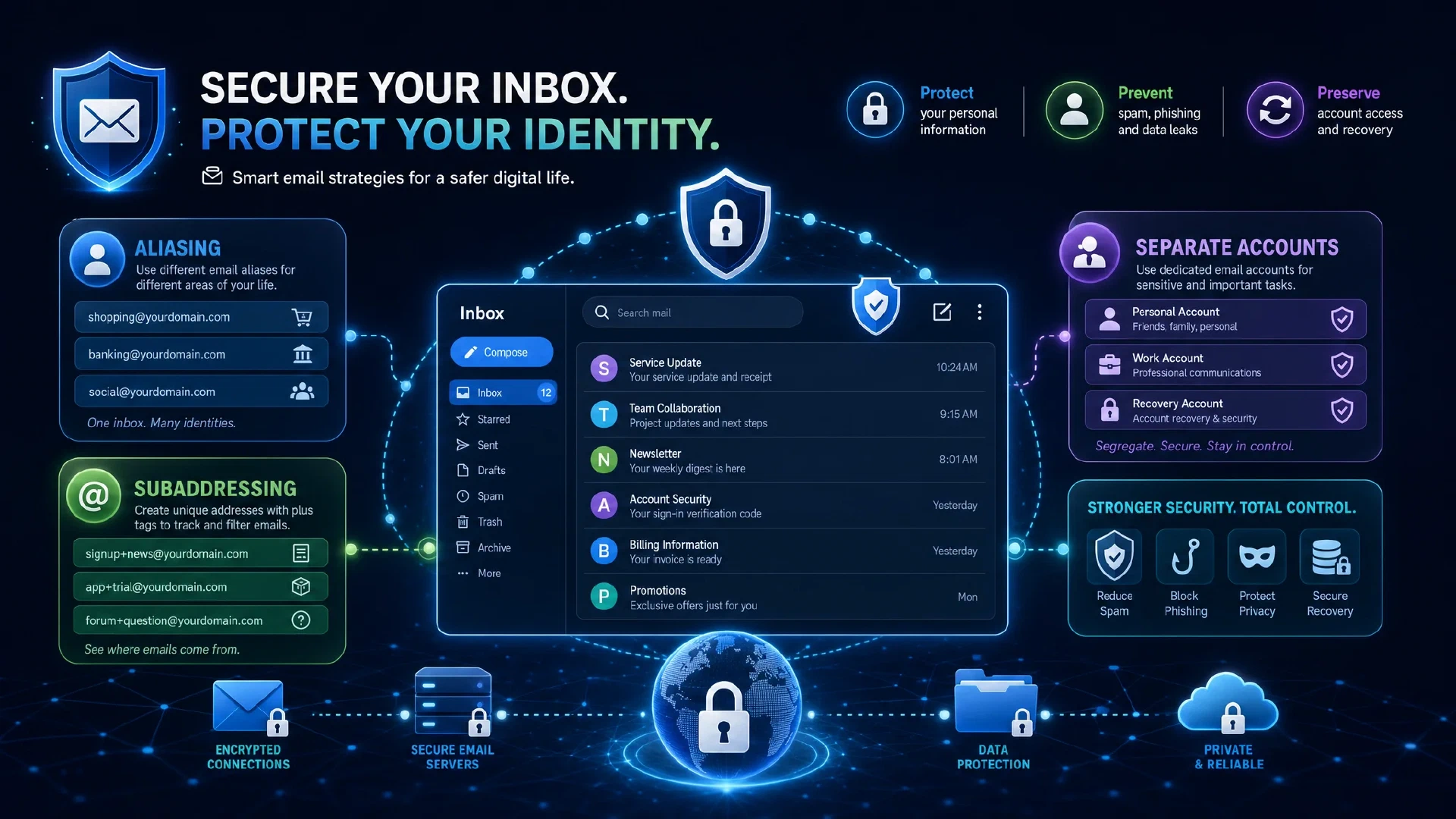
Table of Contents
← Return to the Personal Security Course
Your email account is the recovery path for everything else. A password reset goes there. A second-factor fallback goes there. An account takeover notification goes there. Anyone who controls your inbox does not need to break into your other accounts, because they reset their way in.
This module covers address strategy, the tracking mechanisms built into mail itself, provider selection, and an honest assessment of self-hosting.
Budget about 25 minutes. The address strategy decision is the one which compounds over years.
What You Will Learn
- Explain why mailbox compromise grants access to unrelated accounts
- Distinguish aliasing, subaddressing, and separate accounts as three different strategies
- Disable remote content loading, which is the main tracking mechanism in mail
- Evaluate a provider on encryption, jurisdiction, and recovery policy rather than marketing
- Audit third-party applications with mailbox access
- Produce an email record listing your address strategy, provider, and connected applications
| Term | Meaning |
|---|---|
| Alias | A distinct address which forwards to your real mailbox, and which you disable individually |
| Subaddress | A variant of your real address using a + suffix, which reveals the original |
| Catch-all | A domain configuration accepting mail to any address at the domain |
| Tracking pixel | A remotely loaded image which reports when a message was opened |
| Third-party access | An application granted OAuth or IMAP permission to read your mailbox |
Why the Mailbox Is the Master Key
Account recovery almost always routes through email. This single fact makes the inbox more valuable than any individual account it protects.
| Attack | What It Achieves |
|---|---|
| Mailbox takeover | Password resets for every connected account |
| Read-only mailbox access | Silent reconnaissance, including which services you use |
| Mail rule insertion | Automatic forwarding or deletion of security notifications |
| Recovery address change | Permanent access even after the victim resets passwords |
Check your mail rules and forwarding settings today. A hidden rule which forwards security alerts to an attacker is a common persistence mechanism, and it survives a password change.
Everything in Module 1 assumes the recovery path is intact. If the inbox falls, the vault is one reset away from being useless.
Address Strategy
One address for everything is the default, and it is the weakest option. Three strategies improve on it, and they differ in what they reveal.
| Strategy | Hides Your Real Address | Tracks Who Leaked It | Cost |
|---|---|---|---|
| Separate accounts | Yes, for the service | Partially | Multiple inboxes to check |
| Aliasing | Yes | Yes | A provider or your own domain |
Subaddressing (you+service@) | No | Yes | None |
Aliasing is the strongest option. A unique address per service means spam identifies the source, a single alias is disabled without touching your inbox, and no two services correlate you by address.
A related benefit: mail arriving at an alias you retired is obviously fraudulent, which turns your own address strategy into a phishing detector.
If you own a domain, a catch-all gives you unlimited aliases at no cost, and it lets you change providers without changing your address. The portability is the strongest argument for owning the domain.
Remote Content and Tracking Pixels
A single remotely loaded image reports the message was opened, along with your IP address, client, and timestamp. Marketers use this to build engagement profiles, and so does anyone else with access to the same technique.
Disable automatic remote content loading in your mail client. This is one setting, it breaks nothing important, and it removes the mechanism entirely.
Two related practices:
- View mail as plaintext where practical. HTML mail carries the same tracking plus additional parser attack surface.
- Do not treat email as confidential. Transport encryption protects the message in transit, not the copy sitting in a provider’s mailbox or in a mis-sent thread.
Provider Selection
Evaluate against these rather than marketing claims:
| Criterion | Why It Matters |
|---|---|
| Encryption at rest | Whether the provider holds keys to your mailbox |
| Jurisdiction | Which legal orders the provider responds to |
| Recovery policy | Whether support will restore access, and under what proof |
| Data retention | How long deleted mail persists in backups |
| Third-party access control | Whether you control which apps read your mailbox |
Mainstream providers are not equivalent. Some scan message content to build advertising profiles, and some have granted broad third-party access to mailbox contents. Choosing a provider which sells no advertising removes the incentive entirely.
Third-Party Access and Template Leakage
An application with mailbox access reads everything, not only the messages it needs. Sign-in prompts offering to connect a tool to your mail grant the tool full read scope in most implementations.
Audit this in two places:
- Your mail provider’s connected applications list, where OAuth grants accumulate and are rarely reviewed.
- Your mail client’s add-ins, which run with the client’s own privileges.
Two leakage channels which get far less attention:
| Channel | What It Leaks |
|---|---|
| Auto-reply messages | Travel dates, absence from a property, temporary contact details, and job responsibilities |
| Mail signatures | Job title, direct number, employer structure, and internal project names |
An out-of-office reply is a public statement your home is empty and you are not checking messages. Keep it to dates and an alternative contact.
Self-Hosting: An Honest Assessment
Running your own mail server is harder than it looks, and the difficulty is not the software.
The technical setup is achievable. The operational burden is the problem:
- Deliverability depends on reputation, which requires correct SPF, DKIM, and DMARC records and a sending history which receivers trust.
- Availability is on you. If your server is down, mail is not queued politely, it is refused.
- Abuse handling is on you, including bot attempts to relay through your server.
- Redundancy requires planning, typically at least two MX records with a documented priority order.
Two reliability items belong in any self-hosted deployment:
# Check your mail authentication records before sending anything
dig +short TXT example.com              # SPF
dig +short TXT _dmarc.example.com       # DMARC policy
dig +short MX example.com               # at least two, ordered by preference
If you are not prepared to maintain this, use a reputable provider and put the effort into aliasing instead. A managed provider with a good privacy posture and unique aliases beats a misconfigured self-hosted server on every axis which matters here.
If you do not self-host, the portability argument returns: owning the domain means you change providers without changing your address, which is the part which matters over a decade.
The Email Record
EMAIL RECORD
Primary provider:        ______________________
Address strategy:        separate / alias / subaddress / single
Alias provider or domain: ______________________
Retired aliases disabled: ______________________

Security settings:
  Remote content loading: OFF
  View as plaintext:      yes / no
  Recovery address:       ______________________
  Recovery phone:         current / stale / none

Third-party access (review and revoke):
  - ______________________  revoked? ______
  - ______________________  revoked? ______

Next Steps
- Continue to Module 4 and apply the same privacy reasoning to conversation: Secure Messaging
- Disable remote content loading in your mail client now, which takes about thirty seconds
- Review connected applications and revoke anything you no longer use
- Compare aliasing options if you want a provider-managed solution rather than a domain
- Read the module on authentication if recovery codes are not yet stored: Authentication and Credentials
