

Lesson 6: Point Claude Code, Cursor, and OpenCode at Your Local AI Broker
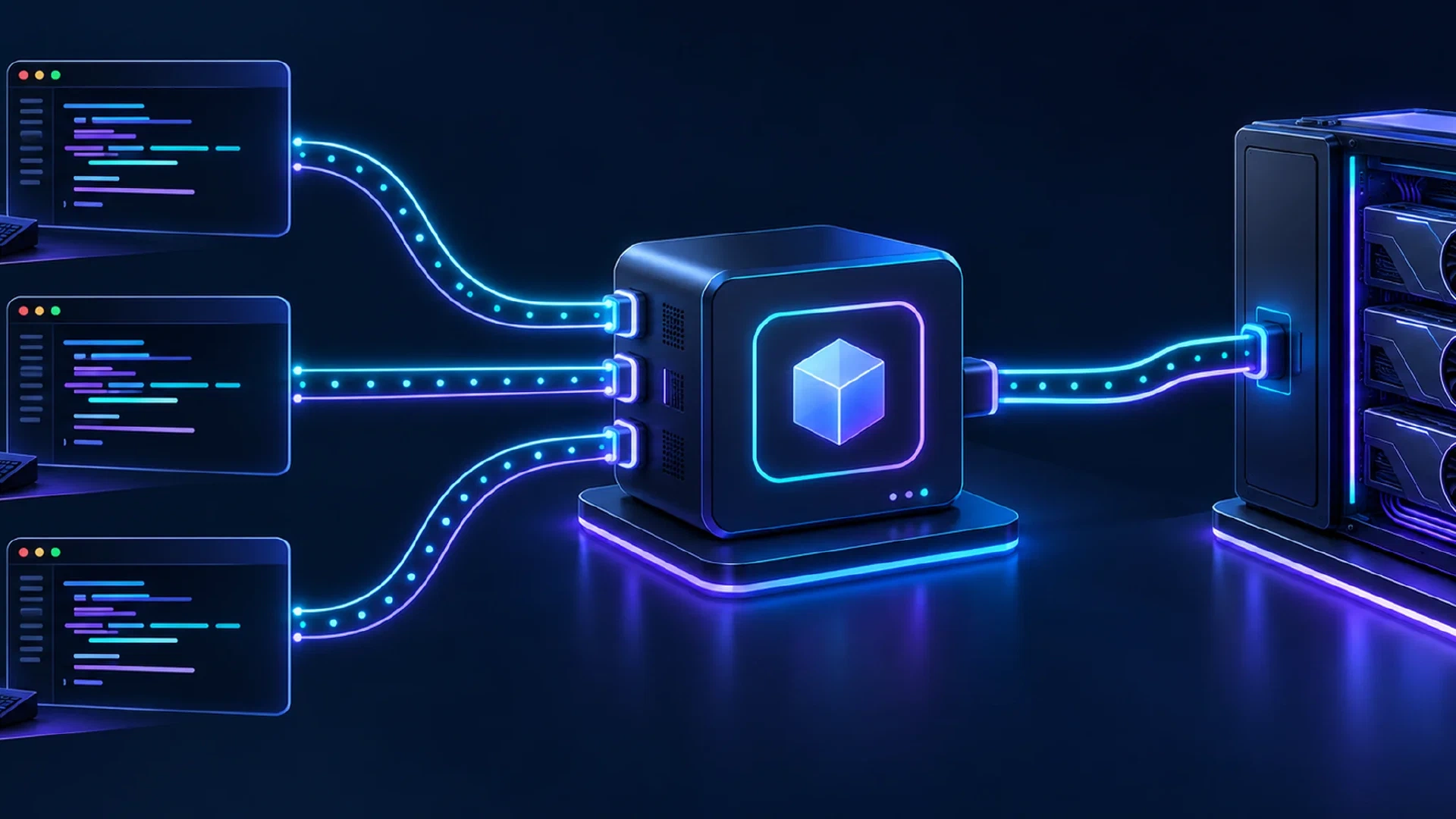
Table of Contents
Return to the Hermes Agent and Local AI Course
One private base URL does not mean one wire format. Tailscale Aperture exposes a single gateway host on your tailnet. Claude Code and OpenCode each point at the same host, yet each sends a different request format. The host stays constant. The path and the wire protocol change per tool.
Cursor is the exception in this lineup. It routes every request through Cursor’s own cloud and rejects private or LAN addresses, so it cannot reach a tailnet-private Aperture host.
This guide configures each agent against the same Aperture host, names the exact format each one speaks, and gives a one-line check for each. Every configuration below is verified against vendor documentation and marked untested, because no live request was run through a gateway during research.
Reader outcome: point Claude Code and OpenCode at one Aperture host, understand why Cursor needs a public edge instead, and run one verification command per tool.
Key Takeaways
- The host is the single constant. Aperture exposes one URL. Each agent appends its own path.
- Claude Code speaks Anthropic Messages only. It needs a
/v1/messagesendpoint, not OpenAI/v1/chat/completions. - OpenCode speaks OpenAI Chat Completions natively against the same host.
- Cursor stays cloud-routed. It needs a public OpenAI-compatible endpoint, so a private Aperture host is out of reach.
- Keyless on the tailnet. Aperture authenticates by Tailscale identity, so clients send a placeholder credential instead of a real key.
Prerequisites:
- A running Tailscale Aperture gateway on your tailnet, reachable at
<APERTURE_HOST>. - MagicDNS enabled so the gateway resolves by hostname.
- At least one granted model for your Tailscale identity. Aperture denies access by default.
- Claude Code and OpenCode installed on the client machine.
Time and difficulty: Intermediate. Allow about 15 minutes per tool once the gateway runs.
The One Constant Is the Host
Aperture is a reverse-proxy AI gateway. It sits between your clients and the upstream providers, holds the provider keys server-side, and routes each request to the serving backend. A client names a model, and Aperture maps the name to a provider, injects the credential, and forwards the call.
The single value you reuse across tools is the host, written here as <APERTURE_HOST>. On a tailnet with MagicDNS, this looks like a short name such as http://ai or a device name like https://aperture-host.tailnet-name.ts.net.
Aperture builds the upstream URL by appending the full incoming request path to the provider base URL. The client path selects the upstream API:
| Client path the gateway receives | Upstream API it selects |
|---|---|
/v1/messages | Anthropic Messages |
/v1/chat/completions | OpenAI Chat Completions |
/v1/responses | OpenAI Responses |
This is why one host serves several agents while each still speaks its own protocol. Claude Code sends /v1/messages. OpenCode sends /v1/chat/completions. The host does not change. The path does.
This article covers the top layer of the series: the coding-agent clients. Below them sit Tailscale Aperture as the private edge, then the broker, then the backends. A public edge in front of Aperture, such as a LiteLLM deployment, is out of scope for this series.
How Aperture Handles Credentials
Aperture is keyless on the tailnet. It authenticates the caller by Tailscale identity through a WhoIs lookup on the client IP, so the client needs no real provider key. The gateway holds the upstream keys and injects them per request.
Some clients require a non-empty credential field even when the gateway ignores it. For those, send a placeholder such as - or not-needed. The placeholder satisfies the client’s own check. It is not sent upstream as a real key.
A reachable base URL is not a credential. Claude Code falls back to its claude.ai login unless an auth token is set, so the placeholder token is still required for a keyless gateway.
Claude Code
Claude Code speaks the Anthropic Messages format and nothing else. Point it at the Aperture host with ANTHROPIC_BASE_URL, and set a placeholder auth token so it does not fall back to a cloud login.
Set the host only. Claude Code appends /v1/messages itself, so do not add a /v1 suffix.
export ANTHROPIC_BASE_URL="<APERTURE_HOST>"
export ANTHROPIC_AUTH_TOKEN="-"
export ANTHROPIC_MODEL="<MODEL_ID>"
claude
For a persistent setup, use the env block in ~/.claude/settings.json. It survives across terminals and reaches background agents, unlike a shell export:
{
  "env": {
    "ANTHROPIC_BASE_URL": "<APERTURE_HOST>",
    "ANTHROPIC_AUTH_TOKEN": "-",
    "ANTHROPIC_MODEL": "<MODEL_ID>"
  }
}
Verification command:
curl "$ANTHROPIC_BASE_URL/v1/messages" \
  -H "anthropic-version: 2023-06-01" \
  -H "content-type: application/json" \
  -d '{"model":"<MODEL_ID>","max_tokens":16,"messages":[{"role":"user","content":"ping"}]}'
Status: untested. The Anthropic Messages path is verified against Claude Code and Aperture documentation, not against a live round trip. Confirm your gateway serves an anthropic_messages provider before relying on this. A plain OpenAI-compatible base URL returns an error for Claude Code, because it has no /v1/messages endpoint.
Caveats for this tool:
- Do not append
/v1toANTHROPIC_BASE_URL. Claude Code adds/v1/messageson its own. - Do not set both
ANTHROPIC_AUTH_TOKENandANTHROPIC_API_KEY. Use the auth token for a bearer gateway. The two together cause an auth conflict. - The settings file reaches background agents. A shell export does not.
Cursor
Cursor cannot reach a tailnet-private Aperture host. It routes every request through Cursor’s own servers and rejects localhost, 127.0.0.1, and private-LAN addresses. Aperture does not accept direct public internet access, so the two do not meet on a private tailnet.
If you expose an OpenAI-compatible edge on a public host, Cursor connects to it with bring-your-own-key settings. This public edge is a separate component from the private Aperture in this series.
Cursor Settings > Models > API Keys:
  OpenAI API Key:            YOUR_API_KEY
  Override OpenAI Base URL:  https://<PUBLIC_HOST>/v1
  + Add Custom Model:        <MODEL_ID>
Verification command: send a chat message in Cursor using the custom model, then confirm the request appears in your gateway logs.
Status: untested. This path needs a public endpoint, not the tailnet host, and was not run during research. Cursor chat uses the OpenAI Chat Completions API, and Agent mode uses the OpenAI Responses API, so the edge has to serve both.
Caveats for this tool:
- Tab completion always uses Cursor’s own models. The override applies to chat models only.
- Agent and Auto modes bypass the override in some builds.
- All traffic passes through Cursor’s backend. There is no local-only session.
- A
claude-prefixed model id routes to Cursor’s own Anthropic path and skips the override. Use the exact allowlisted id.
OpenCode
OpenCode speaks OpenAI Chat Completions natively against the Aperture host. Define a provider, set its baseURL to the host plus /v1, and name the model. Put the configuration in opencode.json in your project, or in ~/.config/opencode/opencode.json.
{
  "$schema": "https://opencode.ai/config.json",
  "model": "aperture/<MODEL_ID>",
  "provider": {
    "aperture": {
      "npm": "@ai-sdk/openai-compatible",
      "name": "Aperture (tailnet)",
      "options": { "baseURL": "<APERTURE_HOST>/v1" },
      "models": { "<MODEL_ID>": { "name": "<MODEL_DISPLAY_NAME>" } }
    }
  }
}
The npm package selects the wire format. Use @ai-sdk/openai-compatible for Chat Completions, @ai-sdk/anthropic for Anthropic Messages, or @ai-sdk/openai for OpenAI Responses.
Verification command:
opencode run --model aperture/<MODEL_ID> "reply with OK"
Status: untested. The provider shape is verified against the OpenCode provider documentation, not against a live gateway call. Match the baseURL path to the package you chose, and set the top-level model explicitly. A blank top-level model is reported to produce spurious 429 responses in community issue tracking.
Caveats for this tool:
- Model ids must match the ids returned by
GET /v1/modelson the gateway. - Keyless needs no real key. Omit
apiKey, or set a placeholder for a package with a non-empty-key check. OPENCODE_CONFIGoverrides the config file path when set.
Compatibility Table
| Tool | Native wire format | Path the gateway sees | Reachable at a private Aperture host |
|---|---|---|---|
| Claude Code | Anthropic Messages only | /v1/messages | Yes, a supported Aperture client |
| Cursor | OpenAI Chat Completions and OpenAI Responses | /v1/chat/completions, /v1/responses | No, needs a public endpoint through its cloud |
| OpenCode | OpenAI Chat, Responses, or Anthropic Messages, per npm package | path of the chosen package | Yes, a supported Aperture client |
Keyless on the tailnet: Claude Code and OpenCode work with a placeholder credential. Cursor requires a real bring-your-own-key value sent to its backend.
For most terminal setups on a tailnet, Claude Code and OpenCode are the two agents a single Aperture host serves directly.
Troubleshooting
| Symptom | Likely cause | Fix |
|---|---|---|
| “Cannot connect using hostname” | MagicDNS disabled or wrong URL | Enable MagicDNS. Open <APERTURE_HOST> in a browser to confirm reachability |
HTTP 403, or a model missing from /v1/models | No grant matches your identity. Aperture denies by default | Add a tailscale.com/cap/aperture grant whose model glob covers the model |
| HTTP 405 | A doubled /v1 in the base URL. Aperture appends the incoming path | Strip the trailing /v1 where the client already adds it |
HTTP 404 on /v1/messages or /v1/responses | The provider lacks the matching compatibility flag | Set anthropic_messages or openai_responses on the provider block |
| HTTP 502 or an unresponsive model | The broker or backend is unreachable from the gateway | Confirm the upstream is reachable from the gateway over the tailnet |
Client refuses plain http:// | Some clients require HTTPS with a trusted cert for a fully-qualified hostname | Use the HTTPS FQDN with a trusted cert for those clients |
| “Connected” but requests fail with 401 | A missing placeholder credential, or a passthrough provider needs a real token | Add a placeholder key for OpenAI-wire clients. Forward a real token for subscription passthrough |
| Connection fails from a non-tailnet device | Aperture listens on Tailscale interfaces only | Use an Aperture CLI bridge or ts-unplug, then point the client at http://localhost:<port> |
Next Steps
- Compare the terminal tools in the CLI coding agents comparison .
- Compare the editors in the GUI coding agents comparison .
- Run Claude Code with local models through an Anthropic-compatible API.
- Set up Strata and OpenCode on a 16GB GPU .
- Build the private edge in the Tailscale Aperture local AI gateway guide.
- Front one endpoint with the OpenAI-compatible AI broker guide.
- See the full stack in the Hermes Agent brokerized local AI workflow master article.
Continue with Lesson 7: Fan Work Out to Bot Profiles .

