

Cisco CCNA (200-301): Security Fundamentals
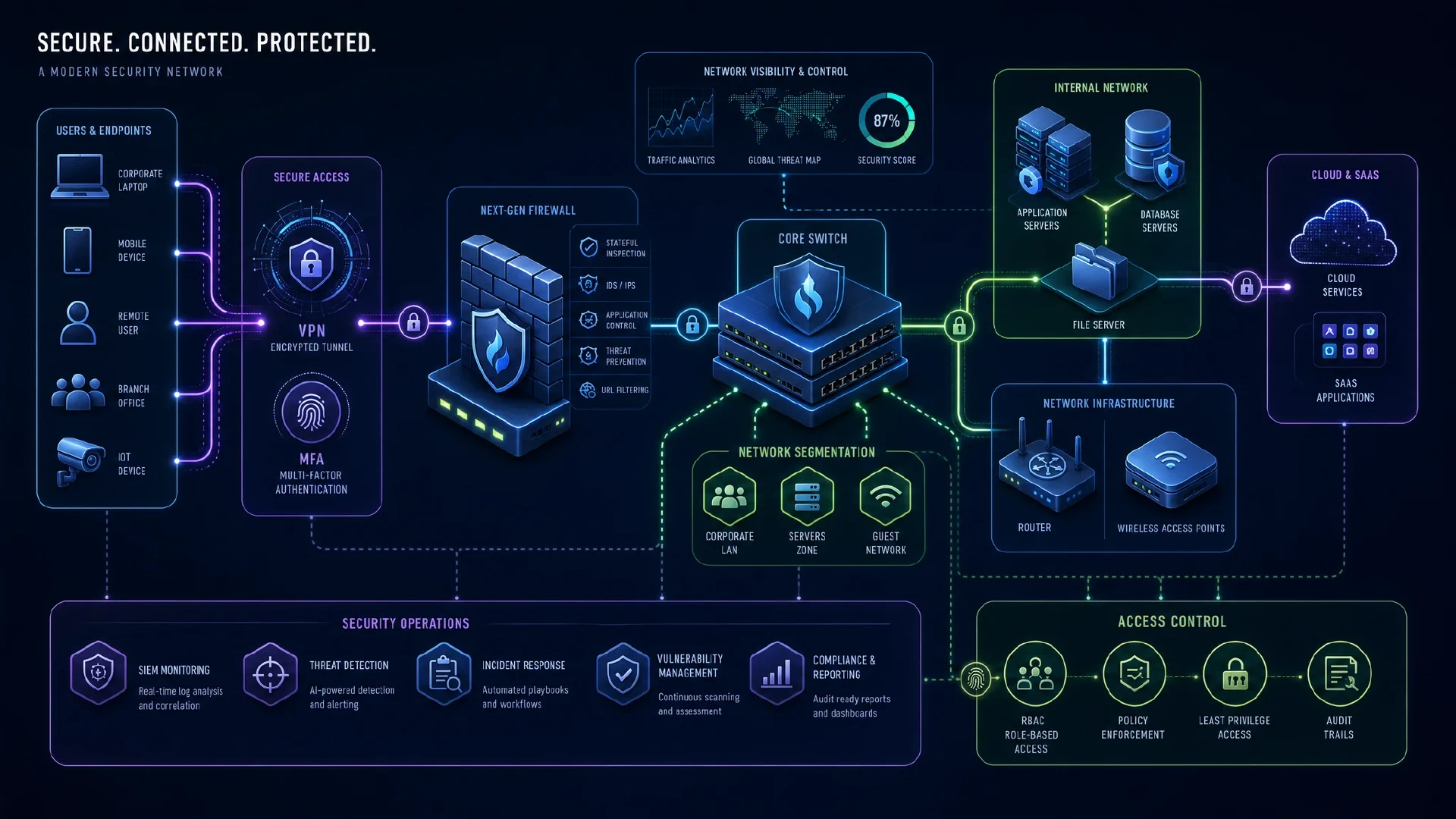
Table of Contents
Click Here to Return To the Cisco CCNA Course Page
Security Fundamentals is 15% of the Cisco CCNA (200-301) exam. This module covers how you protect devices, traffic, and access. Security questions blend with configuration tasks, so know both the theory and the commands.
This domain mixes concepts with hands-on configuration. You define the threats, then lock down devices, filter traffic, and secure both wired and wireless access.
Core Security Concepts
You separate four related terms.
| Term | Meaning |
|---|---|
| Threat | A potential cause of harm |
| Vulnerability | A weakness that can be exploited |
| Exploit | The method used against a vulnerability |
| Mitigation | A control that reduces the risk |
Security program elements include user awareness, training, and physical access control. Training, reporting paths, and technical controls each address different security risks.
Device Access Control
You protect device access with strong local credentials and a clear password policy. Cover management, complexity, and alternatives such as MFA, certificates, and biometrics.
! In a disposable lab, replace each bracketed placeholder with a unique secret
Router(config)# enable secret <unique-secret>
Router(config)# username labadmin secret <different-unique-secret>
Router(config)# service password-encryption
Do not enter the angle brackets or copy a published example password onto a device. service password-encryption only obscures certain stored passwords and does not replace strong secrets or secure management access. For password guidance, read
how to create strong passwords
.
AAA and VPNs
AAA separates three functions:
- Authentication confirms who you are.
- Authorization decides what you can do.
- Accounting records what you did.
A RADIUS or TACACS+ server centralizes AAA across many devices. VPNs protect traffic across untrusted networks. IPsec secures both remote access and site-to-site tunnels with encryption and integrity.
Access Control Lists
ACLs filter traffic by source, destination, protocol, and port. Standard ACLs match source only, while extended ACLs match much more.
! Lab 5 supplies a scoped named ACL, its interface placement, tests, and rollback.
R1# show ip access-lists
Order matters, because the router reads top to bottom and stops at the first match. An implicit deny any sits at the end of every ACL.
Layer 2 Security
Switches need their own protections against local attacks.
| Feature | Protects against |
|---|---|
| Port security | MAC flooding and rogue devices |
| DHCP snooping | Rogue DHCP servers |
| Dynamic ARP inspection | ARP poisoning |
! Limit a port to one learned MAC
Switch(config-if)# switchport port-security
Switch(config-if)# switchport port-security maximum 1
Switch(config-if)# switchport port-security violation shutdown
Wireless Security
Wireless protocols improved over time. WPA is legacy, WPA2 uses AES with CCMP, and WPA3 adds stronger key exchange with SAE. In the WLC GUI you create a WLAN and apply WPA2 PSK for a pre-shared key network.
Lab 5: Prove an ACL Decision
Continue the
course topology
and save a clean copy. On SRV1, turn on its HTTP service in Packet Tracer’s Services tab. Before filtering, use PC-A and PC-B browsers to open http://198.51.100.10; record the observed result from both. If routing or the service is broken, repair that first. The later deny test has no value without a passing baseline.
The goal is to block HTTP from VLAN 20 to SRV1 while allowing VLAN 10 and leaving ICMP available for diagnosis. Apply the ACL inbound on R1’s VLAN 20 subinterface so the source is filtered as it enters routing.
R1(config)# ip access-list extended GUEST_FILTER
R1(config-ext-nacl)# deny tcp 10.10.20.0 0.0.0.255 host 198.51.100.10 eq 80
R1(config-ext-nacl)# permit ip any any
R1(config)# interface g0/0.20
R1(config-subif)# ip access-group GUEST_FILTER in
R1# show ip access-lists GUEST_FILTER
R1# show running-config interface g0/0.20
Expected matrix: PC-A HTTP to SRV1 succeeds, PC-B HTTP to SRV1 fails, and PC-B ping to SRV1 succeeds. The permit ip any any line is intentional for this narrow lesson. It is not a production policy. If PC-B was changed to DHCP in the IP Services lesson, the subnet-wide rule still matches its address. ACL counters should increase for matching traffic, but a simulator may not model every counter. Use its packet inspection if needed.
Inject one fault: reverse the ACL rule order so the broad permit comes first. PC-B’s HTTP request may then succeed. Explain first-match processing, restore the deny-first order, and run all three tests again. Roll back the whole exercise with no ip access-group GUEST_FILTER in under g0/0.20, followed by no ip access-list extended GUEST_FILTER in global configuration, then retest the baseline. Do not perform this on a production interface.
For a Layer 2 review, draw the trusted switch uplink toward an authorized DHCP server. DHCP snooping should trust only the server-facing path. Dynamic ARP Inspection relies on valid IP-to-MAC bindings, often learned through DHCP snooping, or explicit bindings for static devices. Check your simulated model’s support before configuring either. Record not run if unsupported. In a separate worksheet, name the AAA authentication source, authorization rule, and accounting record for a network administrator. Mark WLC, VPN, and RADIUS configuration as exam theory unless you add authorized equipment and verify the result.
Your checkpoint is a before-and-after packet matrix, ACL output, one fault and repair, rollback result, and a Layer 2 trust-boundary sketch. Pass when the intended denial is selective, the allowed flows still work, and you can explain why the ACL is inbound on VLAN 20. Cisco’s named ACL guide covers matching and interface attachment.
Next Steps
Finish the blueprint with Automation and Programmability , built on the services from IP Services . Strengthen your fundamentals with the CompTIA Security+ Course and return to the Cisco CCNA Course .