
Size a Homelab UPS and Test Automatic Shutdown
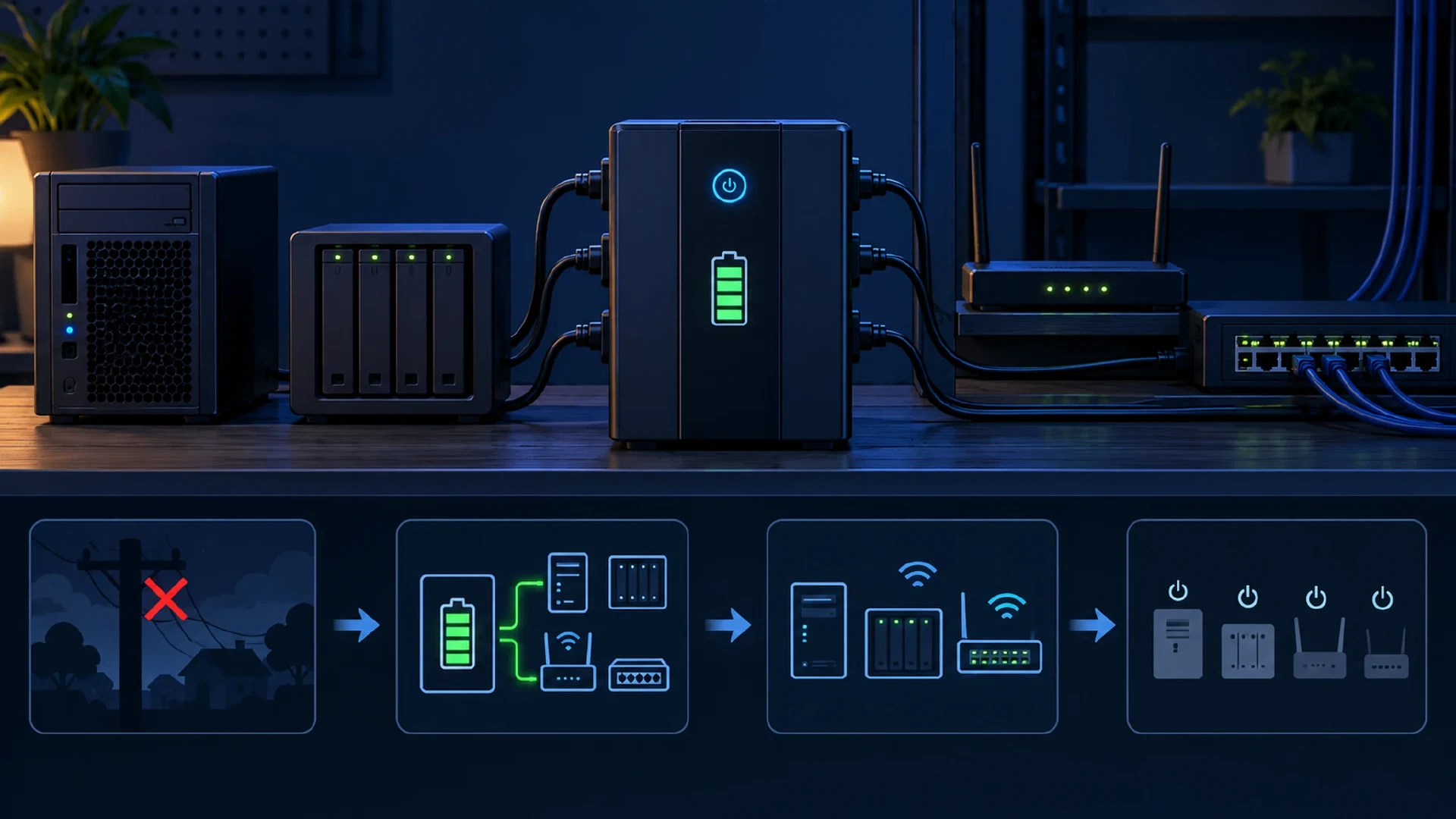
Table of Contents
A UPS, or uninterruptible power supply, gives a homelab time to save work and shut down during a power outage. Its label alone does not tell you how long your servers will run. You need the equipment load, the UPS watt and VA limits, a runtime estimate at that load, and a tested shutdown path.
Key Takeaways
- Measure the load: Record normal and high-load watts for every device you intend to keep on battery.
- Check both ratings: The UPS must meet the connected equipment’s watt and VA requirements.
- Read the runtime curve: Runtime changes with load and battery condition. Use a model-specific estimate.
- Test the exit: Verify that the UPS signal reaches each host and that the hosts stop before battery power ends.
Before You Begin
You need a power meter rated for your local supply, a list of devices and power adapters, and access to each proposed UPS model’s specifications and runtime chart. For an automatic shutdown test, you also need a supported USB or network management connection and software for each host. Budget time for a normal-load measurement, a high-load observation, and a planned maintenance test. This is an intermediate homelab task because a full shutdown test interrupts services.
The site’s surge protector guide addresses surge protection. Its UPS model roundup lists products. This guide addresses sizing and verification for your own load. Eaton’s UPS sizing guide and Schneider Electric’s UPS buying guide both distinguish output capacity from battery runtime.
Warning: Use only the outlets and loads the UPS manufacturer approves. Keep the test within the UPS’s rated capacity. A real shutdown test stops the connected lab.
Measure What Stays On
Decide which devices must run until shutdown. Include the hypervisor, storage device, network switch, and router if a host needs network access to receive a shutdown signal. Leave displays, printers, and other optional loads off the battery-backed outlets unless your plan needs them.
Measure the proposed battery-backed group at the wall. Record normal watts and the highest wattage you observe during representative work, such as booting hosts or starting virtual machines. A label on a power supply states capacity, not the system’s measured draw. Still check each device label for input and inrush limits. Keep the measurement conditions in your worksheet.
| Device | Normal watts | Observed high watts | Battery outlet? |
|---|---|---|---|
| Router and switch | 30 | 35 | Yes |
| NAS | 60 | 90 | Yes |
| Small server | 90 | 135 | Yes |
| Illustrative total | 180 | 260 | Three devices |
The numbers above are illustrative, not measurements of a specific lab. Your load changes with disks, GPUs, power settings, and attached equipment. Re-measure after major hardware changes.
Compare Watts and VA
Watts describe real power used by the equipment. Volt-amperes (VA) describe apparent power. The relationship depends on the load’s power factor: watts divided by power factor equals VA. Eaton explains this calculation in its sizing guide . Do not treat a 1000 VA label as 1000 watts. Check the UPS’s separate watt rating.
For the illustrative 260 W high load, a 25% capacity margin gives 325 W. Schneider Electric recommends output watt capacity about 20% to 25% above the load . Choose a UPS whose continuous watt rating exceeds the planned peak plus margin. If you know the combined load’s power factor, divide high watts by that factor to estimate high VA, then apply your chosen margin to VA too. Otherwise use a suitable meter or the manufacturer’s selector for the VA requirement and headroom. Do not invent a power factor when you lack a measurement.
Capacity margin does not establish runtime. A UPS with a high watt limit but a small battery might support the load for only a short interval. Confirm the outlets, plug type, input voltage, communications interface, and battery replacement path before choosing a model.
Set a Runtime Target
Write down how long the lab needs to reach a safe stop. Include the time for a shutdown alert to reach hosts, virtual machines to stop, storage to flush writes, and the UPS to cut output. Add reserve for a slow shutdown and an older battery. A lab intended to run through short outages needs a different target from one intended only to shut down cleanly.
For an illustrative plan, suppose a tested shutdown takes 6 minutes and you choose 5 minutes of reserve. The required runtime at the expected load is at least 11 minutes. That is a planning example, not a universal threshold. Compare the target with the candidate model’s runtime chart or selector at your measured normal and high load, then revisit the result as the battery ages. Schneider Electric’s UPS selector bases runtime on the entered load and model specifications. Eaton also directs buyers to model-specific runtime data in its desktop UPS guide .
Copy this worksheet for your lab. Fill the device rows from your power-meter readings. Sum the normal and high watts, add your chosen margin to the high total, then apply the same margin to measured or calculated high VA. Compare both results with a candidate UPS. If you use a manufacturer selector instead, record its VA sizing result and headroom. Use the model’s chart for the runtime estimate. Complete the timing and recovery rows during the test.
| Field | Your result |
|---|---|
| Devices and battery outlets | Device names and the outlet assigned to each |
| Normal watts by device and total | Measured values and sum |
| High watts by device and total | Highest observed values and sum |
| Measured or specified power factor | Value and source, or “unknown” |
| Measured or calculated high VA | High watts divided by combined power factor, if known |
| Capacity margin | Percentage chosen, high watts after margin, and high VA after margin |
| Candidate UPS ratings | Model, output watts, output VA, and outlet limits |
| Runtime target and chart estimate | Required minutes and model estimate at your load |
| Alert and shutdown times | Time of battery alert and last host halt |
| Recovery result | Host boot, storage, applications, and monitoring checks |
If power factor is unknown, use the manufacturer’s sizing tool or measure apparent power with a suitable meter. Do not report a calculated VA value based on a guessed factor. The worksheet is complete only when the model meets both output limits and its runtime estimate exceeds your shutdown target.
Expected Result: Your worksheet names the connected devices, measured loads, UPS watt and VA limits, runtime target, and model-specific runtime estimate.
Plan Automatic Shutdown
A UPS keeps equipment powered temporarily. The host still needs a shutdown signal. Check whether your UPS exposes USB, a network management card, or another supported interface. Check whether every host that needs to stop has a compatible monitoring path. Eaton notes that many models support USB or network communication for a graceful NAS or server shutdown .
For a Linux lab using Network UPS Tools (NUT), the UPS driver reads the device, upsd shares its state, and upsmon triggers host shutdown when power becomes critical. A host directly connected to a USB or serial UPS normally runs the driver, upsd, and upsmon in primary mode. Other hosts run upsmon in secondary mode against that server. A network-managed UPS needs a compatible driver and a model-specific primary arrangement. The
NUT topology guide
explains these roles. Configure the router and switch so monitoring hosts stay connected on battery. Keep the shutdown command and permissions restricted to administrators.
Before testing a shutdown, verify that the driver reports live status. Replace myupsname with the UPS name in your NUT configuration:
upsc myupsname@localhost ups.status
NUT’s
configuration guide
expects OL for normal line power and explains OB for battery power. Run the status check from each host that monitors the UPS, using the correct server name for remote clients. A stale or missing reading means the signal path needs repair before a shutdown test.
Record the shutdown order. For example, stop application VMs, then storage clients, then the hypervisor and NAS. Test whether each service and filesystem recovers normally after power returns. A successful host halt without healthy application recovery is an incomplete result.
Test Without Guessing
Start with a dry run on the host with the configured UPS driver. NUT documents upsdrvctl -t shutdown as a driver shutdown-sequence preview that does not call the drivers or turn off power:
upsdrvctl -t shutdown
This driver dry run does not prove that an outage alert reaches every host. Check each monitoring service and its logs. In a maintenance window, NUT’s
shutdown-testing guidance
describes a forced-shutdown test with upsmon -c fsd on the primary NUT host. This FSD test initiates a real shutdown sequence. The FSD flag stays set until upsd restarts. After the systems return, confirm that upsd restarted and that the status no longer shows FSD before relying on monitoring again. Read the current
upsmon manual
, prepare a recovery path, and run the test only after saving work and notifying lab users.
For a controlled battery-event test, follow the UPS manufacturer’s test procedure with noncritical loads first. That low-load test checks signal delivery but does not prove runtime for your lab. Later, in a maintenance window, test with a representative planned battery load while someone watches the UPS and can restore utility input if the margin shrinks. Record the load shown by the UPS, the time at which it reports battery operation, the time each host begins shutdown, and the time the last host halts. Confirm the UPS does not exhaust its battery before the hosts stop. After utility power returns, check host boot, application health, storage integrity, and monitoring state. NUT notes that a successful sequence stops the operating system before the battery ends and restores operation when power returns.
| Check | Record |
|---|---|
| Signal path | UPS event visible to every monitoring host |
| Shutdown timing | Last host halted before battery exhaustion |
| Recovery | Hosts, storage, and applications start cleanly |
| Capacity | UPS load stays within watt and VA ratings |
Troubleshooting
- UPS overload alarm: Remove optional loads. Compare the measured high load with both UPS ratings and the model’s outlet limits.
- Runtime is shorter than expected: Check current load, battery age, model-specific runtime data, and recent battery test results. Do not extrapolate linearly from VA alone.
- One host stays on: Check its monitoring service, network path, shutdown permissions, and logs.
- Hosts stop but do not return: Check the UPS output-restart behavior, host firmware power-return setting, and NUT’s documented power-race considerations .
- The dry run passes but an outage test fails: The driver preview checks a narrower path. Inspect event delivery and the actual host shutdown order.
Next Steps
Keep the worksheet with your homelab inventory. Recheck load after adding hardware and repeat the shutdown test after changes to the UPS, monitoring software, host boot policy, or storage stack. Review your backup and restore plan separately. Battery backup protects the shutdown window, while a tested homelab backup protects your data after other failures.

Related Posts