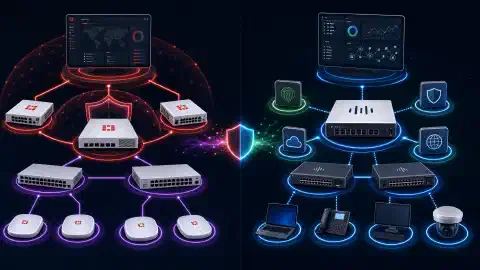

pfSense vs Firewalla vs OPNsense

Table of Contents
pfSense vs Firewalla vs OPNsense: The Complete 2026 Comparison
In 2026, choosing the right firewall solution remains critical for protecting home and enterprise networks from increasingly sophisticated cyber threats. Three leading contenders - pfSense , Firewalla , and OPNsense - offer distinct approaches to network security, each with unique strengths tailored to different user needs and technical skill levels.
Introduction
Firewalls serve as the first line of defense for any network, acting as barriers between your internal network and potential threats from the internet. Understanding the differences between pfSense, Firewalla, and OPNsense is essential for making an informed decision that aligns with your security requirements, technical expertise, and budget constraints.
This comprehensive guide compares these three firewall solutions across multiple dimensions: features, ease of use, performance, cost, and suitability for different environments.
pfSense: Power, Flexibility, and Enterprise-Grade Features
pfSense is a mature, open-source firewall distribution based on FreeBSD that has evolved into one of the most powerful and customizable firewall solutions available. Originally released in 2004, pfSense has built a strong reputation in both home lab and enterprise environments.
Key Features of pfSense
- Advanced firewall rules: Granular control over traffic with stateful packet filtering, supporting complex rule sets with aliases, schedules, and traffic shaping
- Multi-WAN and load balancing: Supports multiple internet connections with intelligent failover and load distribution across WAN links
- VPN capabilities: Comprehensive VPN support including OpenVPN, IPsec, WireGuard, L2TP, and PPTP for secure remote access and site-to-site connectivity
- Intrusion Detection/Prevention (IDS/IPS): Integration with Snort and Suricata for real-time threat detection and blocking
- Traffic shaping (QoS): Advanced quality of service controls to prioritize critical traffic and manage bandwidth allocation
- Captive portal: Built-in authentication system for guest networks and public Wi-Fi deployments
- High Availability (HA): CARP protocol support for active/passive failover configurations
- Extensive package system: Over 100 add-on packages including HAProxy, Squid proxy, pfBlockerNG, FreeRADIUS, and more
- VLAN support: Comprehensive 802.1Q VLAN tagging for network segmentation
- Dynamic DNS: Integration with major DDNS providers
- DNS filtering: Built-in DNS blacklist capabilities and DNS-over-TLS forwarding
pfSense Hardware Requirements
pfSense runs on standard x86-64 hardware, making it flexible for various deployments:
- Minimum: 2 GB RAM, dual-core CPU, 8 GB storage
- Recommended for home/small business: 4-8 GB RAM, quad-core CPU, SSD storage
- Enterprise deployments: 16+ GB RAM, multi-core Xeon processors, redundant storage
Popular hardware choices include:
- NetGate appliances (official pfSense hardware)
- Protectli Vault mini PCs
- HP t740/t730 thin clients
- Supermicro servers
- Custom-built systems
Pros of pfSense
- Extremely powerful and feature-rich: Rivals commercial firewalls costing thousands of dollars
- Mature and stable: Twenty years of development with proven reliability
- Strong community support: Active forums, extensive documentation, and third-party resources
- Free and open-source: No licensing costs regardless of deployment size
- Enterprise-capable: Suitable for networks ranging from home to large enterprise
- Regular updates: Security patches and feature updates released consistently
- Commercial support available: Netgate (the company behind pfSense) offers paid support contracts
Cons of pfSense
- Steeper learning curve: Requires networking knowledge to fully use capabilities
- Web UI can feel dated: Interface doesn’t match modern design trends (though functional)
- Initial setup complexity: Configuration requires time
and understanding 4. Hardware dependency: Requires dedicated hardware or VM resources 5. FreeBSD base: Some Linux-based tools/packages aren’t available
SimeonOnSecurity’s pfSense Resources:
Firewalla: Simplicity, Plug-and-Play Security
Firewalla takes a fundamentally different approach by focusing on simplicity and ease of use. Rather than requiring extensive networking knowledge, Firewalla provides a plug-and-play hardware appliance with mobile app management.
Firewalla Product Line (2026)
Firewalla offers multiple hardware models to suit different needs:
- Firewalla Gold: High-performance model with 2.5 Gbps ports, suitable for gigabit+ internet
- Firewalla Gold Plus: Enhanced version with 10 Gbps SFP+ ports for multi-gig connections
- Firewalla Purple: Mid-tier option for smaller networks
- Firewalla Red: Entry-level device for basic home networks
Key Features of Firewalla
- Zero-touch deployment: Simple setup process via mobile app - no networking expertise required
- Real-time activity monitoring: Visual dashboards showing all network activity by device, app, and category
- AI-powered behavioral analysis: Machine learning detects anomalous traffic patterns and potential threats
- Comprehensive content filtering: Block categories of websites, adult content, ads, and trackers
- VPN server and client: Built-in OpenVPN and WireGuard server for remote access; VPN client for routing traffic through commercial VPN providers
- Ad blocking: Network-wide ad and tracker blocking without additional software
- IoT device segmentation: Automatic device categorization with easy VLAN assignment
- Family controls: Screen time management, safe search enforcement, and activity reports
- Intrusion detection: Real-time monitoring for known attack patterns
- Smart queue: Intelligent traffic prioritization without manual configuration
- Multi-WAN support: Load balancing and failover on Gold/Gold Plus models
- Cloud management: Manage multiple Firewalla devices remotely via app
Firewalla Mobile App
The cornerstone of Firewalla’s user experience is its mobile app (iOS/Android):
- Intuitive interface: Consumer-friendly design accessible to non-technical users
- Push notifications: Real-time alerts for security events, new devices, and anomalies
- Remote management: Configure and monitor from anywhere
- Family sharing: Multiple users can manage the same Firewalla with different permission levels
Pros of Firewalla
- Extremely user-friendly: No networking expertise required - anyone can deploy and manage
- Quick setup: Operational in 10-15 minutes out of the box
- Mobile-first experience: Full management via smartphone app
- Regular automatic updates: Security patches and features deployed automatically
- Strong IoT security: Excellent for protecting smart home devices
- Hybrid cloud management: Secure remote management without exposing the firewall directly
- Great customer support: Responsive community and support team
- No subscription fees: One-time hardware purchase, no recurring costs
Cons of Firewalla
- Limited advanced customization: Cannot create complex firewall rules like pfSense/OPNsense
- Closed ecosystem: Cannot run on custom hardware; must purchase Firewalla appliances
- Higher upfront cost: Hardware ranges from $189-$699
- Less transparency: Closed-source software (though security-audited)
- Mobile app dependency: Primary interface is mobile; web interface limited
- Not ideal for large enterprises: Best suited for homes and small businesses
Pricing (2026):
- Firewalla Red: $189
- Firewalla Purple: $329
- Firewalla Gold: $499
- Firewalla Gold Plus: $699
Learn more: Firewalla Home Network Security Guide
OPNsense: The Modern Open-Source Alternative
OPNsense is a fork of pfSense created in 2015 that has evolved into a formidable firewall platform in its own right. Built on FreeBSD like pfSense, OPNsense emphasizes modern design, frequent updates, and open development practices.
Key Features of OPNsense
- Modern web interface: Clean, responsive UI with better UX than pfSense
- Weekly security updates: More frequent update cadence than pfSense
- Inline Intrusion Prevention: Native IPS using Suricata with automatic rule updates
- Business-friendly plugins: Commercial support and add-ons available from Deciso (OPNsense’s parent company)
- ZenArmor (Sensei): Advanced next-gen firewall features including application control, TLS inspection, and cloud-powered threat intelligence
- Advanced VPN: OpenVPN, IPsec, WireGuard with modern cipher support
- Traffic shaping: Intuitive interface for QoS configuration
- Multi-WAN: Load balancing and failover with gateway monitoring
- High availability: CARP-based HA configuration
- Two-factor authentication: Native 2FA support for admin access
- API access: RESTful API for automation and integration
- Extensive plugins: Wide array of add-ons including HAProxy, nginx, Let’s Encrypt, ClamAV, and more
OPNsense vs pfSense: Key Differences
| Feature | OPNsense | pfSense |
|---|---|---|
| Update frequency | Weekly | Monthly/as-needed |
| UI design | Modern, responsive | Functional but dated |
| Core development | Open, community-driven | Netgate-led |
| Commercial support | Deciso | Netgate |
| License | 2-clause BSD | Apache 2.0 |
| Plugin ecosystem | Growing | Mature |
| Default IPS | Suricata included | Optional package |
Pros of OPNsense
- Modern interface: Significantly better UI/UX than pfSense
- Transparent development: Open development process with community input
- Frequent updates: Weekly security releases
- Easy migration: Can import pfSense configurations
- ZenArmor integration: Next-gen firewall features (commercial plugin)
- Better defaults: More secure out-of-the-box configuration
- Active community: Growing user base and support resources
- Two-factor auth: Built-in 2FA without plugins
Cons of OPNsense
- Smaller community: Less extensive third-party documentation than pfSense
- Fewer packages: Plugin ecosystem still maturing compared to pfSense
- Some features lag: Certain advanced features implemented after pfSense
- Less commercial support: Fewer third-party consultants compared to pfSense
- Learning curve: Like pfSense, requires networking knowledge
Pricing: Free and open-source; optional commercial support available from Deciso
Performance Comparison: Throughput and Scalability
Firewall Throughput (2026 Benchmarks)
Based on equivalent hardware (4-core Intel i5, 8GB RAM):
| Solution | Stateful Firewall | VPN (OpenVPN) | VPN (WireGuard) | IDS/IPS Enabled |
|---|---|---|---|---|
| pfSense | 10+ Gbps | 400-600 Mbps | 2-3 Gbps | 2-3 Gbps |
| OPNsense | 10+ Gbps | 350-550 Mbps | 2-3 Gbps | 2-4 Gbps |
| Firewalla Gold | 2.5 Gbps | 150-200 Mbps | 500-700 Mbps | 2 Gbps |
| Firewalla Gold Plus | 10 Gbps | 300-400 Mbps | 1-1.5 Gbps | 3-4 Gbps |
Note: Performance varies based on configuration, rule complexity, and enabled features
Scalability
- pfSense: Scales from home networks to multi-gigabit enterprise deployments with proper hardware
- OPNsense: Similar scalability to pfSense; handles enterprise-grade loads
- Firewalla: Best for home to small/medium business (up to 10 Gbps with Gold Plus)
Use Case Recommendations
Best for Home Networks (Non-Technical Users)
Winner: Firewalla
If you want network security without becoming a network engineer, Firewalla is the clear choice. Setup takes minutes, the mobile app makes management intuitive, and you get robust protection without complexity.
Why not pfSense/OPNsense? They require too much networking knowledge for most home users.
Best for Home Labs and Tech Enthusiasts
Winner: pfSense or OPNsense
For those who enjoy tinkering and learning, both pfSense and OPNsense offer incredible educational value and unlimited customization. Choose pfSense for maximum maturity or OPNsense for a modern interface.
Why not Firewalla? Limited customization restricts experimentation.
Best for Small Business (1-50 Employees)
Best Choice: Depends on Technical Resources
- With IT staff: pfSense or OPNsense (zero licensing costs, maximum features)
- Without IT staff: Firewalla Gold or Gold Plus (managed service-like simplicity)
Best for Medium to Large Enterprise
Winner: pfSense or OPNsense
Enterprise environments need the advanced features, monitoring capabilities, and HA configurations that pfSense and OPNsense provide. Both can scale to multi-gigabit requirements.
Why not Firewalla? Lacks enterprise-grade management, HA, and advanced routing features.
Best for IoT-Heavy Environments
Winner: Firewalla
Firewalla excels at automatically categorizing and securing IoT devices. Its behavioral analysis detects anomalies in smart home devices that might indicate compromise.
Best for VPN Throughput
Winner: pfSense or OPNsense with WireGuard
For maximum VPN performance (2-3+ Gbps), pfSense or OPNsense on powerful hardware outperforms Firewalla significantly.
Best for Budget-Conscious Users
Winner: pfSense or OPNsense
Both are completely free. You only pay for hardware, which can be as little as $150 for a capable used thin client.
Firewalla consideration: While the hardware costs more upfront, the time saved on setup/management may justify the cost for non-technical users.
Feature Comparison Table
| Feature | pfSense | OPNsense | Firewalla |
|---|---|---|---|
| Ease of Setup | ⭐⭐⭐ | ⭐⭐⭐ | ⭐⭐⭐⭐⭐ |
| User Interface | ⭐⭐⭐ | ⭐⭐⭐⭐⭐ | ⭐⭐⭐⭐⭐ |
| Advanced Features | ⭐⭐⭐⭐⭐ | ⭐⭐⭐⭐⭐ | ⭐⭐⭐ |
| VPN Performance | ⭐⭐⭐⭐⭐ | ⭐⭐⭐⭐⭐ | ⭐⭐⭐ |
| IDS/IPS | ⭐⭐⭐⭐ | ⭐⭐⭐⭐⭐ | ⭐⭐⭐⭐ |
| Community Support | ⭐⭐⭐⭐⭐ | ⭐⭐⭐⭐ | ⭐⭐⭐⭐ |
| Cost (ongoing) | Free | Free | Free after purchase |
| Mobile Management | ❌ | ❌ | ⭐⭐⭐⭐⭐ |
| IoT Security | ⭐⭐⭐ | ⭐⭐⭐ | ⭐⭐⭐⭐⭐ |
| Update Frequency | Monthly | Weekly | Automatic |
| Hardware Flexibility | Any x86 | Any x86 | Proprietary only |
| High Availability | ✅ | ✅ | ❌ |
Migration and Coexistence
Migrating Between Solutions
- pfSense to OPNsense: OPNsense includes a configuration import tool for pfSense configs
- OPNsense to pfSense: Manual reconfiguration required
- Firewalla to pfSense/OPNsense (or vice versa): Complete reconfiguration necessary - no migration path
Running Alongside Other Solutions
All three can coexist in various network topologies:
- Firewalla behind pfSense/OPNsense: Use Firewalla in bridge mode for additional IoT monitoring
- pfSense/OPNsense with Firewalla on specific subnets: Segment your network with different firewall solutions
- VPN chaining: Use one as VPN server, another as client for enhanced privacy
Conclusion: Which Firewall Should You Choose in 2026?
The choice between pfSense , Firewalla , and OPNsense depends on your technical expertise, network requirements, and priorities:
Choose pfSense if you:
- Need maximum features and third-party integration
- Want proven stability with 20 years of history
- Require commercial support options
- Plan to run a home lab or learn networking
- Don’t mind an older interface
Choose OPNsense if you:
- Want pfSense-level features with a modern UI
- Prefer more frequent security updates
- Value transparent, community-driven development
- Need built-in IPS without add-ons
- Want better out-of-the-box security defaults
Choose Firewalla if you:
- Prioritize ease of use over advanced features
- Manage your network primarily via mobile
- Need strong IoT device security
- Want plug-and-play deployment
- Don’t have networking expertise
- Prefer commercial hardware with support
SimeonOnSecurity’s 2026 Recommendations:
- Home users (non-technical): Firewalla Gold or Gold Plus
- Home labs / enthusiasts: OPNsense (modern UI) or pfSense (maximum maturity)
- Small business with IT: OPNsense or pfSense
- Small business without IT: Firewalla Gold Plus
- Enterprise: pfSense or OPNsense on enterprise-grade hardware
Remember: The “best” firewall is the one you’ll actually configure and maintain properly. Firewalla’s simplicity may provide better security for non-technical users than a misconfigured pfSense installation.
References
- pfSense Official Website
- OPNsense Official Website
- Firewalla Official Website
- National Institute of Standards and Technology (NIST) Cybersecurity Framework
- Netgate pfSense Documentation
- OPNsense Documentation
- Firewalla Knowledge Base

Related Posts