

Personal Security Checklist 2026: Where to Start and What to Skip
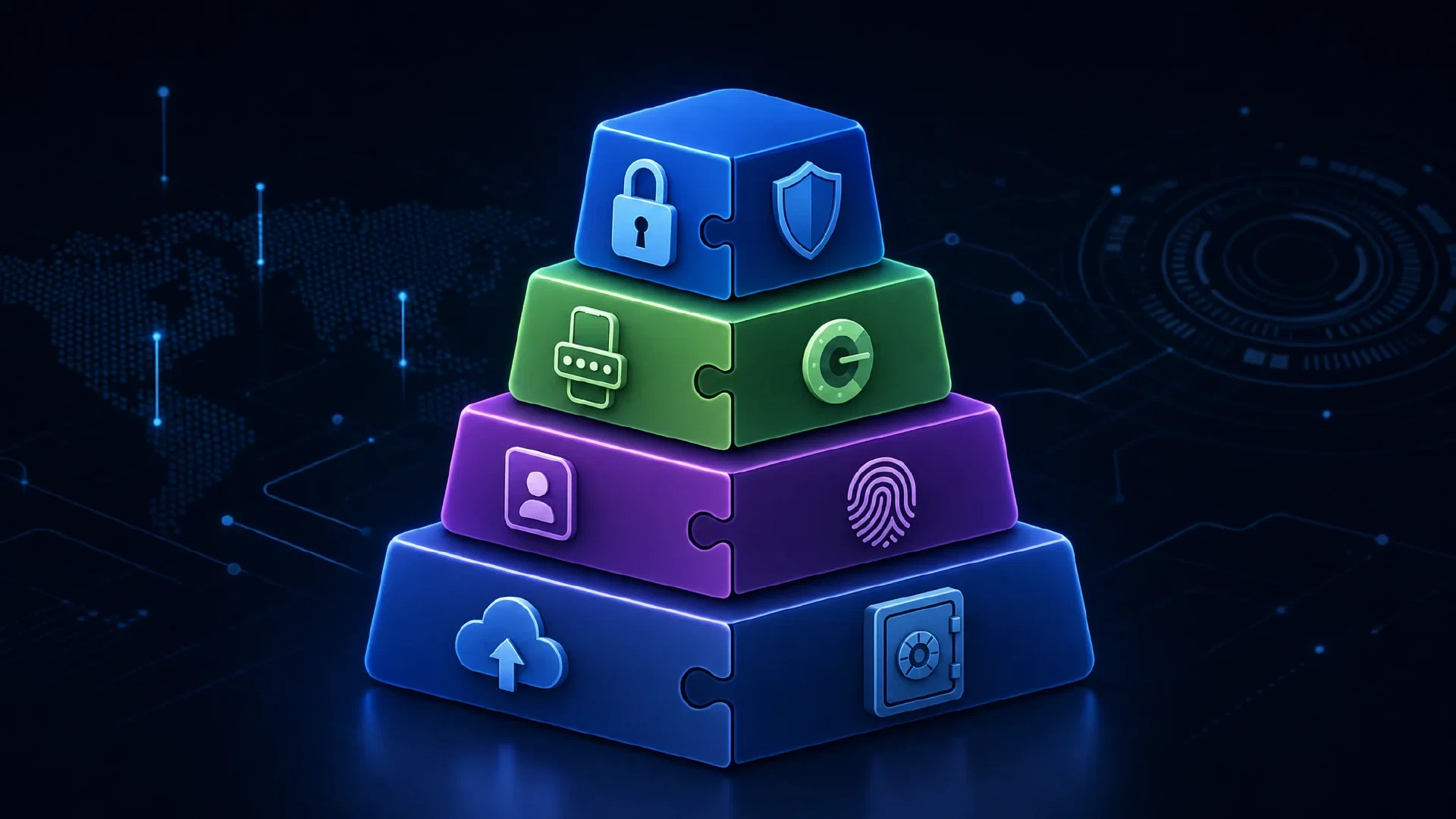
Table of Contents
Every personal security guide hands you the same thing: a long flat list of hundreds of tips with no ranking. You are told to disable WebRTC, spoof your canvas fingerprint, and rotate your user agent, in the same breath as setting up a password manager and turning on auto-updates.
Those items are not equally valuable, and treating them as equal is why so many people do the easy ones, skip the important ones, and remain exactly as exposed.
This article keeps the topic and drops the false equivalence. The same advice, ordered by what removes the most risk for the least effort, plus an honest look at the habits worth abandoning.
The Short Answer
| Question | Short Answer |
|---|---|
| What stops the most attacks? | A password manager, phishing-resistant second factors, and prompt updates. Three habits cover the majority of real-world account compromise |
| What is the single biggest upgrade available today? | Passkeys or a hardware security key. Both defeat phishing entirely, because the credential never leaves your device |
| What is overrated? | Complex passwords you memorize, password rotation schedules, and most browser fingerprint tweaks |
| What is underrated? | Backups, account recovery setup, and physical security of your devices |
| Does order matter? | Yes, and more than completeness. Tier 1 done today beats all 300 items done eventually |
| How long does Tier 1 take? | About two hours, once |
Why Order Beats Completeness
A comprehensive checklist typically catalogs several hundred entries and tags each one Essential, Optional, or Advanced. The tag is useful as a filter, and it is a poor substitute for a ranking, because every item carries the same label regardless of how much risk it removes.
My argument: even three tiers is not enough resolution, because “Essential” lumps together items with wildly different risk reduction. Compare two entries both marked Essential:
- Enable 2FA removes an entire class of account takeover.
- Disable WebRTC closes a local IP disclosure which matters to a small subset of users.
Both belong on a complete list. Only one belongs in your first hour.
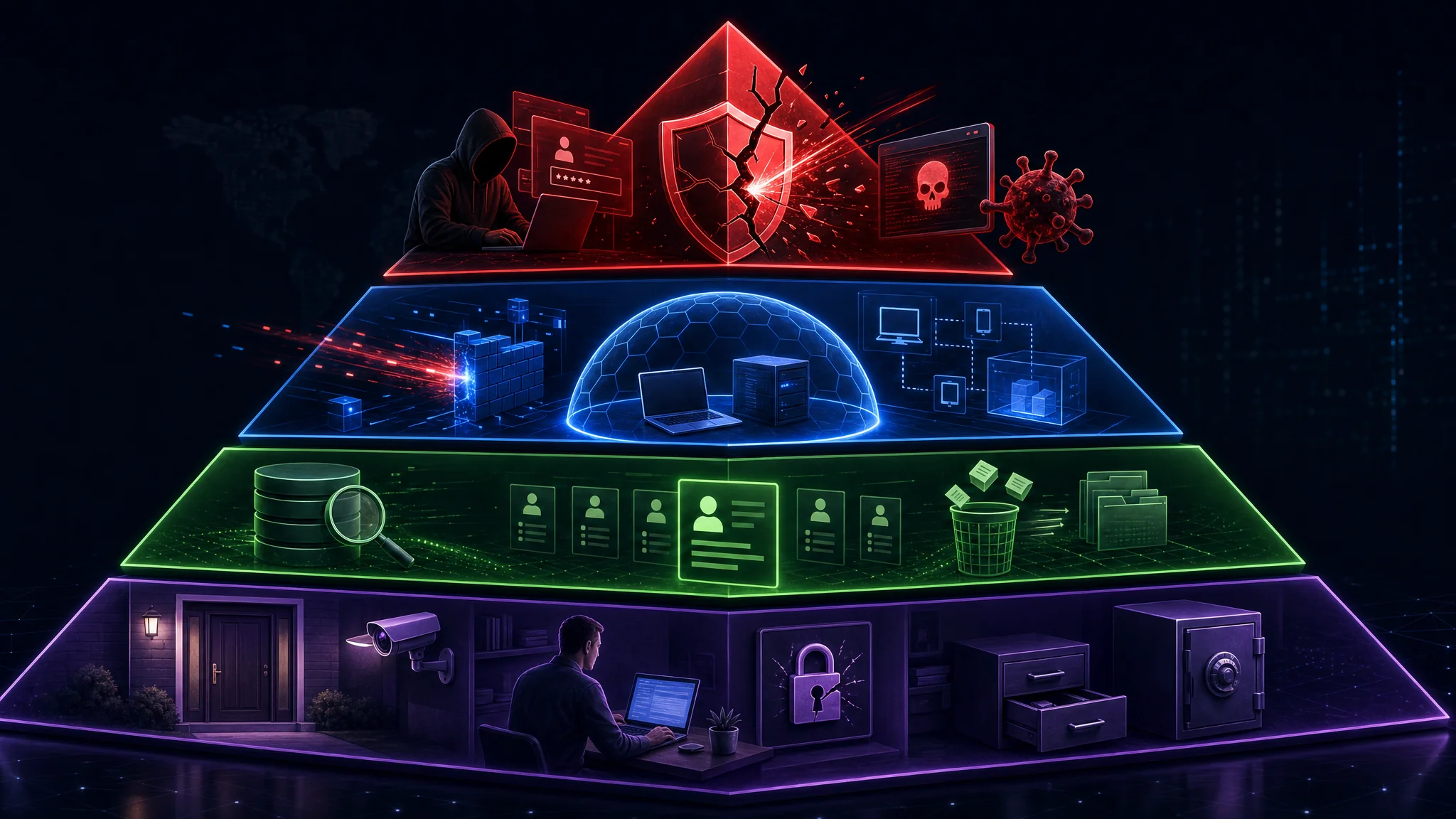
The correct ordering principle is a ratio. Rank every action by risk removed divided by effort required, then work top down. The ordering looks like this:
| Tier | Purpose | Effort | Blocks |
|---|---|---|---|
| 1. Stop the attack | Close the paths attackers use today | ~2 hours | Credential theft, phishing, malware, device theft |
| 2. Contain the damage | Limit blast radius when something fails | ~1 hour | Single point of failure, account lockout, identity fraud |
| 3. Reduce exposure | Shrink your data footprint | Ongoing | Profiling, tracking, targeted social engineering |
| 4. Physical and human | Cover the layer software misses | ~30 minutes | Device seizure, shoulder surfing, voice phishing |
Work downward. Do not skip to Tier 3 because it is more interesting.
Tier 1: Stop the Attack
Five items, roughly two hours total, and they address the paths attackers use.
1. A Password Manager, With Unique Passwords Everywhere
Credential stuffing is the dominant account takeover method, and it works because people reuse passwords. When one site leaks, attackers replay those credentials across every other site, automatically and at scale.
A password manager fixes the root cause by making reuse impossible to do by accident. It generates a distinct high-entropy password per account and fills it for you.
The important detail most advice omits: your manager password is now the single point of failure, so it needs to be long and memorized, and it is the one password you never store anywhere else. A multi-word passphrase of five or six random words is stronger than a short complex string and far easier to recall.
Two legitimate architectures exist:
| Approach | Strength | Trade-off |
|---|---|---|
| Cloud-synced (Bitwarden and similar) | Convenient, syncs across devices, easy recovery | You trust the vendor’s encryption and availability |
| Offline file-based (KeePassXC and similar) | Full control, no vendor dependency | You own backup and synchronization |
Pick either. The gap between them is far smaller than the gap between using a manager and not using one.
See our full comparison in Best Password Managers 2026: Bitwarden vs KeePassXC and the guide to Creating Strong Passwords in 2026 .
2. Phishing-Resistant Second Factors
Second factors are not interchangeable. They differ enormously in what they resist.
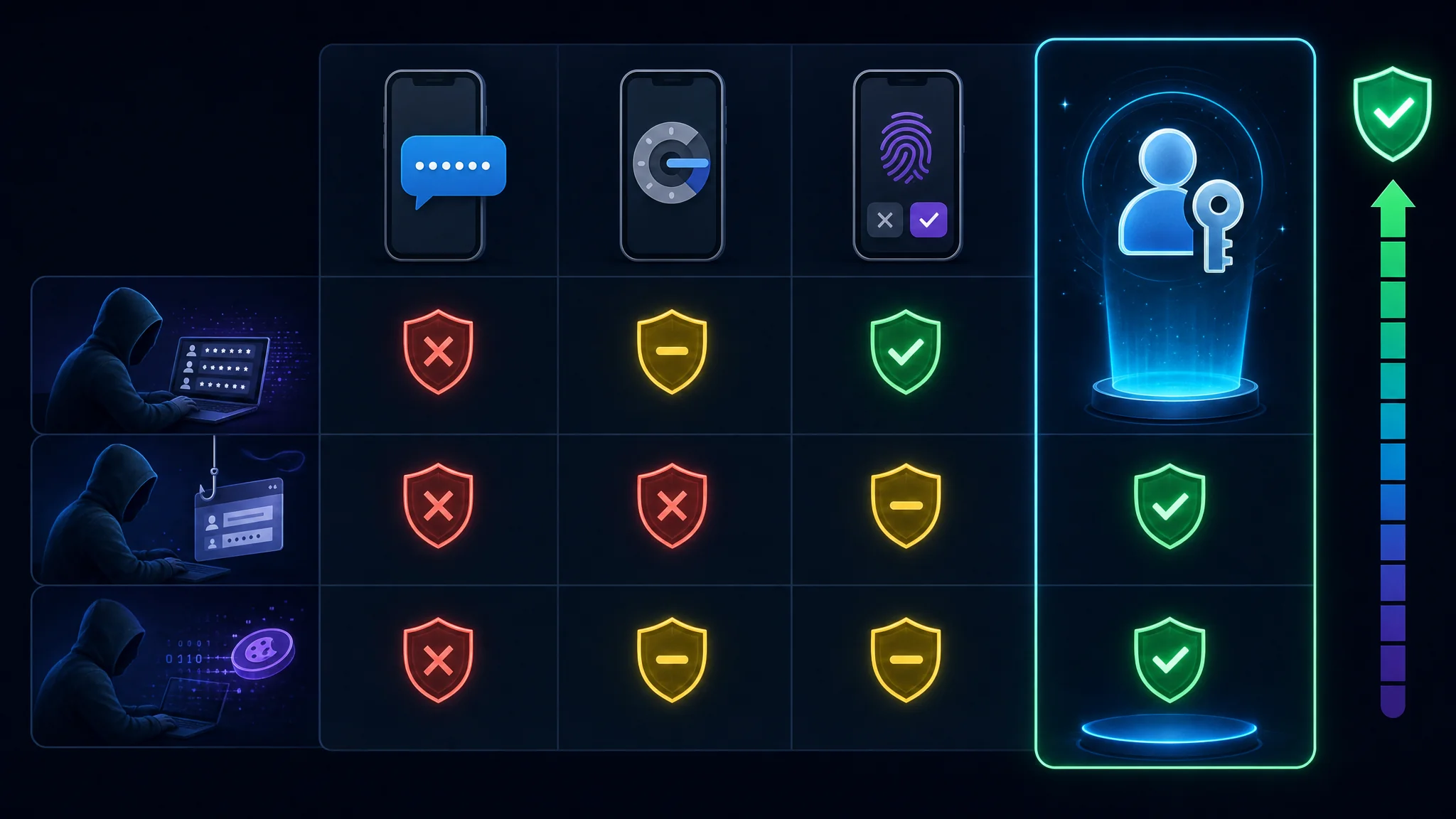
| Method | Stops Credential Stuffing | Stops Phishing | Stops Session Token Theft |
|---|---|---|---|
| SMS codes | Yes | Partially, via SIM swap | No |
| Authenticator app codes | Yes | Partially, via real-time relay | No |
| Push approval | Yes | Weakly, via prompt bombing | No |
| Passkeys or hardware key | Yes | Yes | Yes |
Passkeys and FIDO2 hardware keys are the only options on the list which defeat phishing. The reason is structural rather than incremental: the credential is bound to the origin, so a lookalike domain receives nothing usable. There is no code for a victim to read aloud to an attacker.
A related threat deserves naming, because it defeats methods people assume are safe. Infostealer malware now harvests browser cookies directly, which lets an attacker reuse an authenticated session without ever needing your password or your second factor. This is why the final column matters, and it is also why Tier 1 item 3 is not optional.
Priority order inside this item: passkeys where offered, hardware key for email and finance, authenticator app for everything else, SMS only where nothing better exists.
Generate and verify time-based codes locally with our TOTP and HOTP Generator
, which reads a Base32 secret or an otpauth:// URI and runs entirely in your browser.
3. Automatic Updates, Everywhere
Most successful intrusions exploit a vulnerability for which a patch already exists. Update lag is the gap attackers live in.
The practical move is not to become diligent about updating. It is to remove the decision entirely by enabling automatic updates on every layer:
- Operating system: Windows Update, macOS Software Update, or unattended-upgrades on Linux
- Browsers: leave auto-update enabled and restart when prompted, since a pending restart means a pending unpatched browser
- Phone: enable automatic app updates, not only OS updates
- Router: this is the layer people forget, and it is externally reachable
A browser sitting on a restart prompt is running vulnerable code. This single habit closes more exposure than most Tier 3 items combined.
Our kernel-escape analysis in Containers Are No Longer a Security Boundary shows how quickly the patch window matters when a privilege escalation is involved.
4. Device Encryption and a Real Lock Screen
Full-disk encryption converts a stolen device from a data breach into a hardware loss. Without it, anyone holding your laptop or phone reads everything on it, including your password manager vault and your active session tokens.
Every mainstream platform offers it, and on some it is not enabled by default:
| Platform | Feature | Check |
|---|---|---|
| Windows | BitLocker or Device Encryption | Settings, then Privacy and Security, then Device encryption |
| macOS | FileVault | System Settings, then Privacy and Security, then FileVault |
| Linux | LUKS | Confirm the root and home volumes are encrypted at install |
| iOS and Android | On by default once a passcode is set | Set a passcode, then confirm encryption is active |
Two rules matter alongside encryption:
- Use a passphrase or long PIN, not a four-digit code. Email and finance accounts deserve your strongest phone lock, because the passcode gates everything else on the device.
- Prefer a PIN to biometrics if you face legal or coercion risk. Biometrics are convenient and hard to forget, and in some jurisdictions compelled fingerprints or faces carry different protections than compelled knowledge.
5. Backups, Tested Once
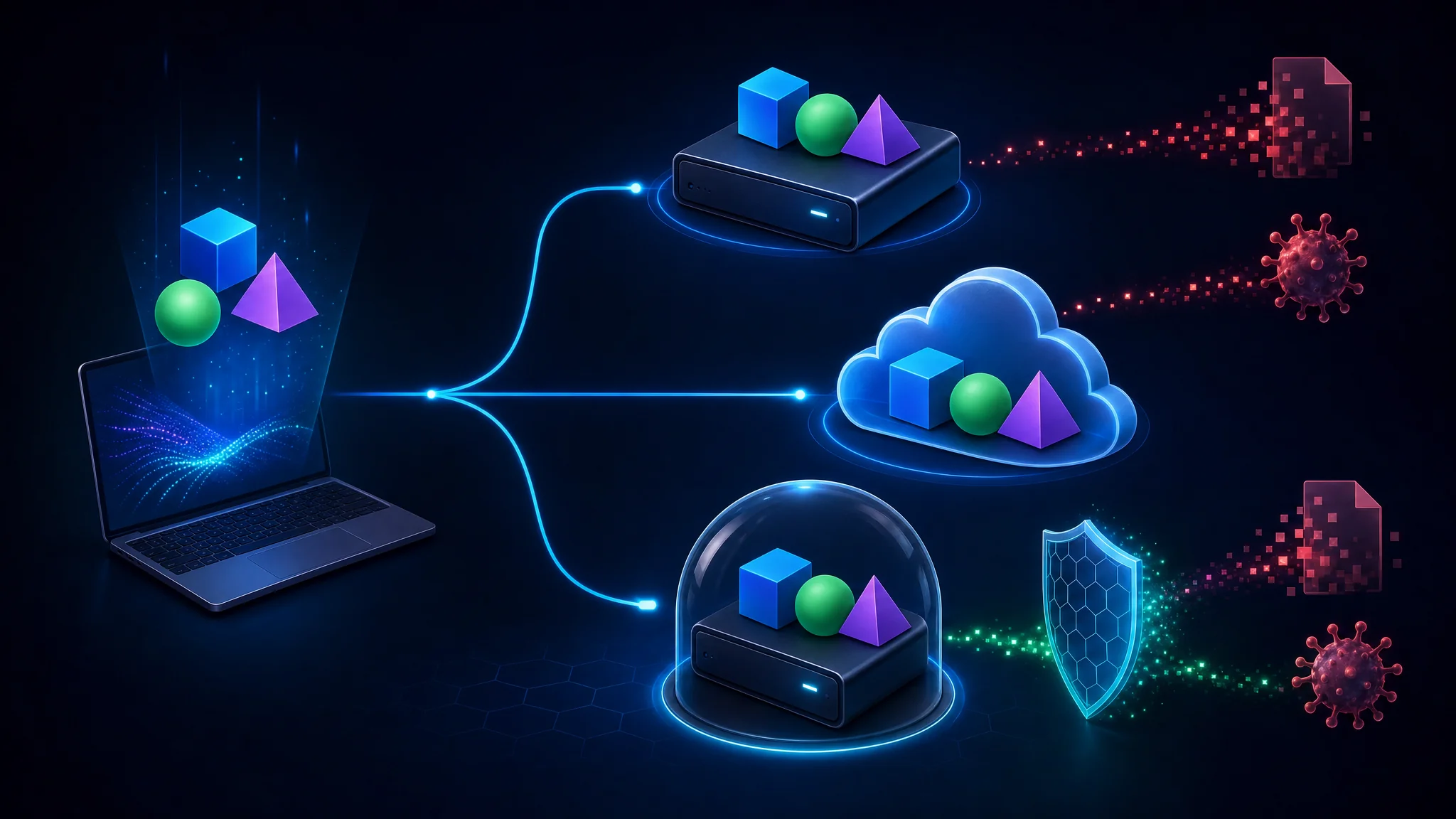
Ransomware and hardware failure both end with the same outcome, and a backup is the only control which survives either. This is the item people most often skip, and the one they most regret skipping.
The standard shape is 3-2-1: three copies, on two media types, with one offsite. For an individual, the shape becomes:
- One local copy for fast recovery
- One encrypted offsite copy for ransomware and fire
- One offline or write-only copy for the case where ransomware reaches your synced storage
The last point matters most and gets implemented least. Synchronized storage is not a backup. Ransomware and accidental deletion replicate.
Test a restore at least once. A backup never restored is a hypothesis.
Tier 2: Contain the Damage
Tier 1 assumes nothing fails. Tier 2 assumes something will, and limits the consequences.
6. Stop Reusing Your Email Address
Your email address is the join key between every database which has ever leaked. Using one address everywhere means one breach correlates with all your others, and it hands social engineers a verified starting point.
Aliasing solves both problems. Generate a unique address per service, and the address itself becomes a label:
| Benefit | Why It Matters |
|---|---|
| Breach attribution | When spam arrives at one alias, you learn which service leaked or sold your address |
| Instant blocking | Disable a single alias without touching your real inbox |
| Correlation resistance | Different addresses prevent linking your accounts into one profile |
| Phishing detection | Mail to an alias no longer in use is obviously fraudulent |
Subaddressing ([email protected]) is a weaker version. It tracks who leaked your address, and it exposes your real address in the process, so it offers no correlation resistance.
If you own a domain, catch-all aliasing gives you this for free. Otherwise, dedicated alias providers do the same job.
7. Account Recovery Is the Real Attack Surface
Attackers increasingly skip the front door and target recovery instead. Recovery must be able to survive a lost device, and it must not become the weakest link.
Configure these, in order:
- Save backup codes offline. Print them or store them on encrypted media, and keep them separate from your password manager, since a compromise of one should not hand over the other.
- Prefer recovery keys to security questions. Answers to questions about your mother’s maiden name or first car are frequently public record.
- Use false answers if a site forces questions. Store them in your manager alongside the account.
- Register a second device or key where the service allows it, so one failure is not a lockout.
- Remove stale recovery contacts and phone numbers, because an old number is now someone else’s.
Warning: losing your second factor without recovery codes frequently means permanent account loss, and support teams will not restore access to a properly secured account. Set recovery up at the same time you enable the second factor.
8. Breach Monitoring Which Tells You Early
The value of a breach notification is entirely about timing. You want to learn about a leak while the password is still valid somewhere.
- Have I Been Pwned sends alerts when your address appears in a new dataset, and offers domain-wide notification if you own a domain and use aliases.
- Your password manager is the better signal, because it knows which vault entries correspond to a notified service and flags them directly.
The useful workflow is short: alert arrives, change the password for the affected account, and change it anywhere the old one was reused. This is the payoff for Tier 1 item 1, since unique passwords reduce the second step to nothing.
9. Credit Freeze Before You Need It
A credit freeze is the strongest available defense against new-account identity fraud, and it costs nothing. It blocks lenders from pulling your file to open accounts in your name.
In the United States, freezing is available at each of the three major bureaus, and unfreezing for a legitimate application is temporary and reversible. The sequence is:
- Freeze at all three bureaus, not one. Each holds a separate file.
- Store the unfreeze PINs in your password manager.
- Unfreeze temporarily when applying for credit, then re-freeze.
Do this before you need it. Discovering the process mid-fraud, while also disputing accounts, is the worst possible time to learn it.
Tier 3: Reduce Exposure
Tier 3 is about shrinking your data footprint. It matters, and it sits below the items above because it does not block account takeover.
10. Harden the Browser You Use
The browser is where most personal data exposure happens, and two changes cover most of it:
- Install a content blocker. Ads and trackers are the primary collection mechanism on the web, and blocking them removes both the tracking and a substantial attack surface. Choose one reputable blocker rather than several.
- Cut extensions to what you use. Extensions read and modify page content, which makes an abandoned or malicious extension a direct path to your sessions. Review the list quarterly.
Browser fingerprint randomization is worth understanding and is rarely worth prioritizing. It is not zero value. It is simply low yield compared to items 1 through 5, and it breaks sites.
See the full breakdown in Best Privacy Browsers 2026: LibreWolf vs Brave vs Tor .
11. Encrypt Your DNS
Plain DNS is unencrypted and observable, which lets your network operator and anyone in the path see every domain you resolve. DNS-over-HTTPS or DNS-over-TLS encrypts the lookup.
Two honest caveats:
- DoH moves trust rather than removing it. Your resolver now sees your queries instead of your ISP. Choosing a resolver with a published privacy policy is the point, not the protocol alone.
- DoH bypasses network-level filtering, including the parental and corporate controls many people rely on.
One genuine security benefit beyond privacy: encrypted DNS removes DNS spoofing as a practical attack path on hostile networks.
12. Strip Metadata Before You Share
Photos carry more than pixels. Most phone cameras embed EXIF data including GPS coordinates, timestamps, and device identifiers.
This matters more for documents than for photos. A shared PDF or office file often retains author names, edit history, and internal file paths, which is how internal documents leak organizational detail.
Our EXIF Viewer reads metadata from an image locally, so you see what a photo exposes without uploading it. URL Parser does the equivalent for links, surfacing tracking parameters and credentials embedded in the authority before you paste a URL into a chat.
Tier 4: Physical and Human
This tier takes about thirty minutes and covers what no software control reaches.
13. Physical Control of Your Devices
- Lock screens everywhere, with a short timeout. An unlocked laptop is a full account compromise.
- Never leave devices visible in a vehicle. This is a theft prevention item, and theft is a data loss item.
- Carry a privacy screen in public spaces, which defeats most shoulder surfing.
- Inspect public charging before plugging in. Prefer a power-only cable or your own wall adapter over an unknown USB port.
14. Verify People, Not Messages
Voice and video phishing now defeats the assumption a familiar voice proves identity. Cloned voices from a few seconds of public audio are routine, and the request usually carries urgency and a payment or credential ask.
The countermeasure is out of band:
- Hang up and call back on a number you already had, not one supplied by the caller.
- Treat urgency as a signal, not a reason. Pressure to act immediately is the mechanism, not a side detail.
- Agree a verification phrase with family members who might be impersonated.
- Never move money on the strength of a voice call or message alone.
This is the highest-yield item in Tier 4 and it costs nothing.
15. Documents and Disposal
- Shred or redact documents carrying account numbers, identity numbers, or medical detail.
- Watermark documents shared for a specific purpose, with the recipient and date. It costs nothing and traces a leak.
- Opt out of people-search sites, and expect to repeat the process, because listings reappear.
- Review public records and request removal where possible.
Our Physical Security Checklist covers this layer in more depth.
What Most People Get Backwards
Eight habits worth abandoning, each with the reason it persists and what to do instead.
| Habit | Why It Persists | Do This Instead |
|---|---|---|
| Memorizing short complex passwords | Complexity rules were the guidance for years | Use a manager and a long passphrase for the vault |
| Rotating passwords on a schedule | Legacy compliance policy | Change on breach notification or suspected compromise, not on a calendar |
| Relying on SMS for critical accounts | It is the default offered | Move email, finance, and identity accounts to passkeys or a hardware key |
| Storing 2FA codes in the same manager as passwords | Convenience | Separate the two, so one compromise does not yield both factors |
| Treating synced cloud storage as a backup | It looks like one | Add an offline or write-only copy |
| Chasing browser fingerprint perfection | It is measurable, so it feels actionable | Do items 1 through 5 first |
| Answering security questions honestly | It feels required | Use false answers stored in your manager |
| Assuming HTTPS means safe | The padlock is reassuring | Verify the domain, since most phishing sites hold valid certificates |
The pattern across all eight: each one is visible and measurable, which is why it attracts attention, and each one sits below a higher-yield item. Anyone optimizing fingerprint entropy before setting up a password manager has the ordering inverted.
Common Mistake: treating password managers as a risk because they concentrate secrets. They do concentrate risk, and the alternative is password reuse across dozens of sites. Concentration you control beats dispersion you do not.
Do It Without Handing Over Your Data
A practical problem runs through this whole topic. The tools which help you secure your accounts often ask for the same secrets you are trying to protect.
A password strength checker which posts your password to a server is a liability. A hash calculator which uploads the file defeats the purpose. A certificate tool which fetches your hostname tells a third party which sites you operate.
Every tool below runs entirely in your browser, with no upload and no account. This is a stated policy on this site, and the exceptions are named openly rather than buried.
| Task | Tool | What It Handles |
|---|---|---|
| Create a strong password | Password Generator | crypto.getRandomValues with rejection sampling to avoid modulo bias, plus the entropy of your chosen settings |
| Check a password’s strength | Password Strength Checker | Scores a candidate locally, including pattern and reuse detection |
| Set up a second factor | TOTP and HOTP Generator | Reads a Base32 secret or otpauth:// URI, verifies codes across time windows |
| Inspect a site’s certificate | SSL Certificate Information | Subject, validity, key strength, SANs, and weak-algorithm flags |
| Check a certificate chain | SSL Chain Tester | Orders the chain and verifies every signature, catching missing intermediates |
| Verify a download or file | Hash Calculator | MD5 through SHA-512 to confirm integrity against a published digest |
| Generate unique identifiers | UUID Generator | Version 4 identifiers with correct version and variant bits |
| Inspect a suspicious link | URL Parser | Decodes the path, lists parameters, and flags credentials in the authority |
| Check photo metadata | EXIF Viewer | Shows the GPS, timestamp, and device data a photo carries |
| Measure encoding or encryption | Entropy Analyzer | Shannon entropy to distinguish repetitive data from encoded or encrypted content |
| Neutralize an indicator safely | IOC Defang and Refang | Defangs URLs and addresses so they are inert when shared |
The principle behind the table: if a tool needs the secret, the tool should run where the secret lives. See All Tools for the complete set, including which few make network requests and why.
The Threat Model Question
The correct checklist depends on who you are defending against, and skipping this question produces effort in the wrong places.
| Your Situation | Realistic Adversary | Where to Focus |
|---|---|---|
| Most individuals | Opportunistic criminals, automated credential stuffing, indiscriminate phishing | Tiers 1 and 2, plus devices you carry |
| High-profile or public role | Targeted phishing, doxxing, account takeover attempts | Add compartmentalization, aliasing, and consider a monitored social footprint |
| Journalist, activist, or legal risk | State or well-resourced adversaries, device seizure | Add Tor, dedicated devices, and operational discipline around identity separation |
| Small business owner | Business email compromise, invoice fraud, payment redirection | Add out-of-band payment verification for every transfer |
| Technical professional | Supply chain, credential theft, targeting through dependencies | Add hardware keys, code-signing practices, and separation of work and personal identity |
The honest reading of the table. For most people, the majority of realistic risk sits in Tiers 1 and 2. The advanced items matter enormously for the people who need them, and they are frequently adopted by people who do not.
Our How to Form Your Own Personal Threat Model walks through building this assessment for yourself.
Key Takeaways
- Order beats completeness. Five items in Tier 1 remove more realistic risk than all 300 items on a comprehensive list performed randomly.
- Passkeys and hardware keys are the only second factors which defeat phishing, because the credential is bound to the origin and never leaves your device.
- Infostealer malware harvests session cookies directly, so session token theft is why the weakest second factor is not enough on its own.
- Encryption turns a stolen device into a hardware loss instead of a data breach. Confirm it is enabled, because it is not universal by default.
- Synchronized storage is not a backup. Add an offline or write-only copy, and test a restore once.
- Account recovery is the new attack surface. Save backup codes offline and separate from your password manager.
- Aliasing breaks the correlation between every leaked database which holds your address.
- Most advice you see optimized is low yield. Fingerprint tweaks and user-agent spoofing sit far below a password manager and automatic updates.
- The right checklist depends on your adversary. Advanced items matter enormously for the people who need them, and they are often adopted by people who do not.
Next Steps
- Do Tier 1 today, which takes about two hours: a password manager, a phishing-resistant second factor, automatic updates, device encryption, and one tested backup.
- Go deeper with a community checklist covering several hundred items across a dozen categories: Personal Security Checklist
- Use the interactive version to filter by threat model and track progress: Digital Defense
- Apply the site’s organizational checklists for the professional counterparts to this article: Password Security , Phishing Awareness , Data Backup and Recovery , Mobile Device Security , and Social Media Security
- Choose your password manager with the architectural comparison: Bitwarden vs KeePassXC
- Upgrade your browser rather than optimizing a weaker one: LibreWolf vs Brave vs Tor
- Protect your payment details with virtual card numbers: Privacy.com Virtual Cards
- Work through the tools locally, starting with the Password Generator and the TOTP Generator
Related Articles
| Article | What It Covers |
|---|---|
| How to Form Your Own Personal Threat Model | The assessment which determines which tier you belong in |
| Best Password Managers 2026: Bitwarden vs KeePassXC | Choosing between cloud-synced and offline vault architectures |
| Creating Strong Passwords in 2026 | Entropy, passphrases, and why length beats symbol substitution |
| A Guide to Multi-Factor Authentication | The factor taxonomy behind the second-factor comparison above |
| Best Privacy Browsers 2026: LibreWolf vs Brave vs Tor | Browser hardening for Tier 3 |
| Privacy-First Smartwatch Options | Applying the same tiering logic to wearables |
| Privacy.com Virtual Cards | Limiting payment exposure, which pairs with the credit freeze item |
References
- Personal Security Checklist - a community checklist by Alicia Sykes
- Personal Security Checklist - the full checklist document
- Digital Defense - the interactive version
- Awesome Privacy - privacy-respecting software list
- Have I Been Pwned - breach notification
- FIDO Alliance - passkeys and FIDO2 specifications
- Use Plaintext Email - plaintext mail setup
- Consumer Financial Protection Bureau - credit reports and scores
- FTC - consumer advice on identity theft
- Passkeys.dev - community resource for passkey implementation

Related Posts

This article refers to other articles we've written:
- How to Form Your Own Personal Threat Model
A step-by-step process for building a personal threat model: name your assets, threat actors, and the mitigations protecting them.
- Best Password Managers 2026: Bitwarden vs KeePassXC
Complete 2026 comparison of password managers including Bitwarden, KeePassXC, 1Password, LastPass, Dashlane, and Proton Pass. Features, security audits, pricing, performance benchmarks, and decision frameworks to choose the best password manager for your needs.
- Password Security Checklist: Protect Your Accounts
Discover essential guidelines for creating strong passwords, tips for effective password management, and instructions for setting up multi-factor authentication to enhance the security of your accounts.
