

How to Humanize AI Writing
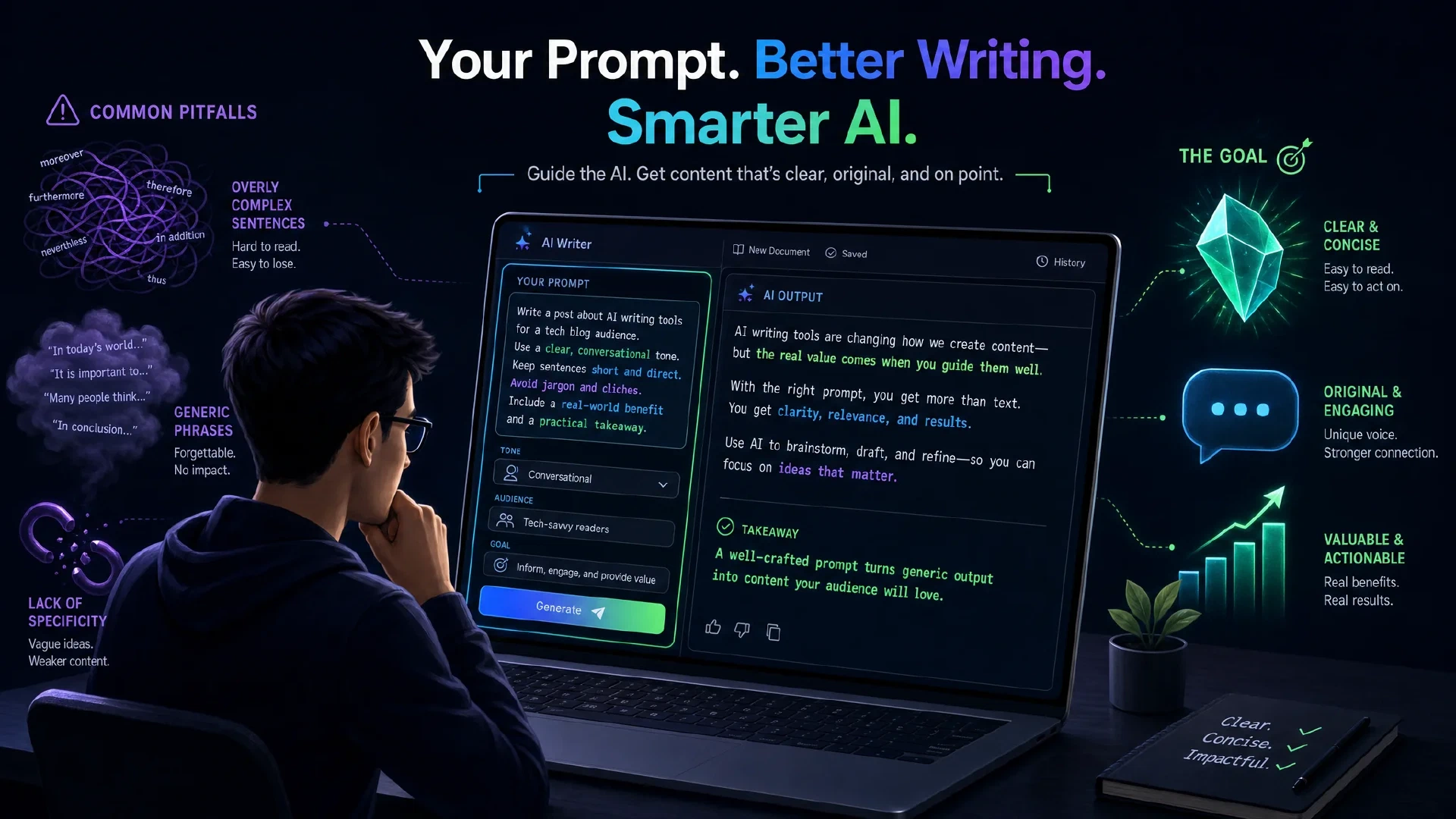
Table of Contents
AI writes in a way that most humans immediately recognize. Em dashes everywhere. Bold text for emphasis. Words like “groundbreaking,” “delve,” and “revolutionize.” Hashtags on LinkedIn posts that nobody asked for.
If you copy-paste raw AI output and publish it without editing, readers notice. It signals low effort. It buries your actual ideas under a layer of generic filler.
The good news: you do not need to pay for a separate tool to fix this. One well-structured prompt, saved once to your AI settings, changes the output quality across every conversation.
This article walks you through what that prompt looks like, why each rule in it matters, and how to save it so ChatGPT uses it automatically.
Why AI Text Sounds Like AI Text
Large language models are trained on enormous amounts of web content. Over time, they learn that certain patterns appear in “good” writing, even when those patterns are overused clichés.
A few of the most common AI tells:
- Em dashes used to connect every clause, often where a period or comma would work better
- Bold markdown formatting applied to random phrases mid-sentence
- Opening lines like “In today’s fast-paced world…” or “In conclusion…”
- Words that signal vagueness: “may,” “could,” “perhaps,” “certainly”
- Marketing hype that overstates everything: “unlock,” “revolutionize,” “game-changer”
- Hashtags appended to LinkedIn posts even when they add nothing
None of these are technically wrong. They are just signals that a model defaulted to trained patterns instead of producing something direct and specific.
The fix is to tell the model exactly what you do not want.
The Prompt
Use this prompt with any LLM. Append it to your request, paste it into your system instructions, or save it to ChatGPT’s custom instructions. It works best for social media posts, blog articles, and marketing copy.
# FOLLOW THIS WRITING STYLE:

• SHOULD use clear, simple language.
• SHOULD be spartan and informative.
• SHOULD use short, impactful sentences.
• SHOULD use active voice; avoid passive voice.
• SHOULD focus on practical, actionable insights.
• SHOULD use bullet point lists in social media posts.
• SHOULD use data and examples to support claims when possible.
• SHOULD use "you" and "your" to directly address the reader.
• AVOID using em dashes (—) anywhere in your response. Use only commas, periods, or other standard punctuation. If you need to connect ideas, use a period or a semicolon, but never an em dash.
• AVOID constructions like "...not just this, but also this".
• AVOID metaphors and clichés.
• AVOID generalizations.
• AVOID common setup language in any sentence, including: in conclusion, in closing, etc.
• AVOID output warnings or notes, just the output requested.
• AVOID unnecessary adjectives and adverbs.
• AVOID hashtags.
• AVOID semicolons.
• AVOID markdown.
• AVOID asterisks.
• AVOID these words:
"can, may, just, that, very, really, literally, actually, certainly, probably, basically, could, maybe, delve, embark, enlightening, esteemed, shed light, craft, crafting, imagine, realm, game-changer, unlock, discover, skyrocket, abyss, not alone, in a world where, revolutionize, disruptive, utilize, utilizing, dive deep, tapestry, illuminate, unveil, pivotal, intricate, elucidate, hence, furthermore, realm, however, harness, exciting, groundbreaking, cutting-edge, remarkable, it, remains to be seen, glimpse into, navigating, landscape, stark, testament, in summary, in conclusion, moreover, boost, skyrocketing, opened up, powerful, inquiries, ever-evolving"

# IMPORTANT: Review your response and ensure no em dashes!
What Each Rule Does
Active voice over passive voice
Passive voice reads as evasive. “Mistakes were made” vs. “We made mistakes.” Active voice is more direct and easier to read.
Short sentences
Long, stacked sentences slow readers down. Short sentences move faster. They also force you to cut filler.
No em dashes
Em dashes are the single most common AI writing tell. The model uses them constantly to link clauses instead of breaking them into separate sentences. Banning them forces cleaner sentence construction.
No markdown or asterisks
AI formatting often includes bold phrases mid-paragraph. This formatting is designed for documentation or code, not prose. In plain text social posts or email copy, it looks out of place.
The banned word list
This list targets two categories:
- Vague filler words: “may,” “could,” “perhaps,” “just,” “very,” “basically”
- Marketing hype words: “revolutionize,” “groundbreaking,” “game-changer,” “unlock,” “powerful”
Removing these forces the model to replace vague claims with specific ones. Instead of “this tool is powerful and revolutionary,” you get something like “this tool reduced our deployment time from 4 hours to 20 minutes.”
No hashtags
Hashtags are rarely useful outside of Instagram or Twitter. On LinkedIn, they look spammy. Most AI models default to adding them anyway.
No “in conclusion” or similar
These phrases add length without adding information. Good writing does not need to announce that it is ending.
Adapting the Prompt for Different Content Types
The default prompt is tuned for short-form content: social media posts, LinkedIn updates, email copy, and blog introductions.
If you write long-form content like reports, research summaries, or technical documentation, remove these lines:
SHOULD be spartan and informative.SHOULD use short, impactful sentences.SHOULD use bullet point lists in social media posts.
Long-form writing benefits from more developed paragraphs. The rest of the rules still apply.
Adding your own voice
The prompt removes obvious AI patterns. It does not add your personality.
To go further, append a short writing sample at the end of the prompt. Three to five paragraphs of your own writing, labeled clearly as a style example. The model will pick up on your sentence rhythm, word choices, and tone.
You get cleaner output without a generic feel.
How to Save It to ChatGPT
You do not need to paste this prompt into every conversation. ChatGPT lets you save custom instructions that apply automatically to every new chat.
Steps:
- Open ChatGPT and click your profile name in the bottom-left corner
- Click “Customize ChatGPT”
- Find the input labeled “What traits should ChatGPT have?”
- Paste the prompt into that field
- Trim it down to fit the 1,500 character limit if needed
- Click “Save”
After saving, open a new conversation. Ask ChatGPT to write anything. The output should be noticeably different: shorter sentences, no em dashes, no hype language, no hashtags.
The custom instructions apply to every new chat automatically. You do not have to remember to add the prompt each time.
Fitting within the character limit
The full prompt is slightly over 1,500 characters. To trim it:
- Remove the rules you care least about
- Shorten the banned word list to your highest-priority terms
- Keep the em dash rule and the markdown/asterisk rules, as these address the most common issues
Other LLMs like Claude and Gemini have similar system prompt or instruction features. The same prompt works in those interfaces with minor formatting adjustments.
A Practical Test
To see the difference clearly, run the same request twice.
First, without the prompt: ask ChatGPT to write a short LinkedIn post about a topic you know well.
Then, with the prompt appended: run the same request again.
Compare the outputs side by side. Look for:
- How many em dashes appear
- Whether the post ends with hashtags
- Whether phrases like “in today’s landscape” or “it’s time to unlock” appear
- Whether the sentences are shorter and more direct
The difference is visible after a single test. The humanized version reads faster, makes stronger claims without fluff, and does not immediately read as generated by a model.
What This Prompt Does Not Fix
No prompt removes all AI writing patterns completely.
A model following these rules might still:
- Use slightly unnatural word choices in places
- Overuse a particular sentence structure throughout a long piece
- Miss the specific experience and opinion that comes from having lived through what you are writing about
The prompt is a floor, not a ceiling. It eliminates the easiest-to-spot patterns. Getting to truly natural writing still requires reviewing and editing the output yourself.
Use the prompt to get a cleaner first draft. Edit that draft with your own perspective before publishing.
Summary
AI writing is recognizable because models default to trained patterns: em dashes, bold formatting, hype words, and generic openers. These patterns signal to readers that no human thought went into the content.
The prompt above removes those patterns by giving the model explicit rules about what to avoid. Saving it to your ChatGPT custom instructions means every conversation starts with those rules applied automatically.
Start with the full prompt. Remove rules that do not apply to your writing type. Add your own writing samples to push the output closer to your voice. Edit the result before publishing.
The goal is not to make your AI sound human. The goal is to make your ideas land without the reader getting distracted by obvious machine habits.
Source
This article is based on the original prompt and guide published by Sabrina Ramonov: Best AI Prompt to Humanize AI Writing .

Related Posts