Flock Finder: Map Flock Safety ALPR Cameras
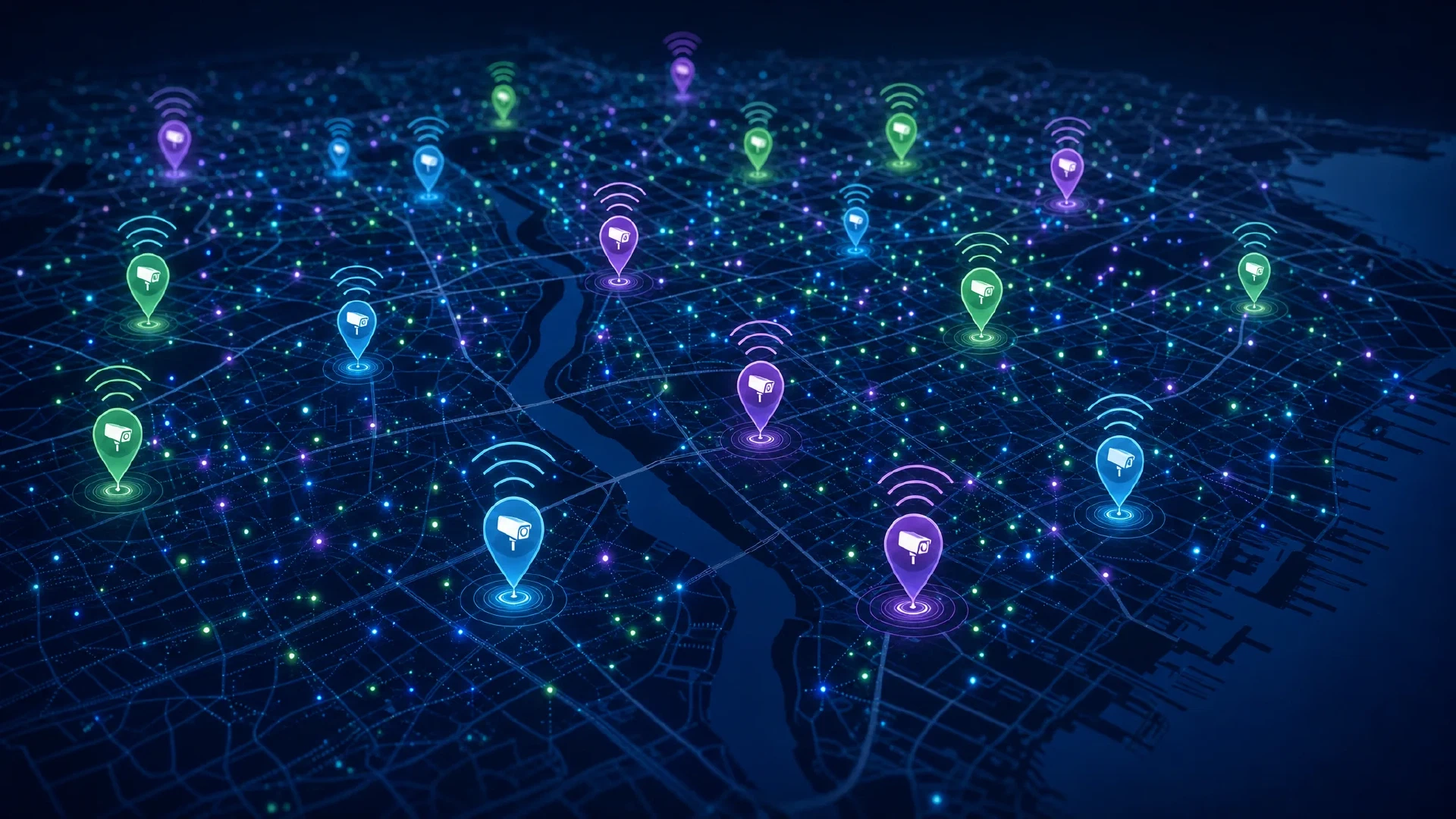
Table of Contents
An open-source surveillance awareness tool that maps Flock Safety ALPR cameras using crowdsourced WiFi data.
Correction, September 21, 2026: We audited the underlying 146,526-record dataset and found that the original headline and uniform map markers substantially overstated what OUI matching could prove. The audit found 50,278 Barco ClickShare systems and 60,793 rows matching known-other naming rules. Flock Finder now publishes evidence classes, excludes those records from the default map and headline, and exposes confidence filters. Read the full methodology and correction in We Mapped 146,526 “Flock Cameras.” 50,278 Were ClickShare Systems .
What Is Flock Finder?
Flock Finder is an open-source project that maps Flock Safety ALPR (Automatic License Plate Reader) cameras across the United States and 108 other countries. It combines 31 known Flock Safety WiFi OUI (Organizationally Unique Identifier) prefixes with the WiGLE crowdsourced WiFi database to identify and plot suspected camera locations on an interactive map.
The project lives at github.com/simeononsecurity/flock-finder , auto-updates daily via GitHub Actions, and as of July 2026 has mapped over 40,000 suspected cameras across 964 regions worldwide.
| Metric | Value |
|---|---|
| Cameras Mapped | 40,026+ |
| Known OUI Prefixes | 31 |
| Countries Covered | 109 |
| Regions Covered | 964 |
| Data Retention | 730 days (2 years) |
| Auto-Update Frequency | Daily |
This is a general awareness tool, not a definitive inventory. Read the limitations section before drawing conclusions from the data.
For background on why Flock Safety ALPR surveillance matters to privacy, read Flock Safety Camera Surveillance: Prevalence, Privacy Concerns, and Protection Strategies .
How It Works: OUI Fingerprinting via WiGLE
The Core Insight
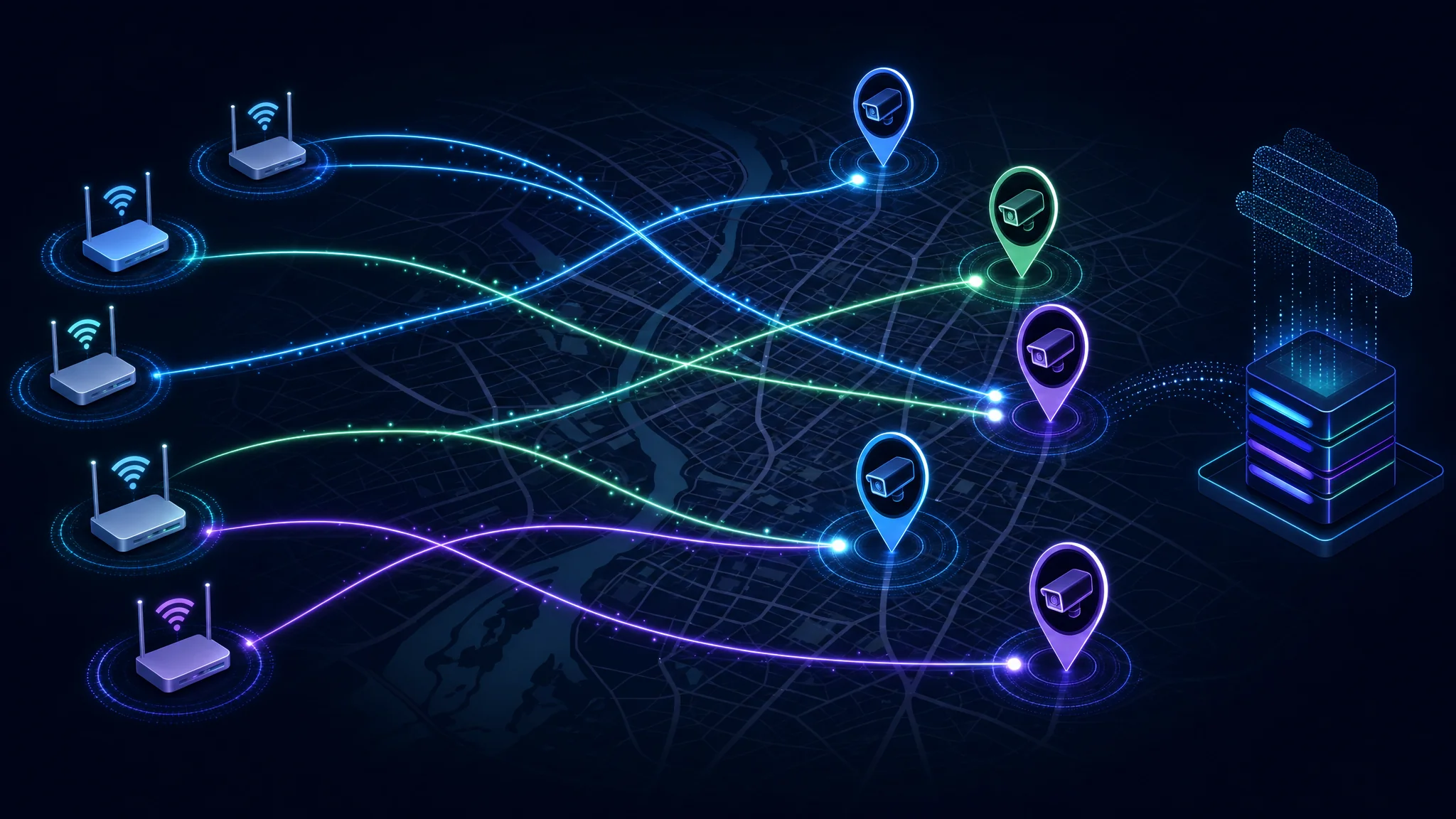
Flock Safety cameras contain WiFi transceivers that periodically wake from sleep to upload captured license plate data to the cloud. During these brief active windows, the camera broadcasts WiFi frames that contain its MAC address — and the first three bytes of every MAC address identify the manufacturer. This is the OUI (Organizationally Unique Identifier).
Security researcher @NitekryDPaul discovered 30 OUI prefixes consistently associated with Flock Safety camera hardware through promiscuous-mode 2.4 GHz analysis. A 31st prefix (82:6B:F2) was contributed by Michael / DeFlockJoplin during field testing in Joplin, MO.
Flock Finder takes those 31 OUIs, queries WiGLE for any recorded WiFi networks matching those prefixes, and plots the results on a map.
The 31 Known Flock Safety OUI Prefixes
| # | OUI Prefix | Source | # | OUI Prefix | Source |
|---|---|---|---|---|---|
| 1 | 70:C9:4E | @NitekryDPaul | 17 | D0:39:57 | @NitekryDPaul |
| 2 | 3C:91:80 | @NitekryDPaul | 18 | E8:D0:FC | @NitekryDPaul |
| 3 | D8:F3:BC | @NitekryDPaul | 19 | E0:4F:43 | @NitekryDPaul |
| 4 | 80:30:49 | @NitekryDPaul | 20 | B8:1E:A4 | @NitekryDPaul |
| 5 | B8:35:32 | @NitekryDPaul | 21 | 70:08:94 | @NitekryDPaul |
| 6 | 14:5A:FC | @NitekryDPaul | 22 | 58:8E:81 | @NitekryDPaul |
| 7 | 74:4C:A1 | @NitekryDPaul | 23 | EC:1B:BD | @NitekryDPaul |
| 8 | 08:3A:88 | @NitekryDPaul | 24 | 3C:71:BF | @NitekryDPaul |
| 9 | 9C:2F:9D | @NitekryDPaul | 25 | 58:00:E3 | @NitekryDPaul |
| 10 | C0:35:32 | @NitekryDPaul | 26 | 90:35:EA | @NitekryDPaul |
| 11 | 94:08:53 | @NitekryDPaul | 27 | 5C:93:A2 | @NitekryDPaul |
| 12 | E4:AA:EA | @NitekryDPaul | 28 | 64:6E:69 | @NitekryDPaul |
| 13 | F4:6A:DD | @NitekryDPaul | 29 | 48:27:EA | @NitekryDPaul |
| 14 | F8:A2:D6 | @NitekryDPaul | 30 | A4:CF:12 | @NitekryDPaul |
| 15 | 24:B2:B9 | @NitekryDPaul | 31 | 82:6B:F2 | DeFlockJoplin |
| 16 | 00:F4:8D | @NitekryDPaul |
The addr1 Detection Technique
@NitekryDPaul’s key discovery goes beyond simply matching on the transmitter MAC address. Flock cameras spend most of their duty cycle asleep. When a nearby access point sends a frame addressed to a camera, the camera’s MAC appears as addr1 (the receiver address) in 802.11 frames — even while the camera itself is not actively transmitting.
Combined with wildcard probe request detection (802.11 management frames type=0, subtype=4, empty SSID), this yields a very tight detection signature. Field testing in Joplin, MO achieved 11 of 12 cameras detected with only 2 false positives.
⚠️ Important: The WiGLE-based Flock Finder map does not implement the addr1 technique. WiGLE is a historical, passively collected dataset — it only records transmitters, not receivers. For real-time detection that actually uses @NitekryDPaul’s method, you need dedicated hardware running in the field.
Using the Live Map
The interactive map is live at simeononsecurity.github.io/flock-finder/ . It displays:
- Clustered camera markers color-coded by OUI prefix
- Search by city, state, or BSSID
- OUI data table with per-prefix camera counts
- Stats panel showing total cameras, regions, and last update timestamp
- About ALPRs page with documented privacy harms, legal context, and community resources
The map data exports are also available directly:
data/flock_cameras.geojson— GeoJSON for use in QGIS, Leaflet, or other toolsdata/flock_cameras.csv— spreadsheet-friendly formatdata/scan_stats.json— scan statistics and counts
Key Limitations
Take the map with a grain of salt. WiGLE is a crowdsourced, sporadically-updated dataset, not a live feed.
- Flock cameras don’t broadcast continuously. They wake briefly to upload data, so WiGLE records depend entirely on a wardriver being nearby at exactly the right moment.
- Data may be months or years old. Cameras that have been relocated or removed may still appear.
- OUI matching is a heuristic. OUIs can be shared, reassigned, or spoofed. Every result is a suspected Flock device, not a confirmed one.
- Coverage is uneven. Dense metro areas have more WiGLE data; rural areas have far less.
Use the map to develop general awareness of surveillance density in your area. For ground-truth, real-time detection, see the hardware options below.
Running Flock Finder Yourself
Prerequisites
- Python 3.8+
- A free WiGLE account with API credentials
Setup
# Clone the repository
git clone https://github.com/simeononsecurity/flock-finder.git
cd flock-finder

# Install dependencies
pip install -r requirements.txt

# Set up your WiGLE API credentials
cp .env.example .env
# Edit .env with your WiGLE API Name and Token
Running the Scanner
# Full scan — all 31 OUI prefixes, worldwide
python3 scripts/wigle_query.py

# Single OUI test
python3 scripts/wigle_query.py --oui 70:C9:4E

# US only
python3 scripts/wigle_query.py --country US

# Specific bounding box (lat1,lon1,lat2,lon2)
python3 scripts/wigle_query.py --bbox 37,-97,39,-94

# Dry run — verify auth, no API queries
python3 scripts/wigle_query.py --dry-run
Viewing the Map Locally
python3 -m http.server 8080 --directory docs/
# Open http://localhost:8080 in your browser
Automated Daily Updates via GitHub Actions
Fork the repo and add your WiGLE credentials as repository secrets (WIGLE_API_NAME and WIGLE_API_TOKEN). The included workflow runs at 6 AM UTC daily and auto-commits updated data files whenever new cameras are found.
Real-Time Detection: STS Collective FlockYou Hardware
The WiGLE map tells you where cameras have been observed. For real-time detection as you drive — using @NitekryDPaul’s actual OUI matching method on live WiFi traffic — you need dedicated hardware.
STS Collective makes portable ESP32-based detectors that scan for Flock OUI signatures and alert you the moment a matching signature is detected.
FlockYou Device Lineup
| Device | Description |
|---|---|
| FlockYou — M5 Atom Lite | Compact, pocket-sized Flock detector. Pre-flashed, plug-and-play. LED alerts on detection. |
| FlockYou Pro — LED + Audio | Adds audio alerts alongside LED indicators. Never miss a camera while driving. |
| FlockYou Atom VoiceS3R | Voice-enabled detector with spoken audio alerts for hands-free, eyes-on-road operation. |
All devices:
- Pre-flashed, ready to use out of the box
- Scan live WiFi traffic for all 31 known Flock OUIs
- Compact and portable — fits in a cup holder or pocket
- Powered via USB-C (car adapter, power bank, or laptop)
💰 Exclusive Discounts: Use code FLOCKFINDER for 20% off all STS Collective FlockYou devices — or use code SIMEONONSECURITY for up to 20% off your entire order. Shop at stscollective.com/discount/SIMEONONSECURITY .

For a full technical breakdown of these devices and DIY alternatives, read the Flock-You Detection Project: Complete Counter-Surveillance Hardware and Setup Guide .
Project Structure
flock-finder/
├── scripts/
│   └── wigle_query.py        # WiGLE API query and data pipeline
├── data/
│   ├── flock_ouis.csv         # 31 known Flock Safety OUI prefixes
│   ├── flock_cameras.geojson  # Camera locations (GeoJSON)
│   ├── flock_cameras.csv      # Camera locations (CSV)
│   └── scan_stats.json        # Scan statistics
├── docs/
│   └── index.html             # Interactive Leaflet map
└── .github/workflows/
    └── update-data.yml        # Daily auto-update workflow
Frequently Asked Questions
Is this legal?
Yes. Flock Finder uses only publicly available data from the WiGLE database, which aggregates voluntarily contributed WiFi survey data. No hacking, unauthorized access, or proprietary systems are involved. Passive WiFi monitoring for OUI signatures is legal in the United States.
Is every mapped camera definitely a Flock camera?
No. OUI matching is a heuristic. OUI prefixes can be shared across manufacturers, reassigned, or spoofed. Every record in the database is a suspected Flock device — not a confirmed one. Read the Data Policy for details on how to request a correction.
Why do some OUI prefixes show no cameras?
WiGLE coverage is uneven. If no wardriver has scanned a given area with that specific OUI active, there will be no records. Absence of data does not mean absence of cameras.
How current is the data?
The GitHub Actions workflow runs daily and pulls the latest WiGLE results. However, WiGLE itself may have records ranging from days to years old for any given location. Check the scan_stats.json file for the timestamp of the most recent scan.
Can I contribute my own wardrive data?
Yes. Upload your wardrive data to WiGLE — it automatically feeds into Flock Finder’s next daily scan. You can also contribute OUI prefixes or code improvements via the Contributing Guide .
Community and Related Projects
Flock Finder does not stand alone. A growing ecosystem of tools and organizations is working to document and counter ALPR surveillance:
- DeFlock.org — Community-driven ALPR tracking, documentation, and advocacy
- Have I Been Flocked? — Check if your plate has been searched in Flock’s system
- FlockHopper — Route planning that avoids known ALPR cameras
- Atlas of Surveillance (EFF) — EFF’s database of surveillance tech used by law enforcement
- NoALPRs.com — Resources for communities fighting ALPR deployments
- DeFlockJoplin — Open-source firmware and field research; contributed the 31st OUI prefix
Credits
- OUI Research: @NitekryDPaul — all 30 original OUI prefixes and the addr1/promiscuous-mode detection strategy
- Field Testing: Michael / DeFlockJoplin — 31st OUI prefix (
82:6B:F2) and wildcard probe tightening - Data Source: WiGLE — crowdsourced WiFi/cell network database
- Inspired by: DeFlock and track-openroaming-passpoint
- Hardware partner: STS Collective — FlockYou ESP32 detectors
Conclusion
Flock Finder gives anyone a quick, visual sense of how widely Flock Safety ALPR cameras have been deployed — 40,000+ estimated locations across 109 countries, automatically updated every day from crowdsourced WiFi data.
It is a transparency tool, not a live tracker. Its data is historical, incomplete, and probabilistic. But it makes the scale of ALPR surveillance visible in a way that abstracts and reports cannot.
For genuine real-time protection as you move through surveilled areas, pair the map with dedicated hardware. STS Collective’s FlockYou devices implement @NitekryDPaul’s detection method directly on an ESP32 and alert you the moment a live camera signature is detected — available at stscollective.com with code FLOCKFINDER or SIMEONONSECURITY for up to 20% off.
Related Articles
| Article | What it covers |
|---|---|
| Flock Safety Camera Surveillance: Privacy and Protection | The full picture: prevalence stats, civil liberties issues, ACLU toolkit, DeFlock stats, FOIA guide, and protection strategies |
| Flock-You Detection Project: Counter-Surveillance Hardware Guide | Complete technical guide to ESP32-based Flock detectors — OUI-SPY, M5 Atom Lite, DIY build, step-by-step firmware setup |
| How to Flash Rayhunter Devices: Complete Guide | Detect IMSI catchers (cell-site simulators) alongside ALPR cameras for full counter-surveillance awareness |
| DagShell Custom Firmware for Orbic RCL400 | Turn a mobile hotspot into a security research platform — pairs well with Flock detection hardware |
| Rayhunter Device Comparison 2026 | Compare detection hardware options across ALPR and cellular surveillance threat categories |
References
- Flock Finder GitHub Repository
- Flock Finder Interactive Map
- STS Collective — FlockYou Devices
- WiGLE — Wireless Network Mapping
- DeFlock — Community ALPR Awareness
- DeFlockJoplin — Open-Source Detection Firmware
- Electronic Frontier Foundation — ALPR
- ACLU — You Are Being Tracked

Disclosure and Affiliate Statement:
Affiliate Disclosure: We may earn a commission from links on this page. These commissions support our website and the content we provide. Rest assured, we only recommend products/services we believe in. Thank you for your trust! Click Here to Learn More
Related Posts