Enhancing Home Network Security with Firewalla

Table of Contents
Firewalla: Is It Suitable for Home Labs and Home Use?
In cybersecurity for personal networks and small-scale setups, Firewalla has emerged as a noteworthy option. This article digs into the capabilities of Firewalla and explores whether it’s a fitting choice for both home labs and general home use.
Introduction
In an era where digital connectivity is pervasive, ensuring the security of our online presence is paramount. Firewalla, a compact cybersecurity device, aims to enhance network security for individuals and families. With its promises of network monitoring, intrusion detection, and content filtering, it has gained attention as a potential solution for safeguarding home networks.
You can purchase the base model of the Firewalla device here .
Understanding Firewalla
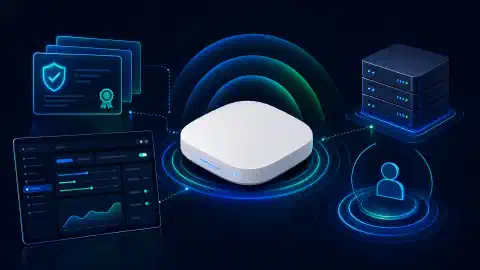
Firewalla comes in various iterations, including Firewalla Gold and Firewalla Blue. These devices are designed to provide a range of security features for home networks. Its primary functions include:
- Firewall Protection: Firewalla acts as a barrier between your devices and potential threats from the internet, effectively blocking unauthorized access and malicious content.
- Intrusion Detection System (IDS): The IDS functionality of Firewalla monitors network traffic for any suspicious or unauthorized activities, providing an extra layer of security.
- Family Protection: For households with children, Firewalla offers content filtering and monitoring, allowing parents to control and track online activities.
Firewalla’s current documentation focuses on Gold, Purple, and Orange series boxes for Router Mode, Bridge Mode, and network segmentation. Older Blue references in this article describe an earlier product generation. Check current availability and support before buying a used unit.
Firewalla deployment checks
Router Mode is the preferred design for current Gold, Purple, and Orange boxes. Place Firewalla between the modem or fiber ONT and the access point or switch. Put an existing Wi-Fi router into access point or bridge mode so it does not create a second routed network. See Firewalla’s monitoring mode guide before choosing a topology.
Use Bridge Mode when the upstream router must stay in control. Record the features you lose before selecting it. Firewalla documents Route, Smart Queue, and VPN Client as unavailable in Bridge Mode. A misconfigured bridge also creates an exposure risk, so test from an external connection after installation.
For segmentation, create a trusted, IoT, guest, and camera network only when the access points and switch support the needed VLAN or port design. Add explicit rules blocking IoT and camera networks from all local networks, then test both allowed internet access and blocked access to a trusted device. Firewalla’s network segmentation guide states that same-LAN traffic is not visible unless segmentation separates the devices.
Firewalla competitors
Firewalla is one option, not a universal best choice. Compare the management model, routing mode, update process, subscription terms, and hardware needs.
| Option | Fit |
|---|---|
| Firewalla | Appliance with app-led monitoring, policy controls, Router Mode, Bridge Mode, and segmentation on supported models |
| UniFi gateway | Unified gateway, switch, and access-point ecosystem for users who want one controller |
| OPNsense on Protectli | Flexible firewall software on an appliance, suited to users who accept more manual configuration |
| ISP gateway | Lowest hardware effort, with fewer independent controls and less visibility on many models |
The best comparison depends on topology. A Firewalla purchase still needs a separate access point or switch in many homes. An OPNsense appliance needs time for updates, rules, backups, and troubleshooting. A UniFi gateway fits best when the rest of the network uses compatible UniFi equipment.
Advantages for Home Labs
Network Segmentation and Testing
In home labs, enthusiasts often create complex network setups for various testing and development purposes. Firewalla can be advantageous in this context by offering network segmentation. By isolating lab environments from the main network, you can prevent any accidental interference while conducting experiments. This feature can be pivotal when testing new applications, services, or configurations.
Traffic Monitoring and Analysis
Home labs are fertile grounds for learning and innovation. Firewalla can provide detailed insights into network traffic, helping you understand which services or applications consume the most bandwidth. This visibility allows for informed decisions regarding resource allocation, leading to optimized lab performance.
Security Assessment
A crucial aspect of any lab setup is security assessment. Firewalla’s IDS capabilities can aid in identifying potential vulnerabilities within your lab network. By actively monitoring for unusual activities, you can swiftly address security concerns and fortify your lab against possible threats.
Suitability for General Home Use
Simplified Network Security
For individuals who aren’t cybersecurity experts, setting up and maintaining robust network security can be daunting. Firewalla simplifies this process by offering a user-friendly interface and easy-to-understand security configurations. This makes it an attractive option for those who prioritize security but lack technical expertise.
Protection for Smart Homes
The proliferation of IoT devices in modern households introduces new entry points for cyber threats. Firewalla can serve as a gatekeeper, ensuring that these devices communicate only with authorized servers and services. This is particularly significant considering the potential consequences of unauthorized access to smart home systems.
Safe Online Experience
In an age where online activities are integral to daily life, maintaining a safe digital environment is crucial. Firewalla’s content filtering features enable users to block access to malicious websites and inappropriate content, creating a safer online experience for both adults and children.
Considerations and Limitations
While Firewalla offers a range of benefits, you need to acknowledge its limitations:
- Hardware Limitations: The performance of Firewalla might be constrained by its hardware capabilities, potentially impacting network speeds in some cases.
- Subscription Models: Certain advanced features and services of Firewalla may require subscription fees, which users should consider when evaluating its cost-effectiveness.
- Single Point of Failure: Relying solely on Firewalla for network security could create a single point of failure. It’s advisable to have supplementary security measures in place.
Conclusion
Firewalla has demonstrated its value as a versatile cybersecurity solution, suitable for both home labs and general home use. Its blend of network security, monitoring features, and user-friendly design positions it as a contender in personal cybersecurity. However, prospective users should weigh its advantages against limitations and consider their specific needs before making a decision.
Choose Router Mode for a new Firewalla deployment when your modem or ONT and access-point layout supports it. Verify segmentation with a real device-to-device test before trusting the policy.
References
- Firewalla. ( https://firewalla.com/ )
- “IoT Cybersecurity Improvement Act of 2020,” H.R. 1668, 116th Cong. (2020). ( https://www.congress.gov/bill/116th-congress/house-bill/1668 )

Disclosure and Affiliate Statement:
Affiliate Disclosure: We may earn a commission from links on this page. These commissions support our website and the content we provide. Rest assured, we only recommend products/services we believe in. Thank you for your trust! Click Here to Learn More
Related Posts