

Field-Deployable Edge Compute: Hardware and Enclosure Selection

Table of Contents
Field-deployable edge compute is a rack’s worth of function packed into a box you carry. Think disaster response, remote survey sites, pop-up events, ships, mobile command posts, or a homelab you want to move. The core discipline stays the same everywhere: pick hardware built to survive transport and heat before you worry about performance.
This is part one of a four-part series on compact, rapidly deployable server and network hardware. This part covers the box itself: enclosures, compute, layout, cabling, and cooling. Part two covers power and environmental resilience. Part three covers uplinks and data security. Part four rounds up the smaller tips left over from the rest of the series.
What “Field Deployable” Means
A field-deployable system survives three things a rack-mounted server in a climate-controlled room never faces: repeated transport, an unknown power source, and no on-site spare parts.
- Transport means vibration, shock, and drops, not careful shipping.
- Deployment speed means the whole kit goes from case to operating in minutes, not hours.
- Self-sufficiency means you bring your own power, cooling, and network, because the site often has none of those.
Every choice in this series gets filtered through those three constraints. A part is the wrong part for this job if it is cheaper, faster, or more capable but fails any one of them.
Choosing the Enclosure
The enclosure is not an afterthought bolted on at the end. It is the first decision, because it constrains everything else: how much compute fits, how it survives the trip, and how fast setup goes.
| Enclosure type | Best for | Trade-off |
|---|---|---|
| Rugged transit case (Pelican, SKB, Seahorse) | Repeated travel, checked baggage, harsh handling | Heavier and pricier than a plain rack |
| Shock-mount rack case | Gear staying rack-mounted between deployments | Bulkier footprint than a foam-cut case |
| Rolling road case | Frequent local moves, event and AV-style deployments | Poor protection against water and dust |
| Weatherproof wall enclosure (NEMA/IP-rated) | Fixed remote sites left unattended outdoors | Not designed to be picked up and carried often |
Pelican and comparable hard-case brands build cases specifically for equipment thrown in a truck bed or checked as luggage. Look for a case with a rack frame or shock-mount rails built in rather than loose foam, since foam degrades and equipment shifts inside it over years of use.
A road case tuned for AV gear is not the same thing as a rugged case tuned for electronics. AV road cases protect against bumps in a controlled venue. Rugged cases add gasket seals and pressure-equalization valves for altitude changes and weather exposure. Buy the rugged case if the kit ever leaves pavement.
Rack Sled vs. Standalone Mini-PC Layout
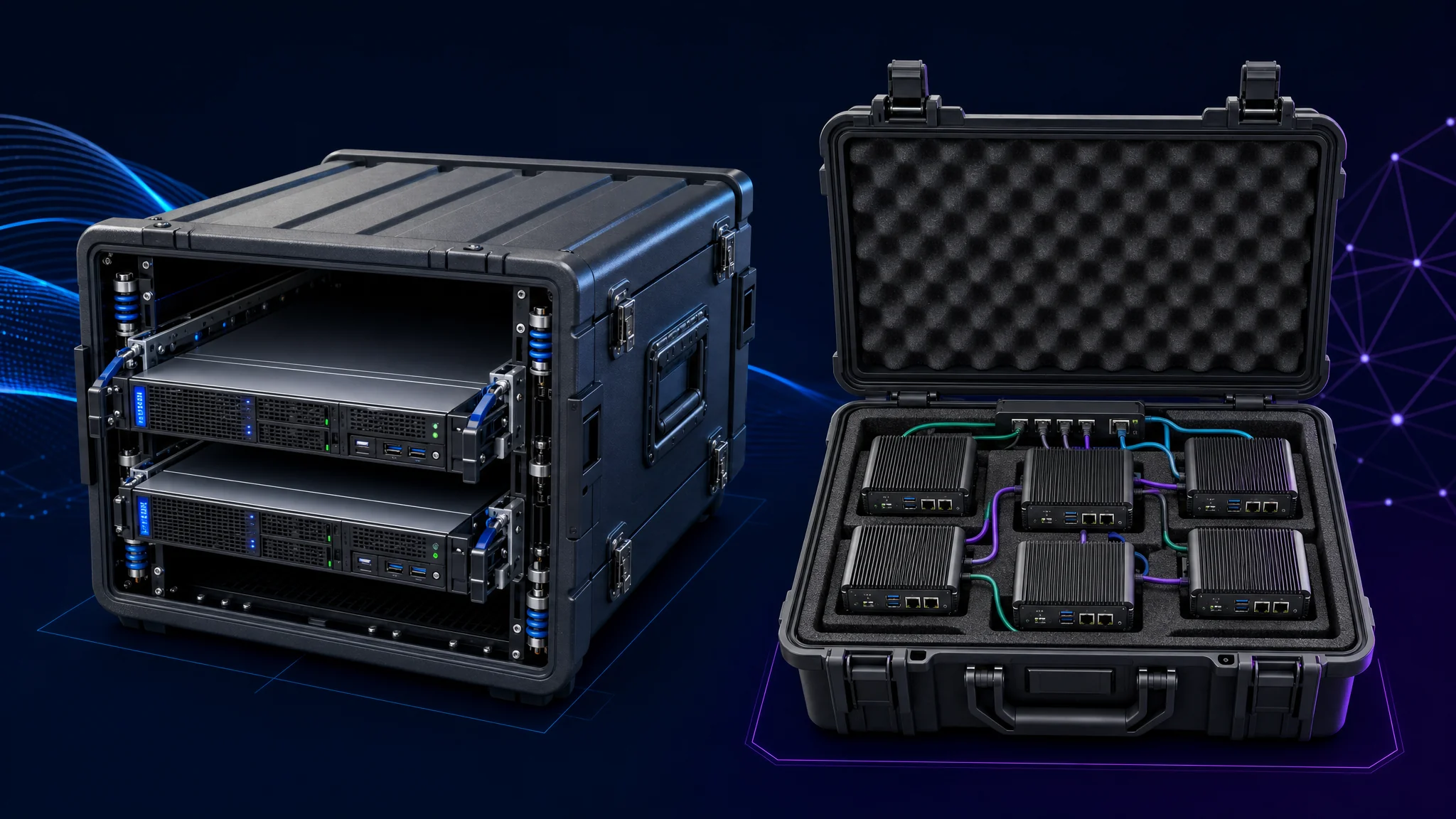
Two philosophies dominate compact edge builds, and picking the right one up front avoids a rebuild later.
- Rack sled layout mounts standard 1U or 2U short-depth servers on shock rails inside a case. This scales cleanly if you expect to add more compute later, and it keeps the gear serviceable with normal rack tools.
- Standalone mini-PC layout foam-cuts a case around several small fanless or thin-client boxes wired together. This minimizes weight and volume for a fixed, known workload, but it does not scale gracefully.
Choose the sled if the mission will grow. Choose the mini-PC cluster if the mission is fixed and small. Mixing both in the same case usually means neither is organized well.
Compute Hardware Fit for This Job
The workhorse hardware for compact edge builds is not the same as a colo-rack server. Volume, power draw, and heat output all matter more than raw core count.
- A thin client repurposed as a firewall or lightweight hypervisor host, like the HP t740 covered in our budget-friendly 10g pfSense build guide , draws 50 watts or less and fits in about a liter of volume.
- A fanless mini PC firewall appliance, such as the Protectli Vault , trades expandability for a sealed, dust-resistant chassis with no moving parts to fail.
- A small-form-factor server (Dell OptiPlex Micro, Lenovo ThinkCentre Tiny, or similar) gives you more RAM and storage headroom than a thin client while still fitting in a carry case.
- A single-board computer cluster (Raspberry Pi 4/5 or similar) minimizes weight and power draw for workloads with no x86 dependency.
Fanless designs win on reliability in this context because a spinning fan is the first thing to fail after being shaken around in a truck for two hundred miles. Every moving part you remove from the build removes a failure mode you cannot fix in the field.
Networking Hardware for the Same Case
The network gear travels in the same case and faces the same abuse, so apply the same fanless, low-power standard to switches and access points.
- A compact managed switch with PoE lets you power access points and cameras from one uplink, reducing the number of power bricks in the case.
- A rugged or outdoor-rated access point survives temperature swings better than consumer Wi-Fi gear designed for a living room.
- A hardware firewall appliance, whether the t740 build above or a Firewalla , gives you a policy boundary between the field network and whatever uplink you are using, which matters more here than at home because the uplink is often untrusted.
Cable Management for Repeated Packing
Cabling inside a field case fails differently than cabling in a rack room. It gets coiled, uncoiled, stepped on, and packed under other gear on every deployment cycle.
- Use color-coded, labeled cables for every connection, since you will not remember which port went where after the third trip.
- Coil cables on velcro straps, not zip ties, so they re-coil the same way every time without cutting and replacing ties.
- Leave slack loops inside the case, not tight runs, so repeated flexing bends the cable jacket instead of the connector.
- Use latching connectors (locking RJ45 boots, screw-terminal power) wherever the standard allows it, because vibration works ordinary plugs loose over time.
A field case with tidy cabling sets up in minutes. A field case with a rat’s nest inside costs you a troubleshooting session before the mission even starts.
Cooling Inside a Sealed or Semi-Sealed Case
A closed transit case traps heat. Airflow adequate for an open rack shelf cooks the same hardware once it sits sealed in a case with the lid closed.
| Cooling approach | When to use it |
|---|---|
| Passive heatsink, fanless compute | Low-power builds (thin clients, SBCs) where heat output stays under the case’s passive dissipation limit |
| Case-mounted intake/exhaust fans | Higher-power builds where passive cooling cannot keep up, and the case has sealable vents |
| Vented rack sled with open sides | Sites where the case stays open during operation and dust is not a major concern |
| Sealed case with internal fan loop and filtered vents | Dusty or sandy environments where outside air needs filtering before it touches the gear |
Test the fully packed case at its expected worst-case ambient temperature before it ever goes to a real deployment. A build running cool on a workbench in an air-conditioned office throttles or shuts down at 100 degrees Fahrenheit inside a closed case in direct sun.
Storage Choices for Field Compute
Storage takes the same abuse as everything else in the case, but it also holds the data the mission depends on, so it deserves its own decision instead of an afterthought pick.
| Storage type | Best for | Trade-off |
|---|---|---|
| NVMe SSD | Most field builds, best shock and vibration tolerance | Costs more per terabyte than spinning disk |
| SATA SSD | Budget builds still wanting solid-state reliability | Slower than NVMe, still far tougher than a hard drive |
| Spinning hard drive | Bulk storage where a case stays stationary once deployed | Read/write heads fail under vibration, the worst fit for a case in transit |
| Industrial or write-endurance SSD | Logging or database workloads with constant writes | Higher cost per gigabyte than consumer-grade SSDs |
A spinning hard drive has no place inside a case getting carried, driven, or shipped. Solid-state storage has no moving parts to fail under shock, which makes it the default choice for anything leaving a rack room.
Mirror the drives if the mission cannot tolerate losing data to a single failed drive. A simple two-drive mirror survives one failure with no special hardware, and our RAID types and their uses guide covers the trade-offs between mirroring, striping, and parity in more depth than a field build usually needs. For a broader comparison of drive types and cloud backup options feeding into the same decision, see Data Storage Solutions: HDD, SSD & Cloud Explained .
Redundancy inside the case is not a backup. A mirrored pair protects against one drive dying. It does nothing if the whole case is lost, stolen, or destroyed, so pair local redundancy with the off-site backup habits covered later in this series.
Remote Management and Out-of-Band Access
Driving back to a field site because a headless box needs a keyboard plugged in defeats the point of a rapidly deployable design. Build in a way to reach the hardware’s console even when the operating system will not boot.
- IPMI or a baseboard management controller (BMC), built into many server-class boards, gives you power control, console redirection, and sensor data over the network independent of the host operating system.
- PiKVM and similar open-source IP-KVM devices add the same out-of-band capability to hardware without a built-in BMC, such as a thin client or mini PC, by capturing HDMI output and emulating a USB keyboard and mouse.
- Put out-of-band management on its own isolated network segment, never on the same VLAN as production traffic, since a BMC with a default password is a well-known attack path into otherwise well-secured hardware.
Out-of-band access is the difference between a five-minute remote fix and a same-day trip back to the site. Skipping it saves a small amount of money on hardware, and it costs far more the first time something needs a hard reset from three states away.
International Power and Connector Compatibility
A build tested and packed in one country does not always plug in cleanly in another. Voltage, frequency, and plug shape vary enough between regions to strand a perfectly good case at the destination.
| Region grouping | Nominal voltage | Common plug types |
|---|---|---|
| North America | 120V, 60Hz | Type A/B (NEMA) |
| Most of Europe | 220 to 240V, 50Hz | Type C/E/F (Europlug, Schuko) |
| United Kingdom and Ireland | 220 to 240V, 50Hz | Type G |
| Australia and New Zealand | 220 to 240V, 50Hz | Type I |
Wikipedia’s AC power plugs and sockets reference catalogs every regional plug standard in detail and is worth a check before any international deployment.
- Choose power supplies rated for universal input (100 to 240V, 50/60Hz) wherever possible, so only the plug adapter changes between regions instead of the supply itself.
- Pack a small set of plug adapters matched to the destination, and test them on the actual power bricks in the kit before departure, since not every adapter physically fits every brick’s housing.
- Never assume a step-down transformer is unnecessary. A device rated for 120V only suffers permanent damage on a 230V circuit with nothing more than a plug adapter in between.
Confirm voltage compatibility for every device in the case, not only the primary compute. A universal-input UPS paired with a 120V-only accessory still fails at the destination.
Bill of Materials Checklist
Before closing the case for the first deployment, confirm each of these:
- Enclosure rated for the actual transport method (checked baggage, truck bed, backpack)
- Compute hardware is fanless or has serviceable, filtered fans
- Network gear matches the compute hardware’s power and ruggedness class
- All cables are labeled, color-coded, and secured with reusable fasteners
- Cooling has been tested at worst-case ambient temperature with the case closed
- Spare cables and one spare small part (SFP, patch cable, power brick) travel in the case
Next Steps
Hardware and enclosures only solve half the problem. The other half is keeping this hardware powered and alive once it leaves the case. Continue to Part Two: Power and Environmental Resilience for UPS sizing, DC power options, and IP/NEMA environmental ratings.
For the connectivity and security side of the same build, see Part Three: Connectivity and Data Security for Edge Nodes . For the smaller, easy-to-forget details, see Part Four: Field IT Tidbits .
If you want a concrete, budget-friendly starting point for the compute and firewall layer of a build like this, our budget-friendly 10g pfSense build with the HP t740 walks through a real example.

Disclosure and Affiliate Statement:
Affiliate Disclosure: We may earn a commission from links on this page. These commissions support our website and the content we provide. Rest assured, we only recommend products/services we believe in. Thank you for your trust! Click Here to Learn More
Related Posts


This article refers to other articles we've written:
- Field-Deployable Power and Environmental Resilience
A guide to field edge-compute power and environmental resilience, including UPS sizing, solar, batteries, time sync, ratings, grounding, and surge protection.
- Field-Deployable Connectivity and Data Security for Edge Nodes
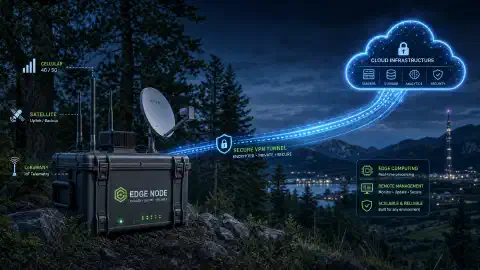
A guide to connecting and securing field edge-compute nodes with cellular, satellite, LoRa, VPN, MFA, segmentation, logging, encryption, and theft response.
- Field IT Tidbits: Beyond the Mini Data Center
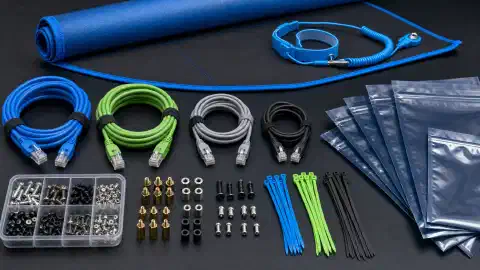
Practical field IT guidance covering spares, documentation, ESD, firmware, boot media, licensing, physical security, travel, and insurance.
- Budget-Friendly 10g pfSense Build with HP t740 for...
Discover how to effortlessly build a 10 gigabit capable pfSense router and firewall on a budget using the HP t740, ensuring high-performance networking for your needs.
- RAID Technology Decoded
Maximize data integrity and system uptime with RAID configurations. This guide explains different RAID levels and their applications in data storage.
