How to Use AI Effectively: A Reliable Workflow for Beginners

Table of Contents
Return to the Practical AI Workflow Course
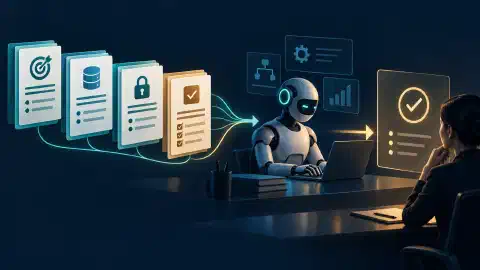
Use AI as a worker whose output needs a check. Start with a clear result, give only relevant material, and inspect the answer against your source. This lesson gives you a workflow for chat, research, and code tasks.
Learning outcome: by the end, you will produce a corrected workshop email and a four-check review record.
Key Takeaways
- Task: name the result you need and the boundary around it.
- Context: supply the files, facts, and examples relevant to this task.
- Evidence: ask where important claims and changes came from.
- Verification: check the finished result, not the assistant’s confidence.
Before You Begin
Prerequisites: access to any AI chat tool and a harmless task you already understand. No code or paid plan is needed. Set aside 25 minutes. Difficulty is beginner.
Practice scenario: you maintain a fictional community workshop. A draft email says the next class starts at 6 p.m. Your approved schedule says 7 p.m. You want a corrected email and a record of what changed. Keep real customer details out of this exercise.
Know the Parts
| Term | Meaning |
|---|---|
| Model | Software producing text or other output from an input |
| Chat | A conversation with the model, often with files and tools |
| Tool | A function the assistant invokes, such as file search or a calendar lookup |
| Agent | An assistant pursuing a task through several steps and tool calls |
| Source | The record used to support a fact or decision |
| Artifact | The file, message, table, or code change you keep |
Fluent text is not evidence. An assistant might write a convincing sentence while using an old schedule. Treat source records as facts and assistant output as a proposal until checked.
Write a Task Packet
Put the outcome first. Then give the source and one acceptance check. Lesson 4 expands this pattern into a task packet for a coding agent . For now, use this short chat request:
Outcome: Draft an email announcing the next workshop.
Source: The approved schedule below says the class begins at 7 p.m.
Draft to correct: "The Introduction to Digital Safety class begins at 6 p.m. on November 12 in Community Room A."
Audience: Registered attendees.
Constraints: Keep the location and date unchanged. Draft only.
Done when: The draft uses 7 p.m. and lists the factual change.
Approved schedule: Introduction to Digital Safety, November 12, 2026,
7 p.m., Community Room A.
The packet separates instruction from data. The draft’s 6 p.m. text is material to correct. The approved schedule controls the time. The assistant has no permission to send a message because the task asks for a draft.
Choose a source before resolving a conflict. If a chat summary repeats 6 p.m., the approved schedule still controls the draft. If two approved schedules disagree, stop and ask the owner which revision applies. Do not use fluent output to settle a source dispute.
Run the Four-Step Loop
- Specify: write the desired artifact and a clear completion check.
- Supply: include the relevant source and state which record wins on conflict.
- Inspect: compare the result with the source and look for invented details.
- Verify: run a direct check, then accept, revise, or stop.
For the workshop email, read the output line by line. Check the start time, date, location, and audience. Ask the assistant to remove any added room number or registration link absent from the schedule. The change list should say “6 p.m. changed to 7 p.m.”
Worked draft:
Subject: Introduction to Digital Safety on November 12

Hello,

The Introduction to Digital Safety class begins at 7 p.m. on
November 12, 2026, in Community Room A.

We look forward to seeing you.

Factual change: corrected the start time from 6 p.m. to 7 p.m.
Worked review record: time, pass, 7 p.m. matches the schedule. Other facts, pass, the event, date, and room match. Scope, pass, this is a draft. Change list, pass, the single correction is named. These are checks of the displayed synthetic example. Your own run needs its own review.
| Check | Pass condition | If it fails |
|---|---|---|
| Time | Draft says 7 p.m. | Repoint to the approved schedule |
| Other facts | Date and location match source | Remove unsupported additions |
| Scope | Message is a draft | Stop any send action |
| Record | Change list names the correction | Request a factual diff |
A successful check is an observation. An assistant’s sentence saying “verified” is not a check. You must compare the output with the approved schedule yourself or use a separate trusted check.
Keep action boundaries explicit. Drafting a reminder is reversible. Sending it reaches recipients. Require a separate, current approval and recipient check before any send action in real work.
Choose the Right Amount of AI
Use a chat response for one small draft or explanation. Use a project when many related conversations need the same instructions and files. Use a coding agent when a task needs repository search, edits, and tests. Use a separate worker when independent research or review would save your main conversation from a large volume of detail.
For one workshop email, choose a chat response. If you draft reminders for every class, put the approved schedule and style brief in a project. A coding agent adds no value to this email task because no repository change is requested.
Do not delegate an unclear task. Each additional worker needs a bounded question and a way to check its result. Later lessons show when parallel work earns its cost.
Practice and Check
Your artifact: save a task packet for one harmless task you control. Include the intended output, one authoritative source, two constraints, and a completion check. Run it once in your chosen chat tool.
Expected reasoning: your result follows the named source, stays within the requested scope, and leaves unsupported facts out. Record one correction you made during verification. If no correction was needed, record which source lines you checked.
Completion check: award one point each for correct time, correct other facts, draft-only scope, and a factual change list. Finish this lesson when your draft scores four out of four against the synthetic schedule.
Check Your Understanding
Question: Which source controls a workshop time when chat history disagrees with an approved schedule? Answer: The approved schedule.
Question: What evidence closes a task after the draft looks plausible? Answer: A source check, output check, access check, and recorded result.
Troubleshooting
- Vague answer: narrow the requested output and add one example.
- Invented detail: ask for source support, then remove unsupported text.
- Long response: set a length or format limit in the task packet.
- Repeated error: start a fresh conversation with the corrected source and a short summary.
Next Steps
Continue with ChatGPT and Claude Projects to keep related instructions and files together.
Course navigation: Previous: Course Setup , Course outline .

Related Posts