Bitbucket Cloud SSH Keys and Git CLI: Read-Only Access for AI Agents

Table of Contents
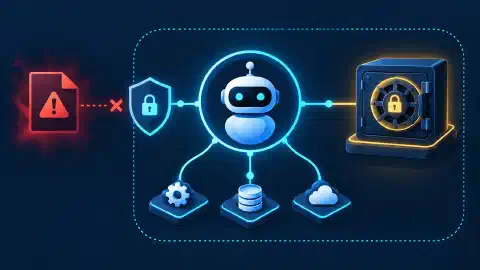
A bounded agent workflow separates repository reads, API reads, secret handling, and remote writes. Use Git over SSH for source access, a read-only Bitbucket access key for automated checkout, the REST API for metadata, and an MCP server for approved tools. Store private keys and API tokens in 1Password. Keep writes behind a human approval step.
Key Takeaways
- Read-only default: Use a repository or project access key for agent checkout. Neither grants push access.
- Personal identity: Use a personal SSH key for interactive work tied to a user account.
- Secret custody: Use the 1Password SSH Agent so Git receives a signing operation without reading the private key.
- CLI meaning: Treat
git,curl, and a small audited API wrapper as the practical Bitbucket command line. - MCP boundary: Expose narrow read tools. Keep write tools disabled or behind a separate approval path.
- Write gate: Let an agent inspect, compare, and prepare a change. Require a human to approve a push, pull request, merge, or settings update.
Before You Begin
Prerequisites: Bitbucket Cloud access, Git, an OpenSSH client, a configured 1Password account, and an MCP host with server approval controls. Set aside 45 minutes. Difficulty is intermediate.
Use a test repository for the first pass. Replace every placeholder in the examples. The commands below are untested examples. They do not represent a live Bitbucket account or repository.
Version posture: This article is design guidance, not a version-pinned runbook. Confirm the installed Git, OpenSSH, 1Password CLI, Teamwork Graph CLI, MCP host, and MCP server versions before testing. Configure the 1Password SSH Agent for the current operating system before using ssh-add -l.
Keep credentials out of shells, logs, URLs, Git remotes, and source files. Use placeholders such as <workspace>, <repository>, <api-token>, and <socket-path>. Do not paste a real private key into a terminal transcript.
Choose the Access Boundary
Bitbucket Cloud supports access keys at repository, project, and workspace levels. The scope changes the impact of a copied key. The official access-key comparison states the permission difference directly.
| Access path | Scope | Write ability | Good fit |
|---|---|---|---|
| Repository access key | One repository | No | Default agent checkout |
| Project access key | Repositories in one project | No | Read-only jobs across a small repository group |
| Workspace access key | Repositories in one workspace | Yes | Controlled service automation with a separate write plan |
| Personal SSH key | Repositories allowed for one user | Follows the user account | Interactive administration |
| API token | User-based API scopes and account reach | Depends on scopes | REST API reads, or a temporary write task |
Start with the smallest useful boundary. Pick a repository access key when one repository is enough. Pick a project key when several repositories share one project and read-only access fits. Treat a workspace access key as a write identity, not as a convenient default.
Create and register the smallest key through the matching Bitbucket settings path:
- Open Repository settings, Access keys, and Add key for one repository. Paste the public key and keep the key read-only.
- Open Project settings, Access keys, and Add key when several repositories need one project-scoped read identity.
- Use a workspace access key only in a shared workspace with an approved write design. Personal workspaces do not provide the same workspace-level path.
- Record the key label, scope, public-key fingerprint, owner, and rotation date. Keep the private key in 1Password.
Run one exact read-only connection test after registration:
git ls-remote [email protected]:<workspace>/<repository>.git HEAD
Expected output: one commit reference for HEAD. Untested example. A successful result proves one permitted SSH identity reached the named repository. The result does not prove the registered key was selected or write access. Run the test again after the one-key-per-repository configuration.
For private-key custody and 1Password SSH Agent consent, see 1Password CLI and SSH Agent: Secure SSH Keys for AI Agents .
Define “Bitbucket CLI” Correctly
The phrase Bitbucket CLI often mixes three different interfaces. Keep them separate.
- Git CLI:
git cloneandgit fetchmove repository data over SSH or HTTPS.git diffcompares local files or revisions. - REST client:
curlor a reviewed wrapper calls Bitbucket Cloud API endpoints for repository, source, branch, pull request, pipeline, and status data. The Bitbucket Cloud REST API reference lists the available resource groups. - Atlassian CLI:
acliis Atlassian’s official command line. Its introduction describes the product, while its command reference listsadmin,jira,feedback, androvodevsurfaces. The reference does not document Bitbucket Cloud commands.
Atlassian’s official acli command reference does not document Bitbucket Cloud commands. Do not invent a command such as acli bitbucket clone. Use Git for Git operations and the REST API for Bitbucket Cloud data.
Optional Teamwork Graph CLI
Atlassian also publishes the Teamwork Graph CLI, or twg. Its
overview
and
command catalog
document Bitbucket command families. The setup command is:
twg setup bitbucket
The setup command changes local authentication state. The CLI’s Bitbucket token path is separate from Atlassian OAuth. Keep exact command syntax tied to the installed version and current command catalog. Use a separate profile, a restricted token, reviewed installed skills, and human approval for mutating commands.
Expected result, untested: The isolated profile receives Bitbucket authentication settings. Record the previous profile state before setup. Remove the saved credential through the installed version’s documented logout or configuration-removal procedure during rollback.
If a third-party project calls itself a Bitbucket CLI, audit its source, release process, checksums, update path, authentication flow, requested scopes, network destinations, log handling, and write commands. A familiar binary name does not establish vendor support or safe permissions.
Keep SSH Keys Under 1Password Control
The 1Password SSH Agent offers SSH keys stored in 1Password to Git and SSH clients. The client performs an authorized signing request. The private key stays inside the 1Password app, and 1Password asks for consent before an approved client uses a key.
The
1Password CLI reference
serves a different role. Use op for controlled access to items, API tokens, service accounts, and automation setup. Use the SSH Agent for SSH signing. Avoid exporting a private key to a temporary file only to make an agent workflow easier.
Check the local CLI and agent state with read-only commands:
op --version
ssh-add -l
Expected output: a 1Password CLI version and one or more public-key fingerprints from the active agent. Untested example. An empty ssh-add -l result means no key is available through the selected agent socket.
For a new key, create an Ed25519 SSH Key item in 1Password or import one generated with a trusted local process. Set a label based on purpose, scope, and rotation date. Add only the public key to Bitbucket Cloud. The Linux repository access-key guide describes the repository settings path and the read-only limitation.
Verify Bitbucket’s Host Key First
SSH user authentication does not prove server identity. The client must verify Bitbucket Cloud’s host key before sending an authentication request. Atlassian’s SSH and two-step verification guide lists the public host keys and shows the official endpoint for retrieving known-host entries.
Fetch the public host-key data for comparison:
curl --fail --silent --show-error https://bitbucket.org/site/ssh
Expected output: OpenSSH known_hosts lines for bitbucket.org. Untested example. Compare the returned key or fingerprint with an independent trusted copy before placing the line in ~/.ssh/known_hosts.
Use strict host checking after the approved entry exists:
Host bitbucket.org
    StrictHostKeyChecking yes
    UserKnownHostsFile ~/.ssh/known_hosts
Do not accept a changed host key during an agent run. Stop the run, verify the current Bitbucket Cloud host-key record, and review the local known_hosts entry. An automatic acceptance step removes a key security boundary.
Select One Key Per Repository
One device often holds several Bitbucket keys. A broad SSH agent offers several identities during one connection. A server or policy with a small authentication-attempt limit might reject the right key after earlier keys fail.
Atlassian’s
multiple repository access-key guide
uses core.sshCommand inside a repository Git configuration file and includeIf in the global Git configuration. Follow the same pattern for one key per repository.
Portable file-backed example:
# .gitconfig inside one local repository
[core]
    sshCommand = ssh -o IdentitiesOnly=yes -i ~/.ssh/<repository-automation-key>
# ~/.gitconfig
[includeIf "gitdir:~/src/<repository>/"]
    path = ~/src/<repository>/.gitconfig
The block above is a file-backed private-key exception for a dedicated automation identity. The block does not configure the 1Password SSH Agent. For the 1Password SSH Agent, configure the platform-specific IdentityAgent or SSH_AUTH_SOCK value from the
1Password setup guide
. Some OpenSSH configurations use a .pub file as an agent identity selector. Confirm platform support before using one. A file-backed setup needs the matching private-key path. Never pass a .pub file to a command expecting private-key material or export a personal private key.
Use explicit repository configuration when a local clone needs one key. Use includeIf when a directory contains several clones sharing one access boundary. The
multiple-key guide
shows both settings in the Bitbucket workflow.
Clone through Git over SSH:
git clone [email protected]:<workspace>/<repository>.git <local-directory>
Expected output: Git creates <local-directory> and fetches the repository through bitbucket.org. Untested example. A repository access key permits clone and pull only.
Use API Tokens for Narrow REST Reads
Use SSH for Git transport. Use the REST API for metadata or operations outside Git transport. The
API token permissions guide
lists repository scopes such as Read, Write, Admin, and Delete. Repository Read maps to read:repository:bitbucket and does not include pull request access.
Prefer a Bitbucket repository or project access token for read automation when the target supports the required endpoint. A user-based API token retains the user account’s wider reach. Use a workspace access token only when the task record names the wider boundary. Review the Bitbucket access-token guide before selecting the token type.
For an agent read path, start with read:repository:bitbucket. Add read:pullrequest:bitbucket only when the agent needs pull request data. Add workspace or pipeline scopes only after the task record names the endpoint and result. Write and admin scopes need a separate approval path.
Create each API token for one purpose, set an expiry date, store the expiry in the rotation record, and replace the token before expiry. Atlassian’s API token creation guide requires a name, expiry date, app selection, and scopes. The token appears once after creation.
Keep the value in 1Password or a managed runtime secret. Do not put the value in a remote URL. Send a bearer token through an environment variable only inside the process needing one read:
op run --env-file=/path/to/agent.env -- \
sh -c 'curl --fail --silent --show-error \
  --request GET \
  --url "https://api.bitbucket.org/2.0/repositories/<workspace>/<repository>" \
  --header "Authorization: Bearer ${BITBUCKET_API_TOKEN}" \
  --header "Accept: application/json"'
Keep /path/to/agent.env outside the repository. Store a reference such as BITBUCKET_API_TOKEN=op://synthetic-vault/synthetic-api-token/credential in the file. op run resolves the reference for the curl child process and removes the value with the process. Do not replace the placeholder with a literal token.
Expected output: JSON metadata for the selected repository. Untested example. The placeholder must never become a real token in a committed file or log.
For longer automation, let 1Password inject a secret into the process environment through the supported CLI or service-account flow. Keep the token lifetime short enough for the task. Revoke a token when the task ends early or the host changes ownership.
Give MCP a Small Read Surface
Use the current MCP specification and its authorization rules when reviewing a new server. HTTP servers need token audience checks and clear handling for 401 and 403 responses.
The MCP host obtains user consent. The client maintains a connection to one server. The server exposes tools, resources, or prompts. Treat each server as untrusted code until its source, transport, account, and permissions pass review.
The 2025-06-18 specification URL in the next paragraph is a historical version. Use the current 2026-07-28 specification for new reviews.
The MCP specification defines communication between an MCP host, client, and server. A server exposes tools, resources, or prompts through the protocol. MCP standardizes the connection format. The host, server implementation, account, token scope, and approval policy still decide what a call reaches.
Use an MCP server as a narrow adapter over Git and the Bitbucket Cloud REST API. Example read tools include:
Protect this adapter against token passthrough, confused-deputy behavior, SSRF, malicious local servers, unsafe OAuth redirects, and oversized source-data returns. Fix allowed Bitbucket origins and repository identifiers. Run local servers in a sandbox with a dedicated operating-system user. Redact secrets from tool results and logs.
This section describes a design, not a tested MCP configuration. No client, server, transport, version, or fixture is pinned here. Validate one read-only server in a separate test profile before connecting an agent to a production repository.
get_repository_metadata: return one repository’s metadata.read_source_file: read one path at one revision.list_branches: list branches for one repository.get_pull_request: return one pull request after the token has pull request read scope.get_build_status: return status data for one commit.
These names describe a design. They are not Atlassian command names. Keep the server from accepting arbitrary URLs, arbitrary shell commands, raw tokens, private-key export requests, or unrestricted repository identifiers.
Set permissions at four layers:
- Bitbucket Cloud: repository or project read key for Git, plus the smallest API token scopes for REST reads.
- 1Password: one vault or service account for the task, with no private-key export path.
- MCP server: an allowlist of read tools, fixed Bitbucket Cloud endpoints, input validation, timeout limits, and redacted logs.
- MCP host: user approval for the server and every write-capable action, with write tools disabled in the default profile.
An MCP tool list proves discovery. The list does not prove authorization, correct scope, safe input handling, or a correct result.
Stage the Agent Workflow
Keep the workflow explicit. Each stage produces evidence for the next stage.
| Stage | Agent action | Permission | Human gate |
|---|---|---|---|
| Prepare | Read configuration, host-key record, key label, token scope, and expiry | Local read | Approve setup record |
| Inspect | Clone or fetch through Git over SSH and query REST metadata | Repository read and API read | None after setup |
| Analyze | Read files, branches, pull requests, and build status through approved tools | Read-only MCP tools | None for bounded reads |
| Prepare change | Produce a patch, branch plan, or pull request draft in a local workspace | Local write only | Review diff and target |
| Approve write | Present exact remote action, scope, and rollback path | No remote write yet | Human approval |
| Execute write | Push a branch, create a pull request, or call a write endpoint | Short-lived write identity | Confirm each action |
| Verify | Read the resulting commit, pull request, or status | Read-only again | Confirm expected result |
The default agent profile should stop after Analyze or Prepare change. A separate write profile should use a different token or key, a short expiry, a fixed target, and an approval prompt. A repository access key cannot perform the write step, which creates a useful technical boundary.
Rollback and Removal
Rollback starts with access removal, then local configuration cleanup:
- Remove the repository, project, or workspace access key from the matching Bitbucket settings page.
- Revoke the repository, project, workspace, or user API token in the matching Bitbucket security page.
- Remove the saved Teamwork Graph credential through the documented authentication procedure for the installed CLI version. Preserve the prior credential only in the approved secret manager. Confirm the isolated profile no longer lists the test credential.
- Remove the repository
.gitconfigfile and itsincludeIfentry after the test ends. Keep unrelated Git configuration unchanged. - Remove only the verified Bitbucket host-key line added for the test. Retain other approved host keys.
- Remove the external
agent.envfile and temporary output. Remove the MCP server entry from the host configuration, then restart the host.
Record each removal, the operator, and the time. Rotate a key or token when a value entered an unexpected log, process record, or transcript.
A Safe Read-Only Loop
Use a small loop for recurring repository inspection:
LOCAL_REPO="<local-directory>"
git -C "$LOCAL_REPO" fetch --no-tags
git -C "$LOCAL_REPO" status --short --branch
git -C "$LOCAL_REPO" log -1 --format='%H %ad %s' --date=iso-strict
Expected output: a fetch result, branch status, and one commit line. Untested example. Fetch updates local Git references and FETCH_HEAD. The loop does not push or change branches.
The MCP server should expose the same read boundary through named operations. A local shell wrapper or MCP tool should reject a write verb before sending a request. Log the tool name, repository placeholder, revision, result class, and duration. Redact tokens, cookies, private paths, and file contents unless the task explicitly needs one file.
Troubleshooting
Permission denied (publickey)
Check the active agent socket, the selected public key, the repository access-key entry, and IdentitiesOnly. A repository key needs to exist on the target repository or project. A personal key needs account permission. A workspace access key has a different write boundary.
The wrong repository key is offered
Use one key per repository with core.sshCommand, or group clones under a directory controlled by includeIf. List agent keys with ssh-add -l. If many 1Password keys are available, use an explicit identity selector or a 1Password SSH bookmark. The
1Password Agent guide
documents the key-count and bookmark considerations.
SSH reports a changed host key
Stop the agent. Do not delete known_hosts as a first response. Compare the current Bitbucket Cloud host-key record with the local entry through an independent channel. Remove or replace an entry only after the comparison passes.
The API returns 401 or 403
Check token expiry, token type, endpoint scope, and the account or workspace boundary. A repository read scope does not include pull requests. A write endpoint needs a write scope and an approved write profile. Do not widen scopes until the failed endpoint is named.
The API returns repository data but no pull requests
Add the smallest pull request read scope in a new or rotated token. Do not reuse a broad user token for a read-only MCP server.
The MCP server lists tools but a call fails
Separate server registration, connection, tool discovery, execution, and result verification. Inspect the server log without exposing the token. Verify the endpoint and input shape. Retry once after checking connectivity. Mark the operation incomplete when the second call fails.
A third-party Bitbucket CLI asks for broad access
Stop installation. Compare the requested access with the task record. Review source, release signatures or checksums, network destinations, secret storage, and write behavior. The official Atlassian CLI command reference does not establish support for a third-party Bitbucket binary.
Next Steps
Create a short access record with the repository or project scope, key label, host-key verification date, API scopes, token expiry, 1Password owner, MCP tool allowlist, log policy, and write approver.
Run one read-only clone, one REST metadata read, and one MCP tool read with placeholders in the transcript. Compare the results. Keep the agent profile read-only until the record and logs pass review.
When a write task arrives, prepare a local diff first. Present the target branch, changed paths, requested API method, token scope, and rollback step. Use a separate short-lived write identity only after a human approves the exact action.

Related Posts