
ATS Resume Improver: Free AI-Powered Resume Optimizer
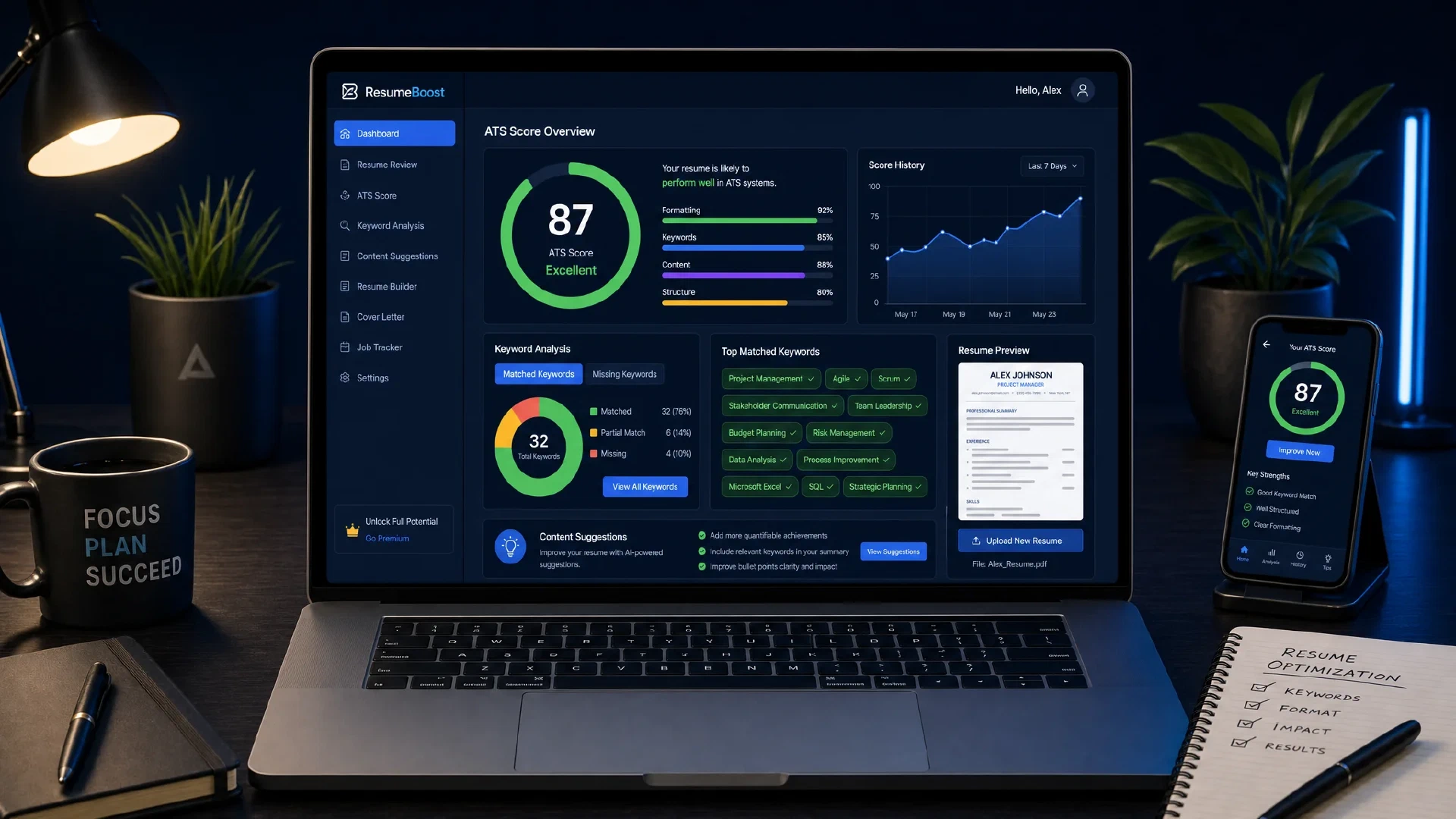
Table of Contents
Free, open-source, and self-hostable. Your resume never touches a server unless you use an AI provider — and even then, it goes directly to the AI provider, not to us.
What Is ATS Resume Improver?
ATS Resume Improver is an open-source, browser-based resume optimizer that analyzes your resume against a job description and helps you close the gap between what you have and what applicant tracking systems actually score. Built with React 19, Vite, and TypeScript, the entire parsing and scoring pipeline runs inside your browser with no backend server.
The source code is at github.com/simeononsecurity/ats-resume-improver . You can use the hosted version, deploy your own to Vercel/Netlify/Cloudflare/GitHub Pages in one click, or spin it up locally with Docker.
The Privacy Problem It Solves
Most resume optimization services upload your resume to their servers, run proprietary scoring, and retain your data. ATS Resume Improver takes the opposite approach.
| Mode | What leaves your device |
|---|---|
| No AI key | Nothing — 100% local, runs in your browser |
| OpenAI / Anthropic | Resume text + job description go directly to the AI provider API using your key — no intermediate server |
| Ollama (local) | Nothing — model runs on your own machine |
API keys are stored in memory only — they disappear when you close the tab. No analytics, no tracking, no cookies.
Core Features
What Works Without Any AI Key
You don’t need an API key to get real value. The no-key mode includes:
- Resume upload — PDF, DOCX, TXT, or Markdown
- ATS text extraction — shows exactly what an ATS parses from your file, including what gets lost in formatting
- Resume type detection — automatically identifies which of 7 profiles your resume matches and adapts the section ordering accordingly
- Section detection and formatting warnings — flags missing sections and parser-hostile formats
- ATS score (0–100) with a 5-dimension breakdown
- Keyword gap analysis — rule-based string matching against the job description
- Deterministic ATS optimization — local rule-based restructuring
- Before/after diff viewer — see exactly what changed
- Professional PDF, DOCX, TXT, and Markdown export
What AI Unlocks
Connect OpenAI, Anthropic Claude, or local Ollama and the tool upgrades to:
- Semantic keyword analysis — understands context, not just string matches. Shows match strength (Strong/Moderate/Partial), match location (“found in Skills and 3 job roles”), per-keyword importance (Critical/High/Medium/Low), and a 2-3 sentence AI narrative summary
- AI resume optimization — full AI rewrite with ATS best-practice prompts
- AI-enhanced exports — PDF/DOCX formatted by the AI before download
- Cover letter generation — with humanization rules that eliminate AI giveaways (see below)
- Interview question predictor — based on the job description
- Salary range estimator
Resume Type Detection
The app automatically classifies your resume into one of 7 profiles and adjusts section order to match recruiter and ATS expectations for that career stage:
| Profile | Best For | Section Priority |
|---|---|---|
| 🏢 Experienced Professional | 5+ years, linear career | Experience → Skills → Education |
| 🌱 Mid-Level | 2–5 years | Experience → Skills → Education |
| 🎓 Entry-Level | 0–2 years | Skills → Education → Projects → Experience |
| 🎒 Student / New Grad | Still enrolled | Education → Projects → Skills → Experience |
| 🔬 Academic / Researcher | PhD, publications | Education → Research → Publications → Experience |
| 📜 Certification-Heavy | Certs outweigh degree | Certifications → Skills → Experience → Education |
| 🔄 Career Changer | Gap or pivot detected | Summary → Transferable Skills → Education → Experience |
Section ordering applies consistently across optimization, PDF, DOCX, TXT, and Markdown exports — not just on screen.
AI Semantic Keyword Analysis
This is where the tool separates from basic keyword counters. When an AI provider is configured, the keyword gap analysis upgrades from simple string matching to semantic reasoning:
| Dimension | Without AI | With AI |
|---|---|---|
| Matching method | Exact string match only | Semantic understanding of context |
| Match strength | — | Strong / Moderate / Partial ratings |
| Match context | — | “found in Skills and 3 job roles” |
| Gap importance | All gaps treated equal | Critical / High / Medium / Low |
| Suggestions | Generic tips | Per-keyword actionable suggestions |
| Coverage % | String-count based | Semantically weighted |
| Summary | — | 2–3 sentence AI narrative |
Local rule-based analysis still runs instantly. AI results enrich it asynchronously while you review.
Supported AI Providers
All AI calls include ATS best-practice prompts derived from Harvard OCS and Columbia CCE guidelines.
OpenAI
| Model | Best For |
|---|---|
| GPT-4.1 mini (default) | Smartest fast and affordable — recommended |
| GPT-4o mini | Fast and affordable classic |
| GPT-4.1 | Latest GPT-4.1 — sharp instruction following |
| GPT-4o | High quality flagship |
| GPT-4 Turbo | Large context window |
| GPT-3.5 Turbo | Fastest and cheapest |
Estimated cost: ~$0.002–0.05 per resume analysis.
Anthropic Claude
| Model | Best For |
|---|---|
| Claude Sonnet 4.5 (default) | Fast and intelligent — recommended |
| Claude Opus 4.5 | Most capable — best for complex tasks |
| Claude Haiku 4.5 | Fastest and cheapest |
| Claude 3.5 Sonnet | Reliable and well-tested |
| Claude 3.5 Haiku | Fast and affordable v3.5 |
Ollama (Local / Self-Hosted)
No API key required. Run the model on your own hardware. Set OLLAMA_ORIGINS=* to allow browser access.
| Model | Notes |
|---|---|
| Llama 3.3 (default) | Latest Meta Llama — recommended |
| Llama 3.2 | Meta Llama 3.2 |
| Mistral 7B | Fast and capable |
| Mixtral 8x7B | Mixture of experts |
| Qwen 2.5 | Alibaba Qwen 2.5 |
| DeepSeek R1 | Strong reasoning model |
| Phi-4 | Microsoft Phi-4 |
| Gemma 3 | Google Gemma 3 |
Running Ollama locally takes the entire tool fully offline. Nothing leaves your machine at any point.
Cover Letter Humanization
The cover letter generator applies a deliberate writing style guide to eliminate the telltale signs of AI-generated text. Inspired by Sabrina Ramonov’s humanization framework , every generated letter enforces these rules:
- No em dashes — the single strongest AI giveaway, removed entirely
- 50+ banned words and phrases: leverage, utilize, dive deep, delve, embark, game-changer, groundbreaking, cutting-edge, pivotal, tapestry, harness, moreover, in conclusion, it’s worth noting, ever-evolving, landscape, testament, not only…but also, and more
- No markdown in the letter body — no bold asterisks, hashtags, or semicolons
- Active voice by default — passive only when the actor genuinely doesn’t matter
- Contractions required: “I’ve”, “I’m”, “it’s” — never “I have”, “I am”, “it is”
- Varied sentence length — short punchy sentences mixed with longer ones
- No filler openers — “It’s important to note that X” → just say X
- Concrete job-posting detail in paragraph 1 — proves the letter wasn’t templated
The result reads like a human wrote it — because the rules force the model to write like one.
Export Quality
| Format | What You Get |
|---|---|
| Professional typography, section rules, bullet points, contact header | |
| DOCX | Properly structured Word document (Packer.toBlob — browser-compatible) |
| TXT | Clean plain-text with consistent spacing (ATS-safe) |
| Markdown | Structured .md with headings and bullet lists |
With an AI provider configured, exports are AI-formatted before download (marked with an ✨ AI-Enhanced badge).
Self-Hosting Options
Hosted Version (Zero Setup)
Use the live app at atsresumeimprover.netlify.app — no account, no signup, no credit card.
One-Click Cloud Deploy
| Platform | Link |
|---|---|
| Vercel | One-click deploy from the repo |
| Cloudflare Pages | One-click deploy |
| Netlify | One-click deploy |
| GitHub Pages | Fork → Settings → Pages → GitHub Actions → auto-deploys |
Local Development
git clone https://github.com/simeononsecurity/ats-resume-improver
cd ats-resume-improver

make install
make dev           # http://localhost:5173
Docker (Recommended for Reproducible Environments)
# Development — hot-reload on http://localhost:5173
make docker-dev

# Production — nginx on http://localhost:8080
make docker-prod

# Dev + Ollama together (full local AI stack)
make docker-dev-with-ollama
Ollama Full-Offline Stack
# Start Ollama container (persists models across restarts)
make ollama

# Pull a model
make ollama-pull MODEL=llama3.2

# Start dev app + Ollama side-by-side
make docker-dev-with-ollama
Then open the app, go to the API key panel, select Ollama (Local), set URL to http://localhost:11434, and pick a model. Zero data leaves your machine.
Tech Stack
| Layer | Technology |
|---|---|
| Framework | React 19 + TypeScript |
| Build | Vite 8 |
| Styling | Tailwind CSS v4 |
| Icons | Lucide React |
| PDF Parse | pdfjs-dist |
| DOCX Parse | mammoth |
| PDF Export | jsPDF |
| DOCX Export | docx (Packer.toBlob) |
| AI | OpenAI · Anthropic Claude · Ollama |
| Container | Docker + nginx (multi-stage) + Ollama service |
The entire scoring and parsing pipeline (atsAnalyzer.ts, keywordMatcher.ts, resumeTypeDetector.ts) runs in the browser. All AI integrations in aiProvider.ts call the provider APIs directly from the client — there is no proxy server.
Practical Usage Guide
Step 1: Upload Your Resume
Upload a PDF, DOCX, TXT, or Markdown file. Switch to the “What the ATS Sees” tab to check whether the parser extracted your content cleanly. If sections are missing or mangled in this view, recruiters’ ATS software will have the same problem.
Step 2: Paste the Job Description
Paste the full job posting into the Job Description panel. More complete job postings produce better keyword analysis — don’t trim the requirements section.
Step 3: Review Your ATS Score
The score panel shows an overall 0–100 score and a 5-dimension breakdown. The dimension breakdown tells you where to focus: format issues lower one dimension, missing keywords lower another, weak work history statements lower a third.
Step 4: Audit the Keyword Gap
The Keyword Analysis view shows which keywords from the job description appear in your resume and which don’t. With AI enabled, you get semantic matching and importance ratings — a “Critical” gap in a core technical skill is worth more attention than a “Low” gap in a soft-skill buzzword.
Step 5: Optimize
- Deterministic mode: applies rule-based restructuring — safe, fast, no API cost
- AI mode: full LLM rewrite using ATS best-practice prompts
Review the before/after diff to understand every change before accepting it.
Step 6: Export
Export to PDF, DOCX, TXT, or Markdown. With AI enabled, the export is AI-formatted for professional presentation. The PDF template uses proper typography and recruiter-standard layout.
Resume Tips Integration
The tool ships with a companion reference at RESUME_TIPS.md (also in the GitHub repo) that covers:
- How ATS systems actually score resumes
- Formatting rules that matter and what breaks parsers
- Writing summaries, bullets, and skills sections that work
- Keyword strategy without stuffing
- Cover letter tone and structure
- Pre-submission checklist
Read it before running the tool to understand what the scores mean.
Frequently Asked Questions
Does the tool store my resume?
No. The app is entirely client-side. Nothing is persisted to any server. Session data lives in browser memory and disappears when you close the tab.
My resume scored low — should I panic?
ATS scores are directional, not pass/fail. A score of 60 in the tool does not mean an ATS will reject you — it means there are measurable gaps between your resume and the specific job description you analyzed. Use the score to prioritize edits, not as a verdict.
Can I use it with multiple job descriptions?
Yes. Paste a new job description at any time. The keyword analysis and optimization will re-run against the new posting. Each analysis is independent.
Is the Ollama integration really offline?
Yes, if Ollama is running on your local machine or on a machine on your local network. The app sends text to your Ollama instance over HTTP — nothing goes to any external service.
How accurate is the resume type detection?
The detector runs a rule-based heuristic on your resume content — looking at years of experience mentioned, presence of education indicators, publication or research sections, and career gap signals. It works well for most resumes but can be wrong for unusual career profiles. The section ordering it applies is always adjustable.
Project Roadmap
Features in development or planned:
- Resume version history via IndexedDB
- LinkedIn profile optimizer
- Google Gemini provider support
- Additional Ollama models
The project is MIT licensed and welcomes pull requests. Open an issue first for major changes.
Conclusion
ATS Resume Improver fills a real gap: a tool that does serious resume analysis without brokering your data to anyone. The no-key mode gives you instant, actionable feedback on formatting and keyword coverage. Adding an AI key upgrades the analysis to semantic reasoning, cover letter writing, and interview prep — all for pennies per analysis or completely free with Ollama.
The live hosted version is at atsresumeimprover.netlify.app . The full source is at github.com/simeononsecurity/ats-resume-improver .
If you’re self-hosting for your own job search or want to customize the scoring weights and prompts for a specific industry, the Docker setup and clean project structure make it straightforward to fork and adapt.
Resume Optimization Course
If you want a structured, step-by-step guide for applying everything this tool scores, read the companion course:
Resume Optimization Course: Beat ATS Systems and Land More Interviews — 9 modules covering ATS scoring, formatting, bullet points, keywords, tailoring, cover letters, and the pre-send checklist. Use the tool alongside the course for immediate feedback at each step.
References
- ATS Resume Improver — Live Tool
- ATS Resume Improver — GitHub Repository
- Resume Tips & Tricks — RESUME_TIPS.md
- Sabrina Ramonov — Best AI Prompt to Humanize AI Writing
- OpenAI API Documentation
- Anthropic Claude API Documentation
- Ollama — Local LLM Server

Related Posts